Summary
DGNA (Dynamic Group Number Assignment) allows a dispatcher to assign a temporary talk group to selected subscribers. The radio replaces the current personality contact and alias with the DGNA talk group while retaining all other personality parameters. DGNA is supported in Capacity Max and Dimetra Express.
Overview
• DGNA assigns a temporary talk group to subscribers for coordinated communication across different teams.
• When the radio receives a DGNA command it replaces the contact and alias in the current personality with the assigned DGNA talk group. Other personality parameters remain unchanged.
• If the radio uses encryption all radios assigned to the DGNA group must have the same keys in the key list.
• If the scan list is full a non priority talk group is removed to add the DGNA talk group.
• A radio with a DGNA talk group can change personalities. If the selected personality scan list does not contain the DGNA group calls may be missed.
• The radio continues to process DGNA commands even when operating on another personality.
• DGNA supports optional authentication. When enabled the radio authenticates the system before accepting DGNA commands.
• A DGNA One Touch Button can be configured to initiate a call to the talk group that existed before DGNA was applied.
Prerequisites
• Capacity Max in Advantage Mode
• MOTOTRBO firmware R2.10.0 or newer
• TRBOnet 5.4 or newer
• One HKVN4694A DGNA license per site
DGNA replaces the Contact Name on the selected Capacity Max personality and updates the display text on the radio.
Configuration on MSI side
1. activate DGNA license (EID: Dynamic Group Number Assignment)
License is required per site. Missing licenses result in a "License required" message returned by CMSS
License is required per site. Missing licenses result in a "License required" message returned by CMSS
2. enable DGNA Rx for selected subscribers
3. create dynamic groups and configure TSA rules
4. See Capacity Max System Planner section 1.25 DGNA operation
Configuration on TRBOnet side
• No configuration required. TRBOnet detects DGNA capability automatically based on the wireline protocol version in use.
Interface Example
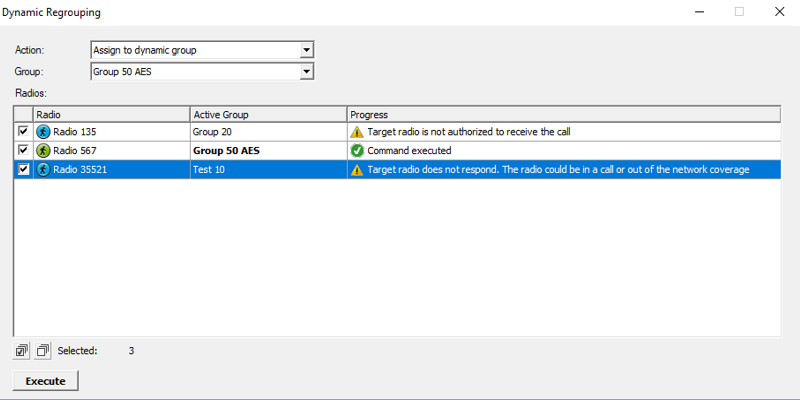
• Radio 135
DGNA Rx disabled in Subscriber Access Control.
DGNA Rx disabled in Subscriber Access Control.
• Radio 567
DGNA command successful. The radio is registered in group 50. If the subscriber switches personality the updated registration is shown.
DGNA command successful. The radio is registered in group 50. If the subscriber switches personality the updated registration is shown.
• Radio 35521
No response to DGNA command. The radio firmware is likely older than 2.10.
No response to DGNA command. The radio firmware is likely older than 2.10.
Dimetra Express
DGNA sends a group switching request to the terminal. If accepted the radio switches to the assigned group. After a timeout the radio returns to the default group.
Prerequisites
• Dimetra 1.7 release or newer
• TRBOnet 6.0 or newer
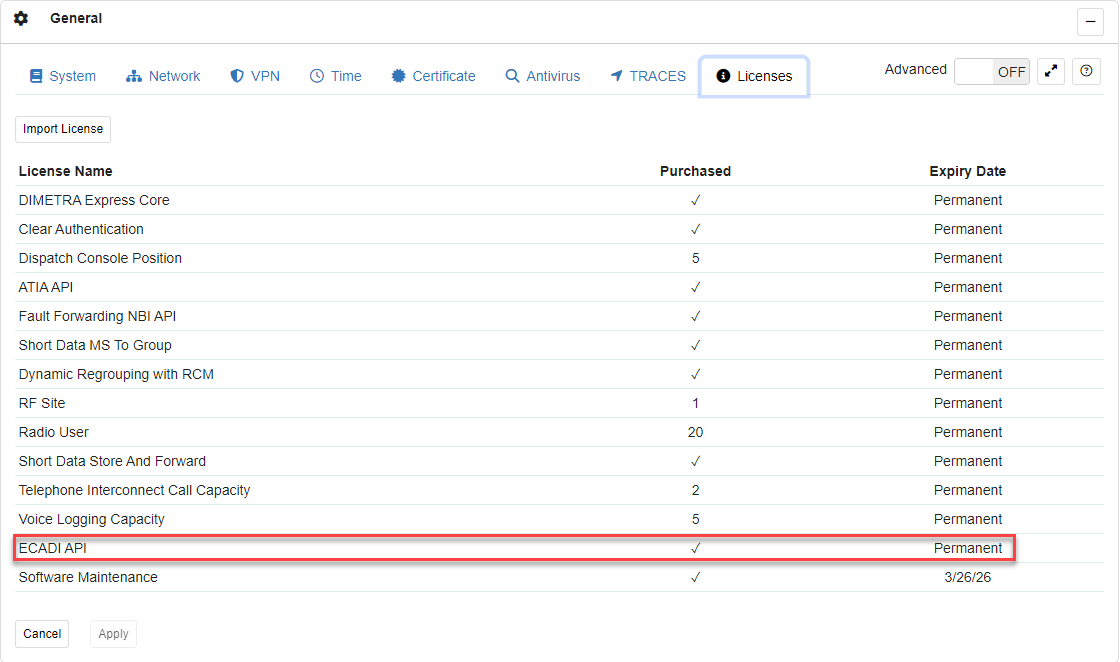
• Requires ECADI license.
Configuration on Dimetra Terminal
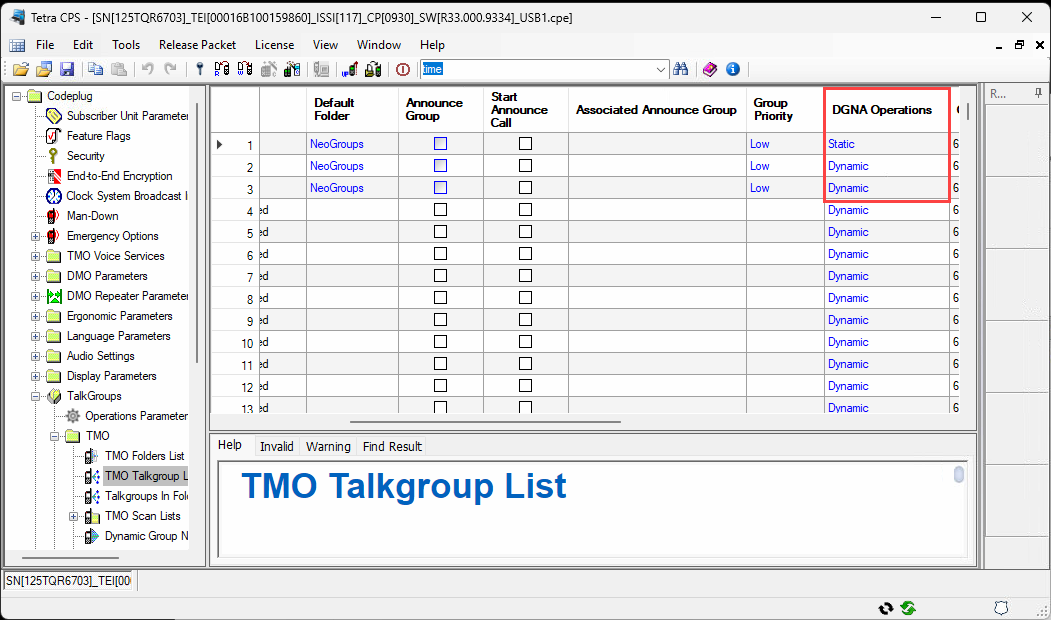
1. Choose regrouping mode: static, semi static, or dynamic.
2. Each mode has different regrouping logic. TRBOnet supports all modes.
Configuration on TRBOnet side
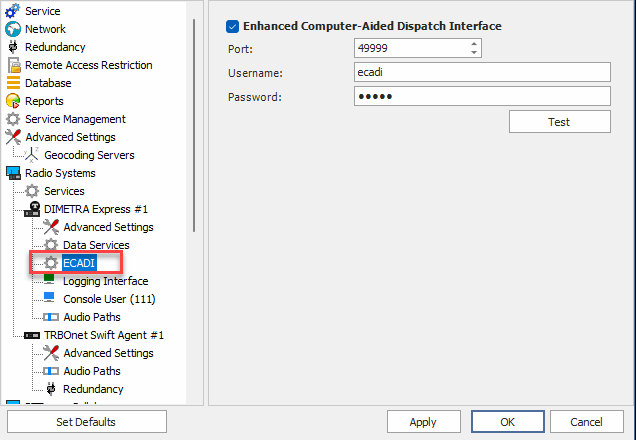
1. Add an ECADI connection.
2. TRBOnet detects DGNA support based on the ECADI protocol used for connection to the Dimetra Express controller.