Summary
This article describes how to automate the cleanup of TRBOnet backup folders (database and audio) using a BAT script and Windows Task Scheduler, since TRBOnet does not remove backup archives automatically.
If you need to regularly delete older files, you can automate cleanup using Windows Task Scheduler or third-party tools.
Below is the full procedure for enabling automated backup folder cleanup.
Step 1: Prepare the Cleanup Script
You may use one of the example scripts below.
1. Open
2. Copy one of the scripts below into the file
3. Save the file with a extension (for example: )
Script 1: Delete files older than 30 days in Backups
REM Remove files older than 30 days
ForFiles /p "C:\ProgramData\Neocom Software\TRBOnet.Enterprise\Backups" /s /d -30 /c "cmd /c del /q @file"
ForFiles /p "C:\ProgramData\Neocom Software\TRBOnet.Enterprise\Backups" /s /d -30 /c "cmd /c del /q @file"
Script 2: Delete audio folders older than 30 days
REM Remove files older than 30 days
ForFiles /p "C:\ProgramData\Neocom Software\TRBOnet.Enterprise\Audio" /d -30 /c "cmd /c rd /s /q @path"
ForFiles /p "C:\ProgramData\Neocom Software\TRBOnet.Enterprise\Audio" /d -30 /c "cmd /c rd /s /q @path"
Step 2: Create a Scheduled Cleanup Task
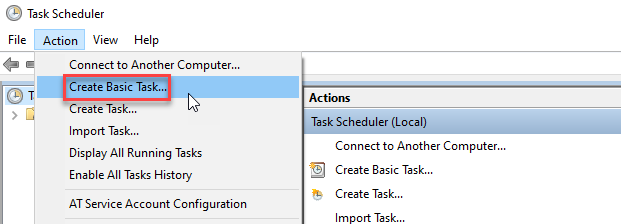
1. Open
2. Select
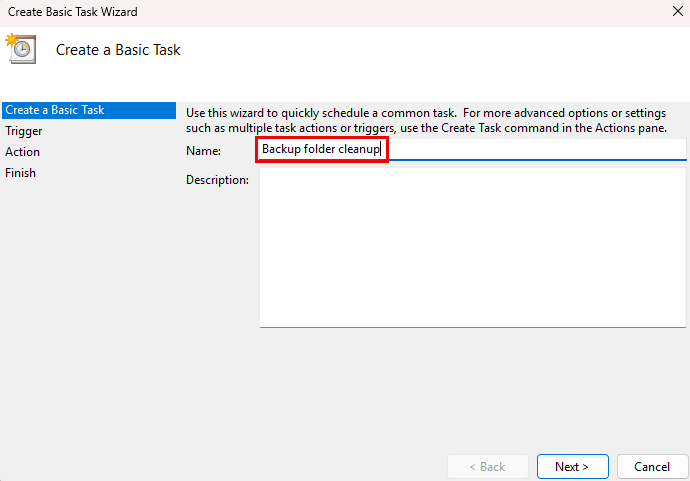
3. Enter a task name
4. Select
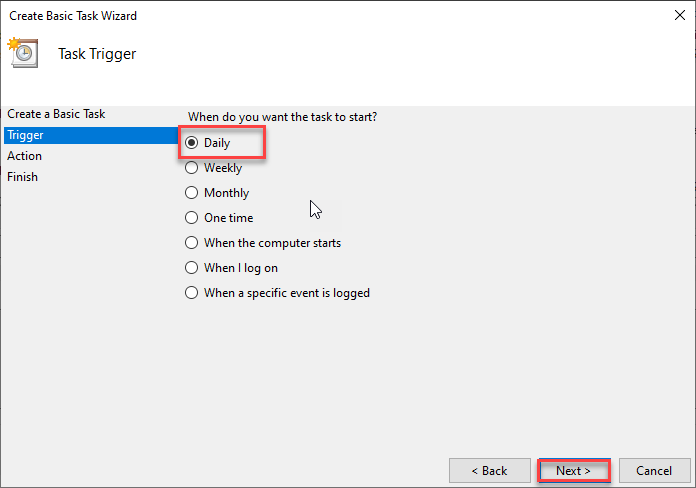
5. Configure start time and recurrence
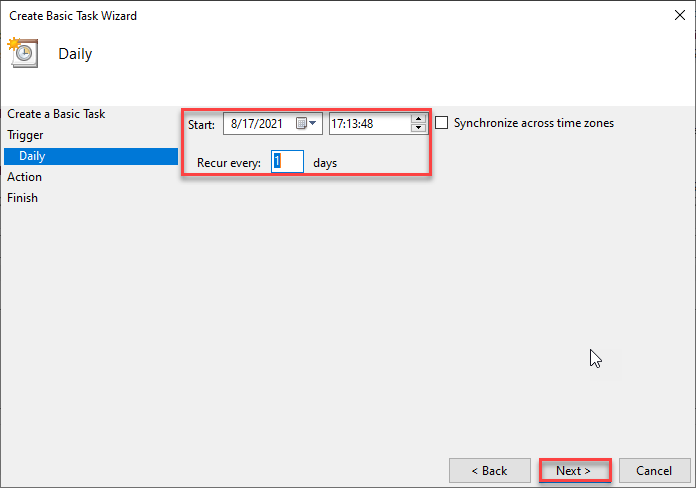
6. Select
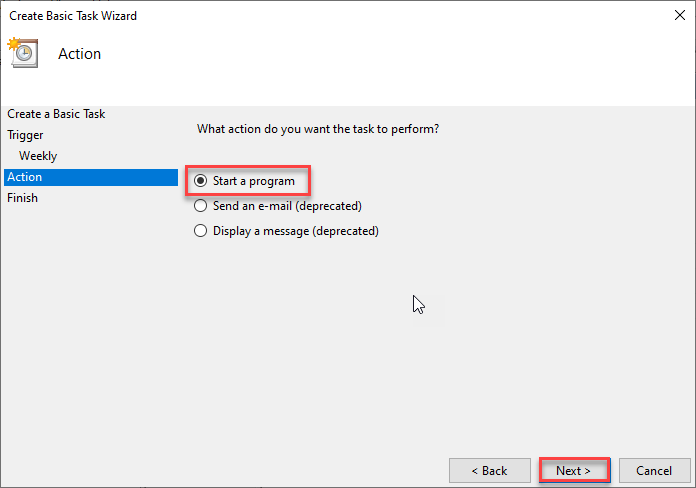
7. Click
and select your BAT file
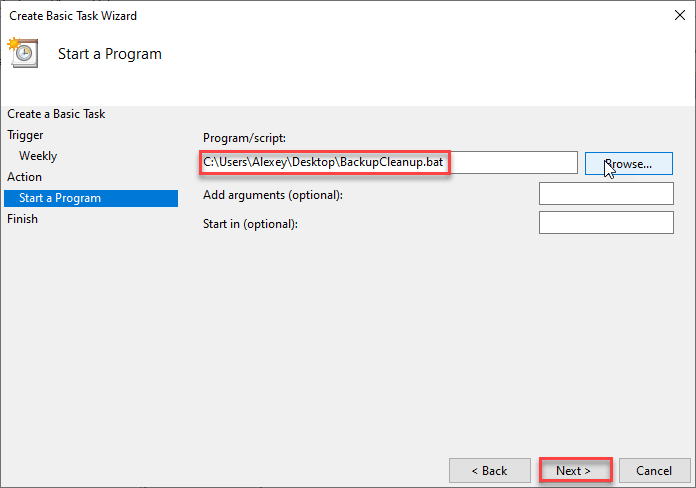
8. Confirm
The task will now appear in Task Scheduler Library.
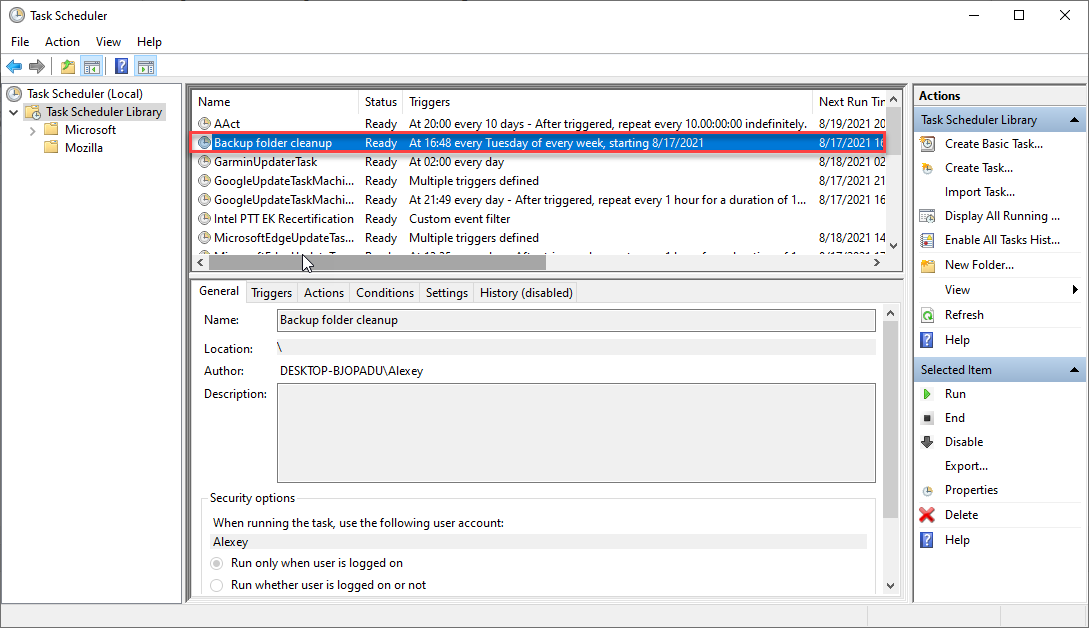
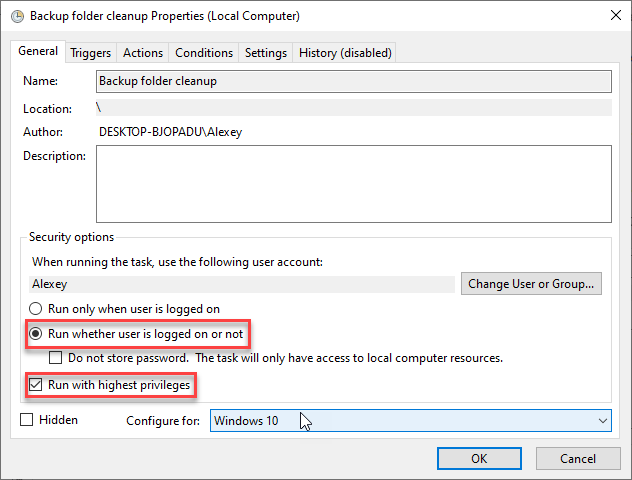
Step 3: Run With Highest Privileges (Required)
To ensure reliable execution:
1. Open
2. Double-click the created task
3. Enable:
•
•