Summary
This article describes how to integrate Motorola VB400 Body Camera with TRBOnet using RTSP stream via Motorola Video Manager.
Configure Stream
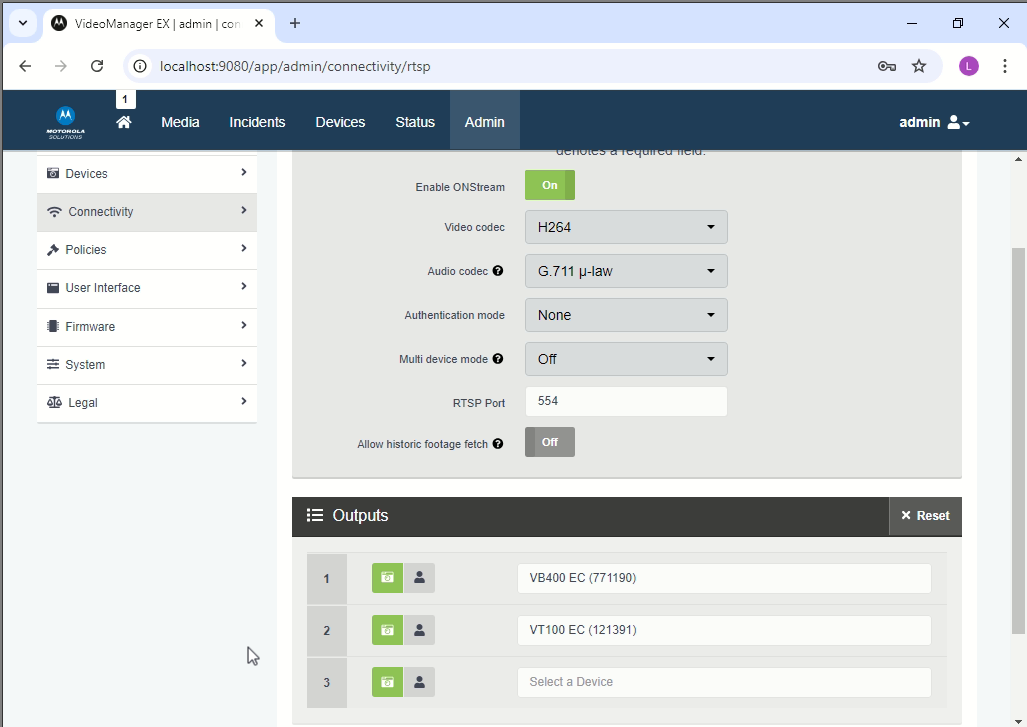
Use "Motorola Video Manager" web-application to configure VB400 Body Camera:
1. Navigate to tab. Set "Enable ONStream" to "On".
2. Set Video codec to "H264".
3. Set "RTSP Port".
4. Navigate to tab and add the Camera Devices.
Configure TRBOnet
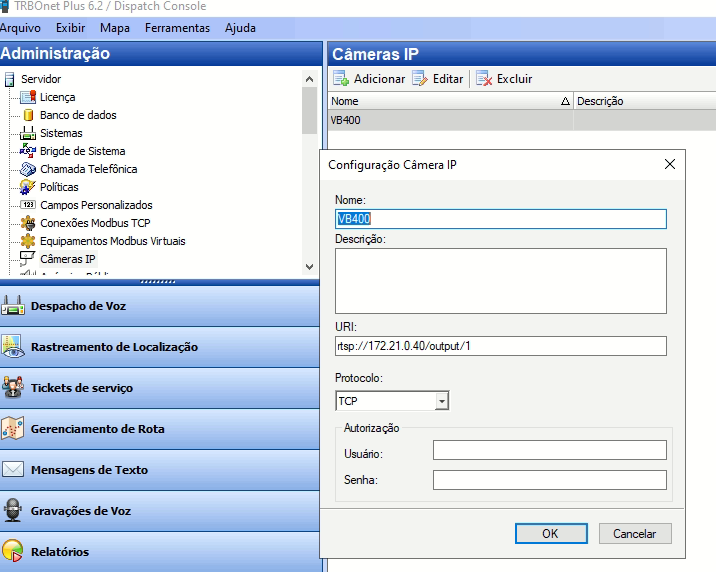
1. In TRBOnet Dispatch Console navigate to .
2. Add a Body Camera using RTSP parameters set.
3. Set the link to stream:
rtsp://<video manager IP>/output/1
Where "1" (or any other number) is the index number of Camera Device in Video Manager.
When camera is off, the camera output in will show "Device not streaming". When camera is on, the video stream will be shown.
External resource: Motorola VB400 Body Camera