Major Release Features
Connect AI Assistants to TRBOnet with MCP
Description: A compatible AI assistant can use Model Context Protocol (MCP) to query live TRBOnet data in natural language. Users can check system status, investigate communication issues, and find configured radios and users. MCP tools provide read-only access to live data.
More information on the feature can be found in the article MCP Integration.
AI Speech to Text: Search Voice Transmissions in "Messages" and "Radio Activity" Reports
Description: The "Messages" and "Radio Activity" reports include a searchable transcription column for voice messages. Enable "Print details" to include transcriptions in printed reports.
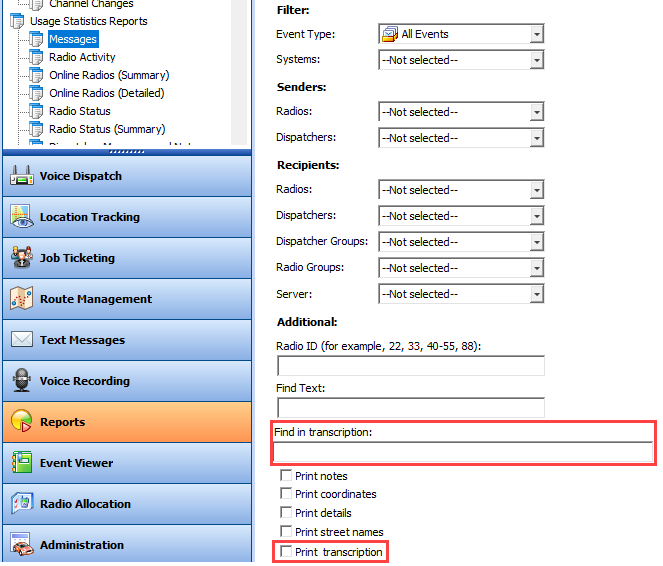
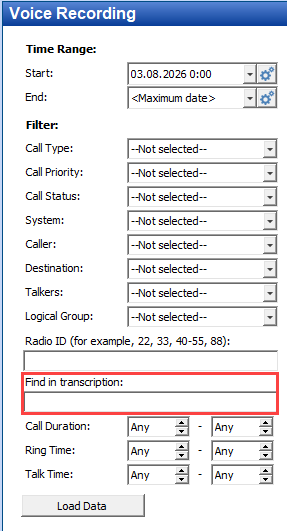
AI Speech to Text: Search by Keywords
Description: "Find in Transcription" allows calls search by an exact match for the entered word or phrase. The search covers calls with an existing transcription.
AI Speech to Text: Alarm Management Source
Description: Alarm Management rules can use live transcriptions from radios, TRBOnet Mobile, and TRBO.SOS as an event source.
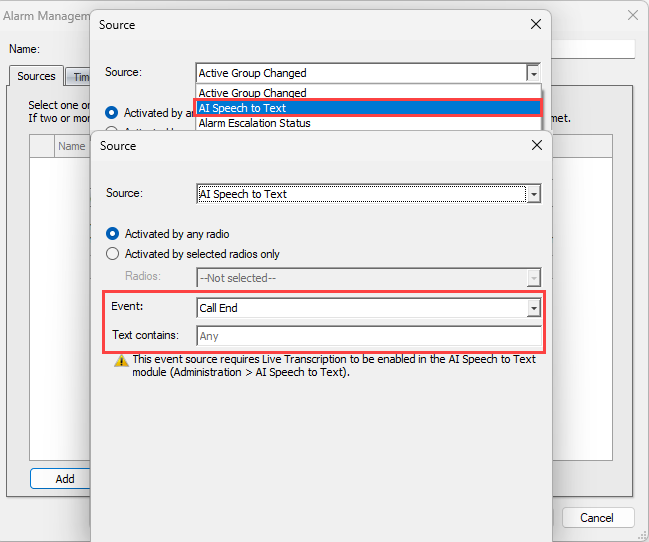
"Transmit end" can trigger the rule after each matching transmission. "Call end" triggers the rule once after the call ends.
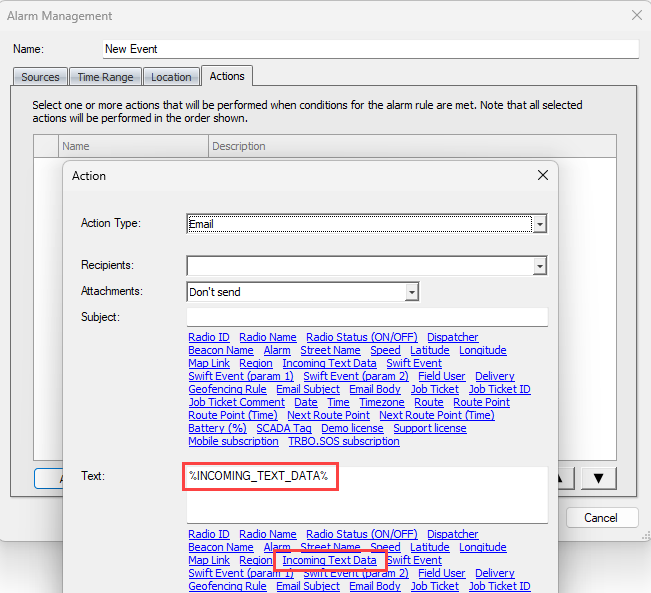
AI Speech to Text: Send Email with Call Transcriptions
Description: An Alarm Management rule with the "AI Speech to Text" source can send a live transcription to configured email recipients using the "Incoming Text Data" variable.
Other Features
Dimetra Express: Expected Private Call Type
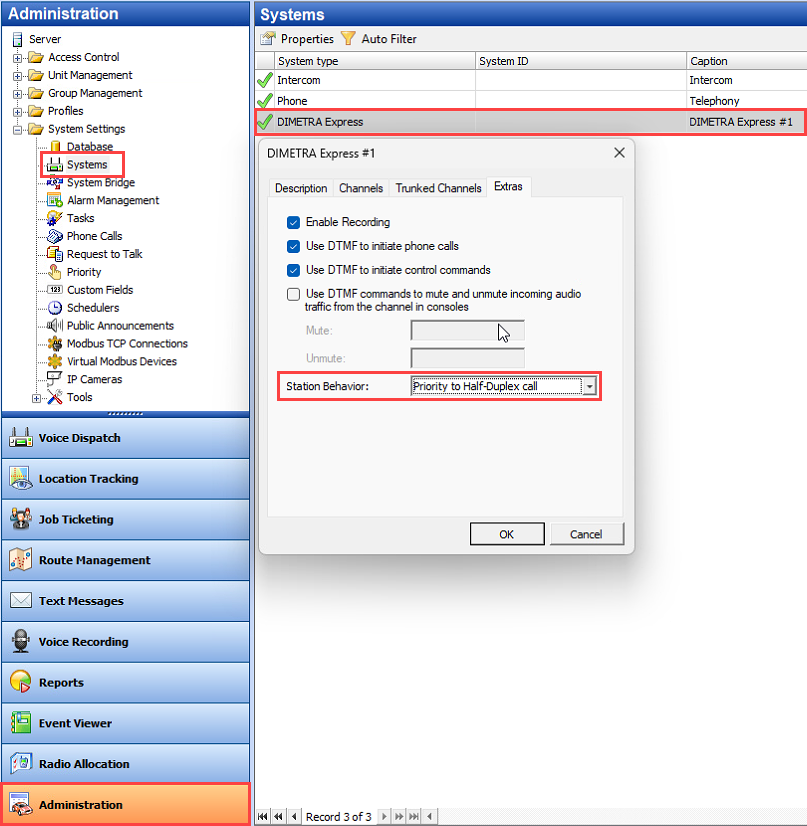
Description: Incoming half-duplex private calls can now appear directly in the "Private PTT Box" before the dispatcher accepts them. To enable this behavior, go to "Administration → Dimetra System → Properties → Extras" in the Dispatch Console and set "Default incoming private call type" to "Half-Duplex".
Dimetra Express: Outgoing Full-Duplex Call Permission
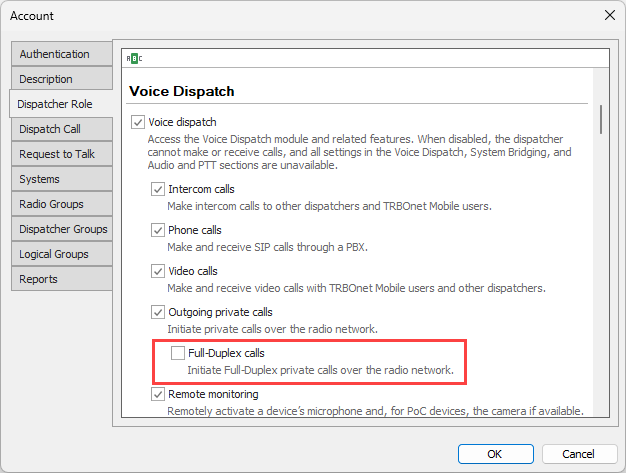
Description: The permission "Outgoing Private Calls → Full-Duplex Calls" controls whether a dispatcher can initiate full-duplex calls.
Beacon Location Data from Text Messages
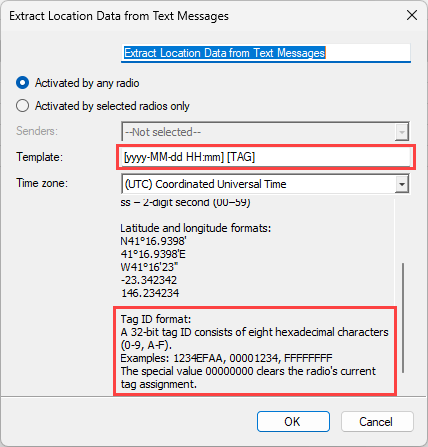
Description: The "Extract Location Data from Text Messages" task can use an eight-digit hexadecimal beacon ID to place the sending radio at a registered beacon's location. The message must match the configured template, including any timestamp format. The radio stays at the beacon location until it sends a new beacon ID, receives a new location, or goes offline.
Randomized Enhanced Privacy Key Selection
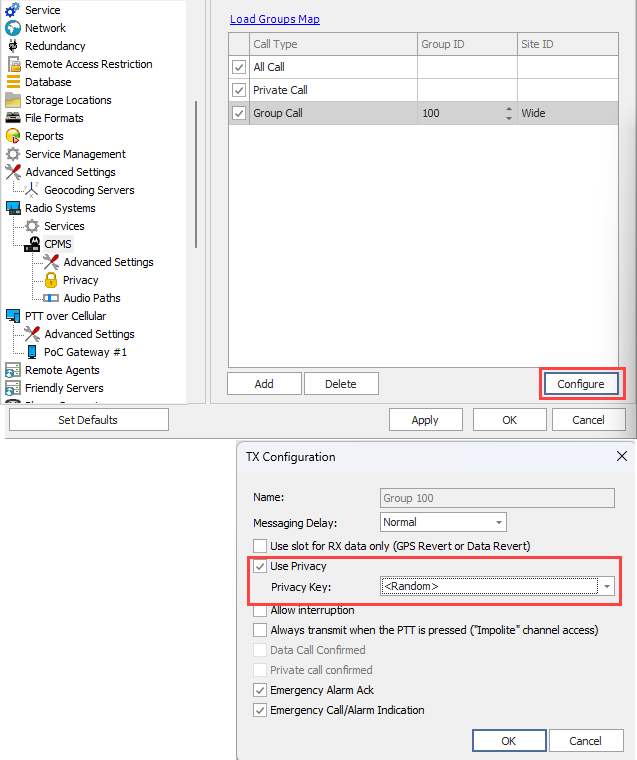
Description: TRBOnet supports randomized Enhanced Privacy key selection on talk paths that offer key selection. TRBOnet selects a key for each outgoing voice transmission, so successive PTT transmissions within the same call can use different keys.
Dispatch Console Related
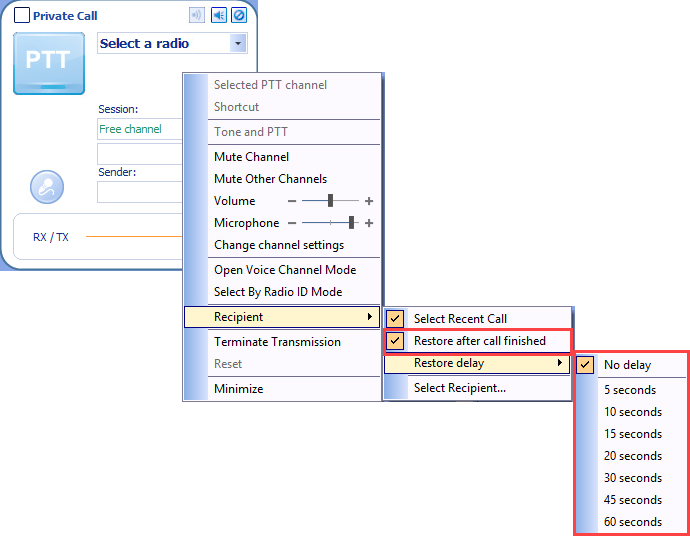
Private Call Box Contact Reset
Description: Dispatchers can select a predefined contact from the context menu for the "Private Call Box". The box restores the selected contact after an incoming private call ends.
Emergency Alarm Destination
Description: With IPSC\CPSS\CPMS - the console displays the actual destination talkgroup for incoming Emergency Alarms addressed to a specific group instead of "All".
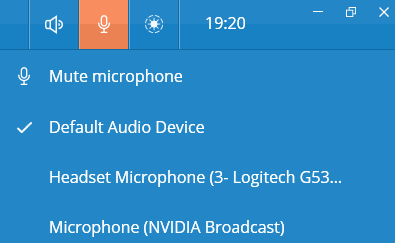
TRBOnet One: Quick Microphone Selection
Description: Dispatchers can select the microphone for the default audio configuration directly from the audio device list.
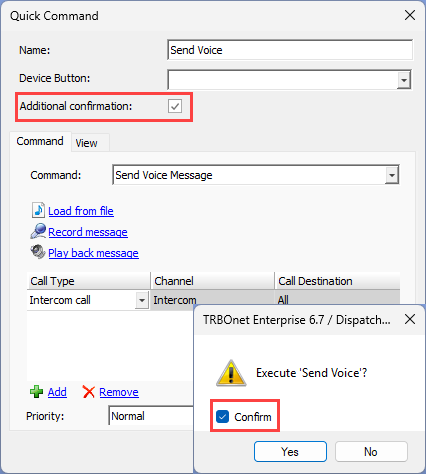
Confirmation for Quick Commands
Description: For a Quick Command configured to require confirmation, the dispatcher must select "Confirm" in the prompt to enable "Yes". Can be used in case a quick command carries Critical task which should not be executed accidentally.
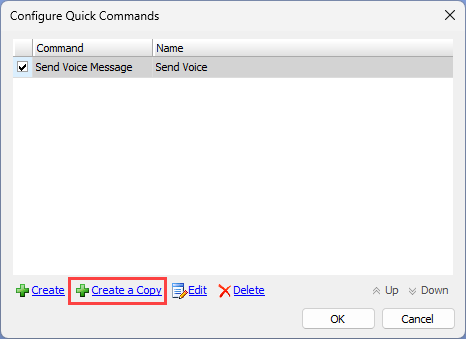
Copy Quick Commands
Description: Use "Create a Copy" to create a new Quick Command from an existing one. Edit the copied command to change the settings that differ. Allows a quicker way to create similar commands.
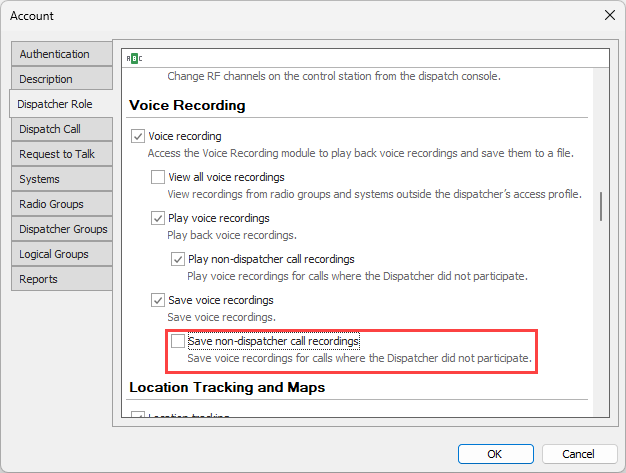
Permissions for Call Recordings
Description: "Save non-dispatcher call recordings" permissions control whether dispatchers can play or save recordings of calls they did not participate in.
Mobile Client Related
Faster PTT Channel Access
Description: TRBOnet Mobile 3.6 reduces the time between pressing PTT and starting a voice transmission.
Biometric Authentication
Description: Users who enable biometric authentication can reconnect to the server using their device biometrics. The app prompts for biometric verification when restarted. After signing out, users can start verification from the sign-in screen.