Summary
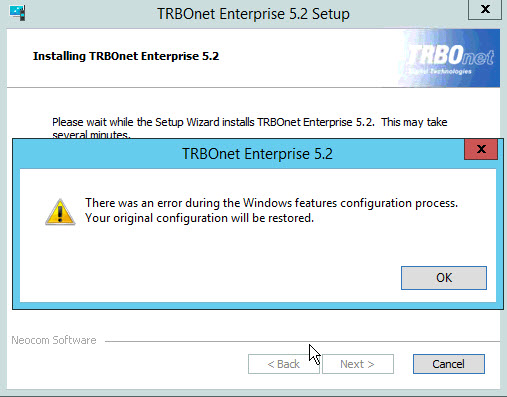
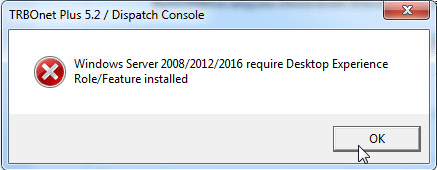
TRBOnet Enterprise, Plus, or Watch may fail to install or start on Windows Server and Windows Desktop operating systems. This issue is caused by missing Windows multimedia libraries. TRBOnet applications require these components to initialize audio and media modules. On Windows Server, the "Desktop Experience" feature must be installed. On Windows Desktop, media components must be up-to-date.
You may see an error message during installation or when starting the application:
Windows Server Solution
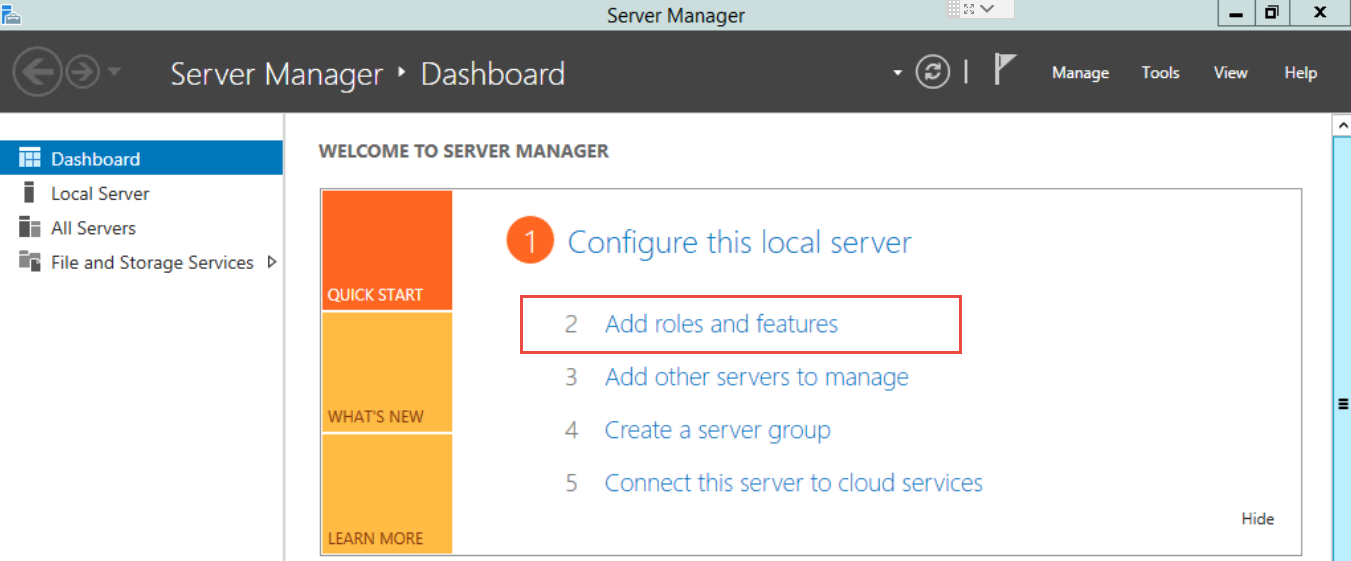
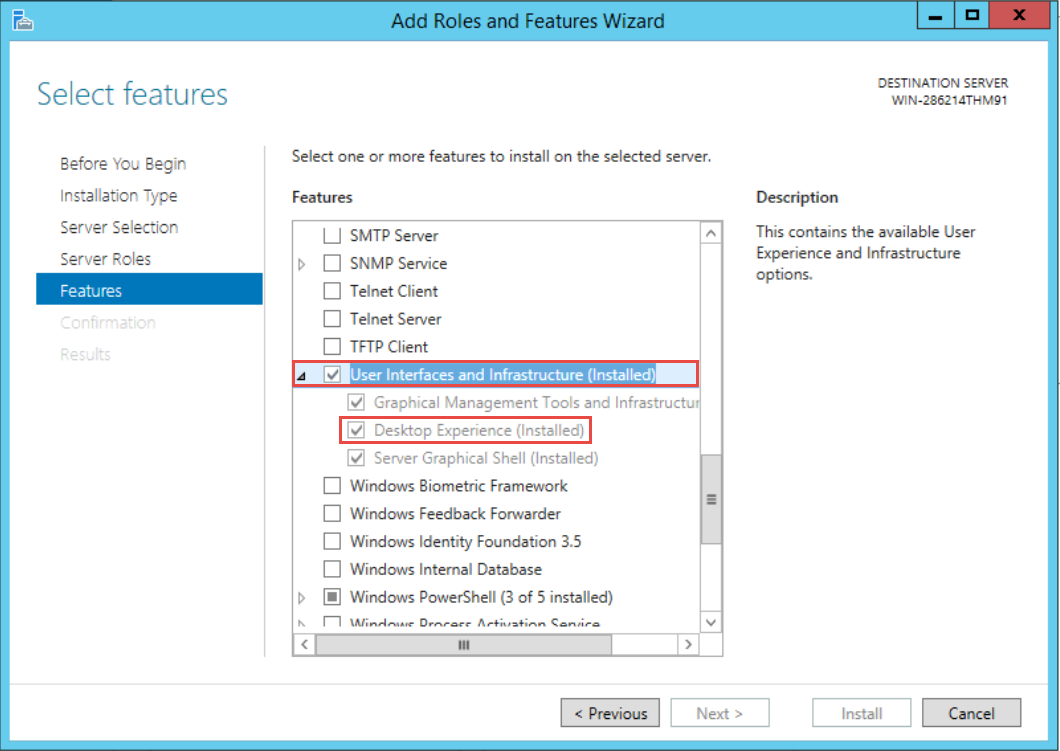
Install Desktop Experience before installing TRBOnet:
1. Open
2. Go to:
3. Enable
4. Complete installation and reboot if required
5. Install TRBOnet
Windows Desktop Solution
1. Install all available Windows Updates
2. Uninstall all Microsoft Visual C++ Redistributables
3. Run the TRBOnet Prerequisites Wizard, then reinstall TRBOnet
4. When prompted, allow installation of Visual C++ components
5. If TRBOnet installs but does not start, run Windows Update again and install remaining updates
Windows "N" Editions: Install the Media Feature Pack from Microsoft before installing TRBOnet.