Major release features
DAMM Tetra system support
Description: TRBOnet 6.4 supports DAMM Tetra system.
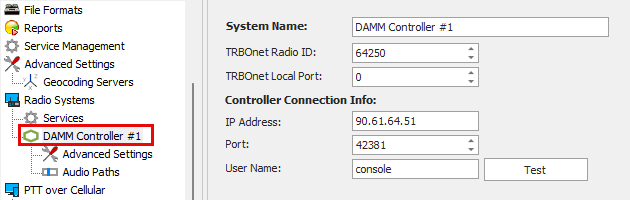
Supported features:
Call prioritization
Description: Configure PTT priorities within a session for call participants. A participant (Dispatcher, Radio, TRBOnet Mobile Client, TRBO.SOS) with a higher priority can interrupt another participant during a call session.
How to enable and use the feature: See this article.
New redundancy design
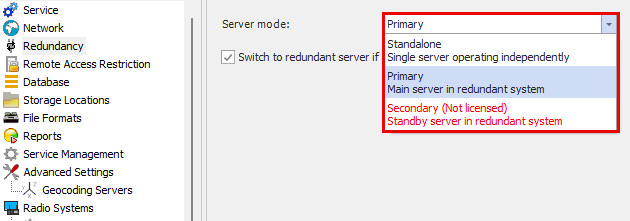
Description: The redundancy modes were changed in the TRBOnet server and TRBOnet agent to "Standalone", "Primary", "Secondary".
Dispatch Console related
Assign Quick Commands to external device buttons
Description: The Device Button feature in Quick Commands allows mapping a Command to a button press:
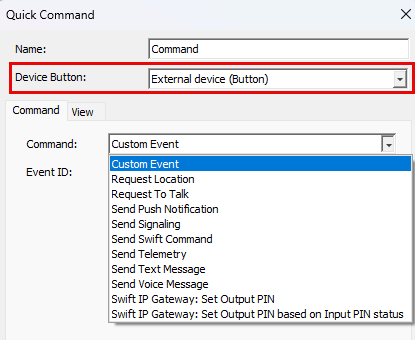
Use Case: Assign button to trigger Custom event set as a source in Alarm Management to execute tasks like text-to-speech, TMS, telemetry, etc.
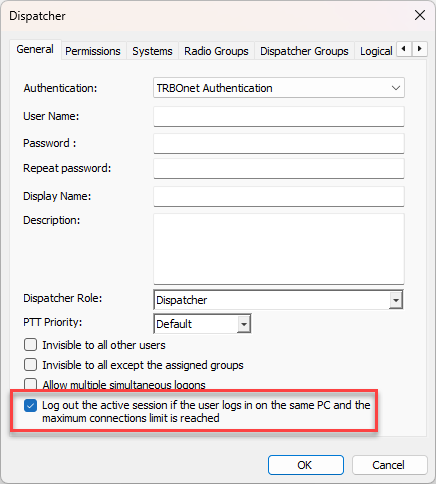
Log out the active session if the user logins the same PC
Description: Prevents license overuse by terminating inactive sessions from the same PC (by IP/Hostname) only when the license limit is exceeded. Applies to TRBOnet & Windows Auth in Dispatch and One Console.
How to enable the feature:
Enable "Log out the active session if the user logins in the same PC and the maximum connections limit is reached":
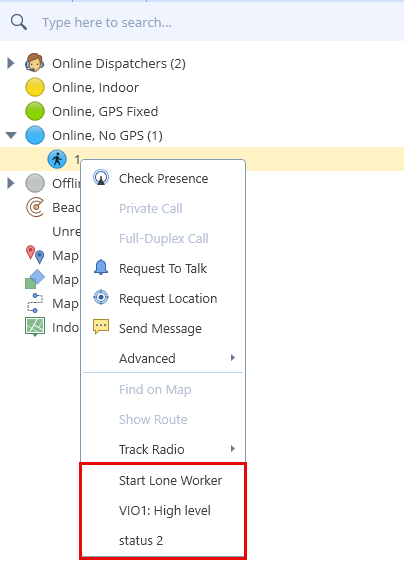
TRBOnet One: Additional options for a Subscriber's context menu
Description: Allows dispatcher to manually activate the following features:
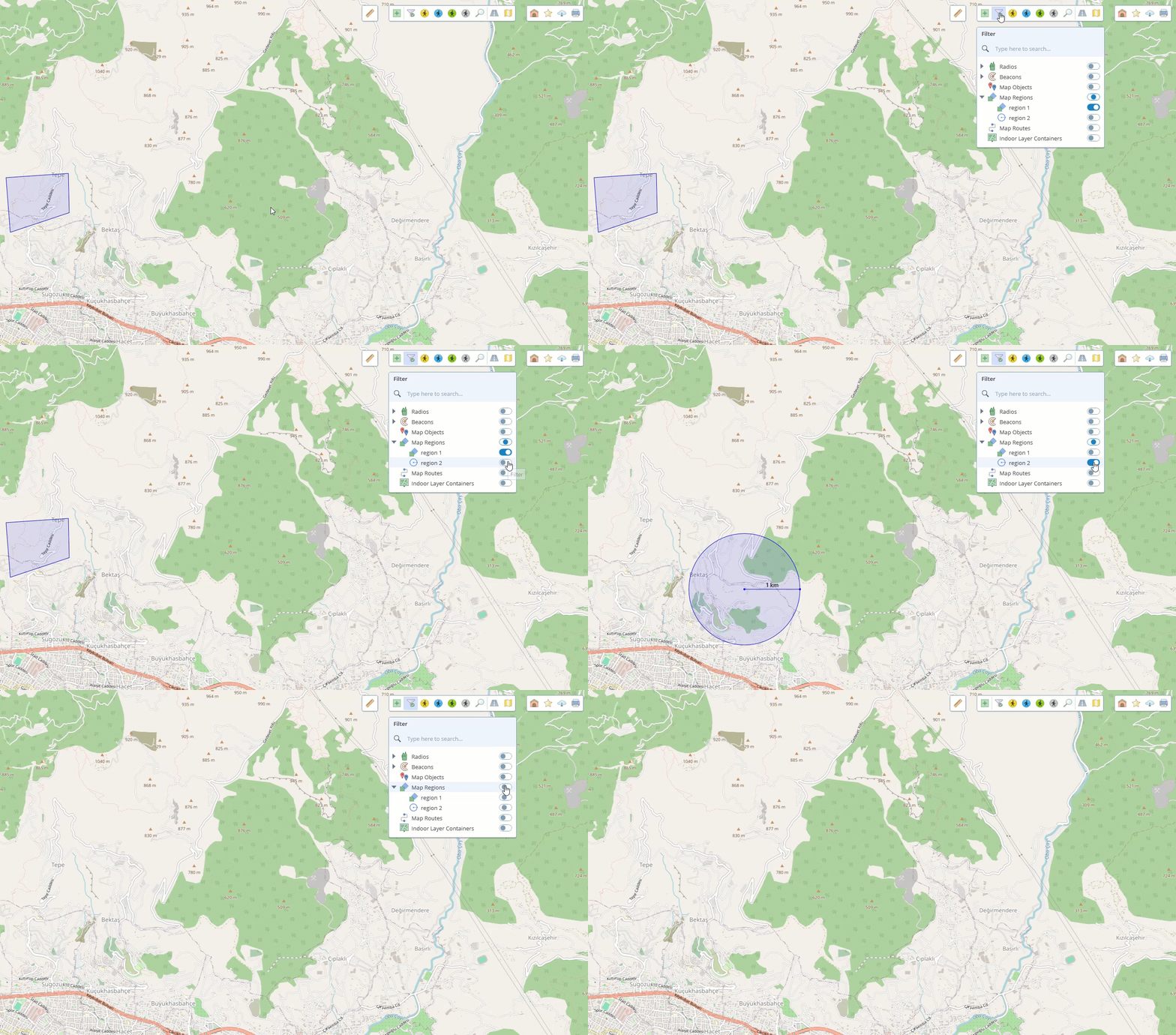
TRBOnet One: Hiding Specific Regions on the Map
Description: Added the ability to filter out specific regions displayed on the map.
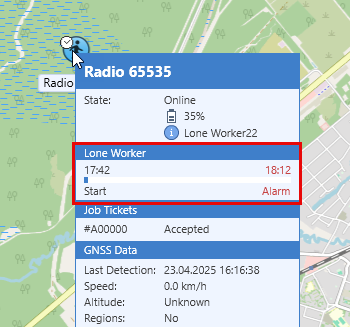
TRBOnet One: Added Lone Worker section to the subscriber tooltip
Description: A dedicated section for displaying Lone Worker status has been added to the subscriber tooltip in TRBOnet One Console.
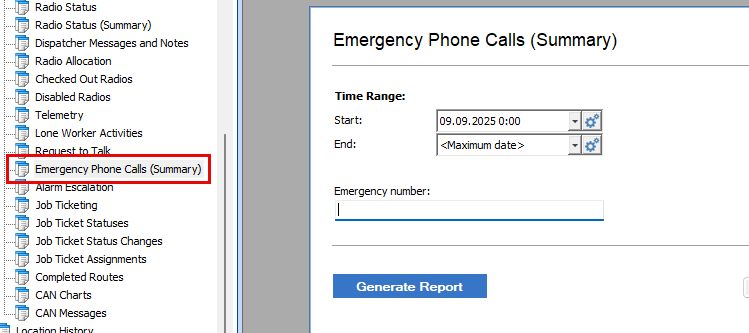
Reports: Emergency Phone Calls (Summary)
Description: Added a new report "Emergency Phone Calls (Summary)" that provides comprehensive performance analytics for emergency and non-emergency calls handling operations.
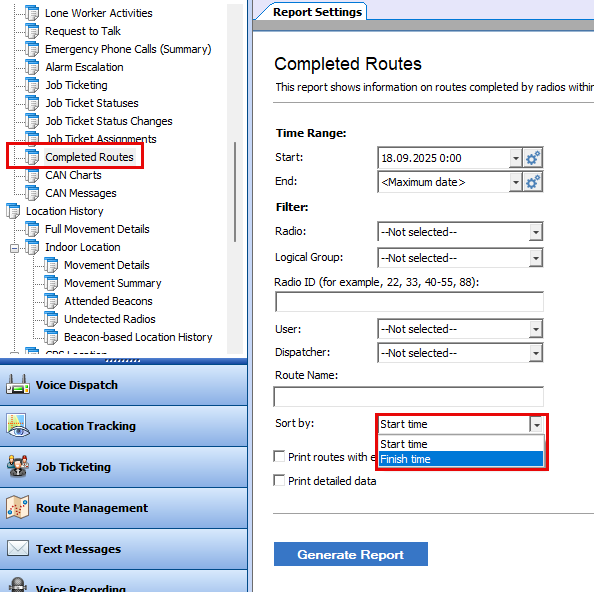
Report: Completed Routes
Description: Added the ability to sort by route finish time.
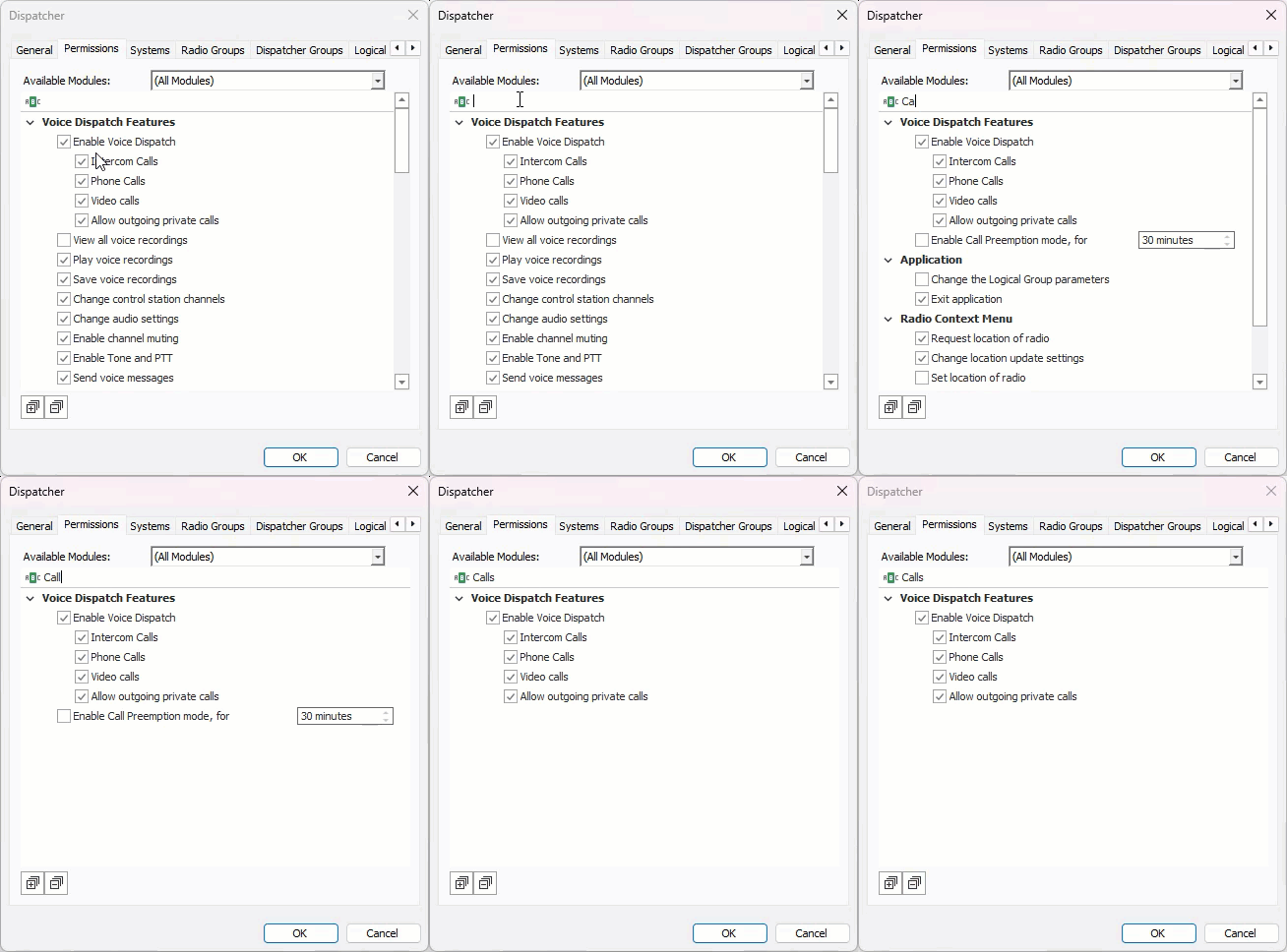
Dispatcher permissions interface filter
Description: Redesigned the dispatcher permissions interface for better usability.
Feature location:
Mobile client related
Enhanced data protection for server setup and connection
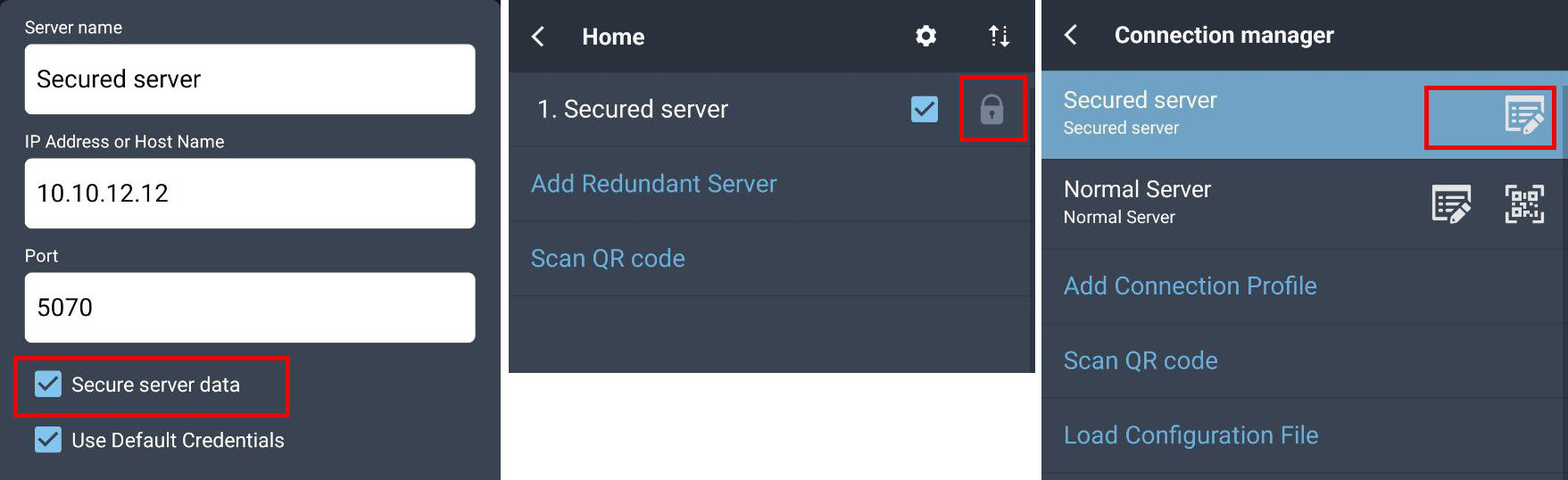
Description: Additional security features for Mobile client connection to TRBOnet Server.
1. Password input field:
2. QR code stores data in encrypted form, decrypted only inside the application.
3. After scanning a QR code, its contents cannot be viewed.
4. If the "Secure server data" option is enabled during server creation, the server cannot be edited or its QR code regenerated afterwards.
Latest recordings playback via device button or Bluetooth accessory
Description: Access playback using device button or Bluetooth accessory.
Use case: Allows users of displayless devices to replay missed or unclear messages.
How to enable and use the feature: See this article.
Option to record ongoing video calls to the phone
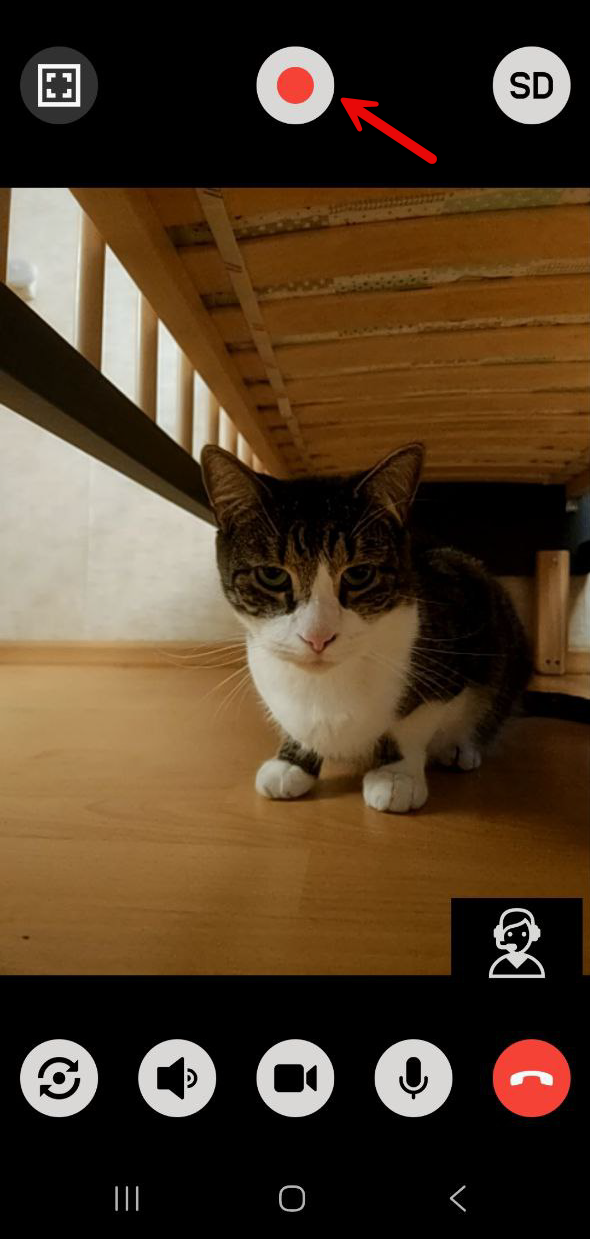
Description: Mobile users can save ongoing video calls to their device.
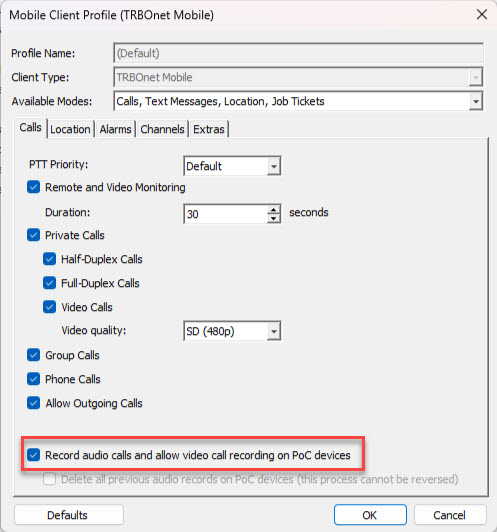
How to enable the feature: Enable "Record audio calls and allow video call recording on PoC devices" in Mobile client profile:
During call press the record button:
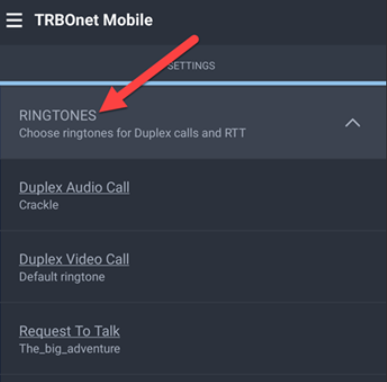
Custom ringtones for different call types in the mobile client
Description: A Ringtones option has been added to the Audio & Video settings in the mobile client.
To access the feature:
Remote video feed from mobile client upon dispatcher request
Description: Live video streaming from the mobile client's front or main camera, initiated by a Dispatcher.
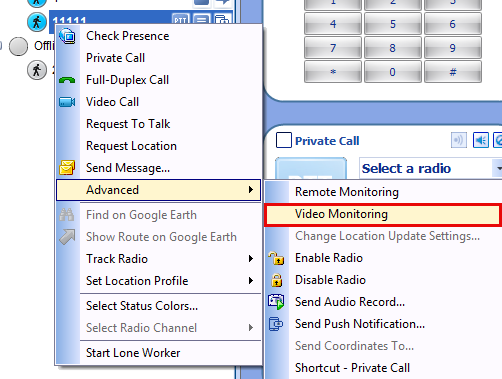
The dispatcher can switch cameras, choose the stream quality, set the audio delay.
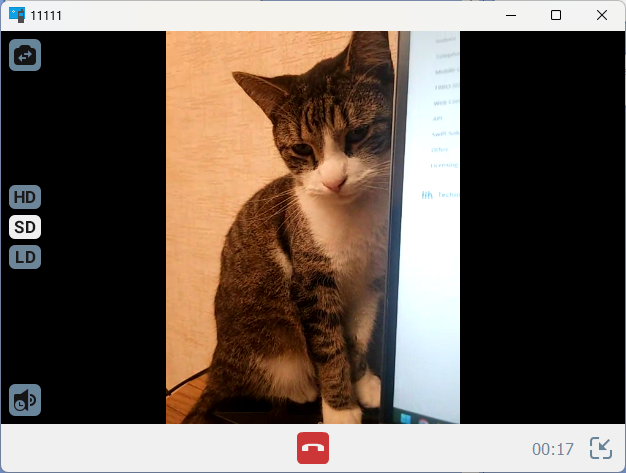
*Not available in TRBOnet One or on iOS devices.
*Requires "Always on top" permission in Android OS for Mobile client App.
Lone Worker for Mobile Client
Description: Added Lone Worker feature for Mobile client.
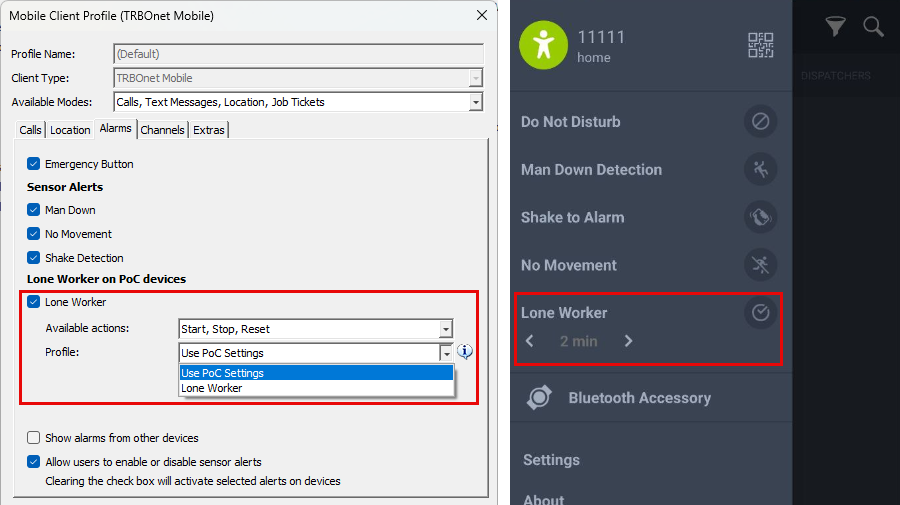
Settings can be defined either by the PoC user or by a Lone Worker profile created in TRBOnet.
The PoC settings include only the Lone Worker timeout, while profiles offer additional options.
Available actions: Start, Reset, and Stop the Lone Worker session.
Upon activation, corresponding notifications are sent to Dispatcher.
Ability to track a selected subscriber's movement on the mobile client's map
Description: Ability to track a selected subscriber's movement on the mobile client's map. The map automatically centers on and follows the subscriber.
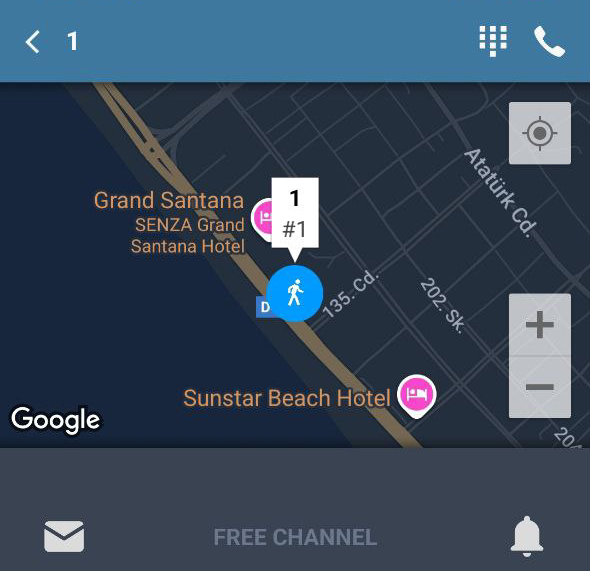
Use Case Example: Create a dedicated profile for a specific group of supervisors (e.g., 10 mobile clients) and enable "Show locations of other devices" only in that profile.
Other features
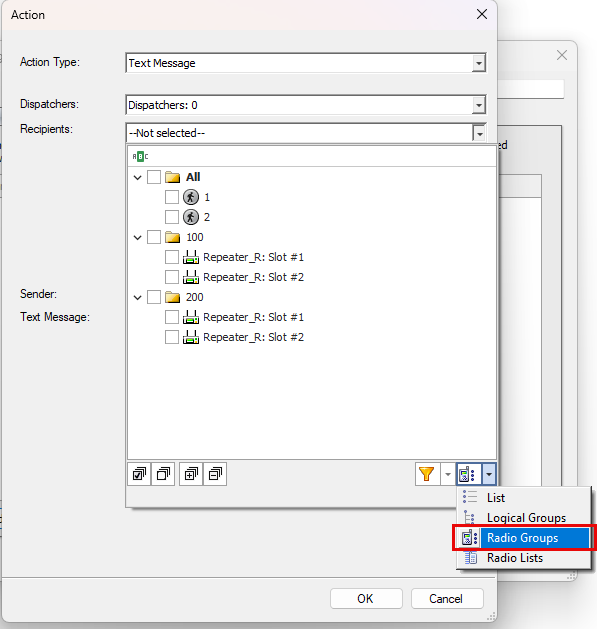
Alarm Management: Select specific slot to send TMS in IP Site Connect
Description: In Alarm Management Actions, when the View is set to Radio Groups, the "Text Message" action now provides the option to select a specific target slot for TMS messages within the IPSC system.
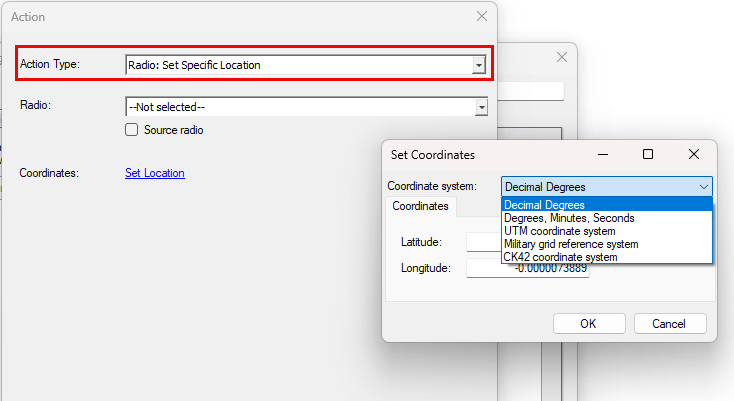
Alarm Management: Set specific location
Description: Set predefined coordinates for a radio to display its location accurately on the map when a specific event is triggered.
Use case: Radios used indoors (without GPS) show a last-known location. An EAM rule now automatically sets a radio's location to its whereabouts upon registration in the radio system.
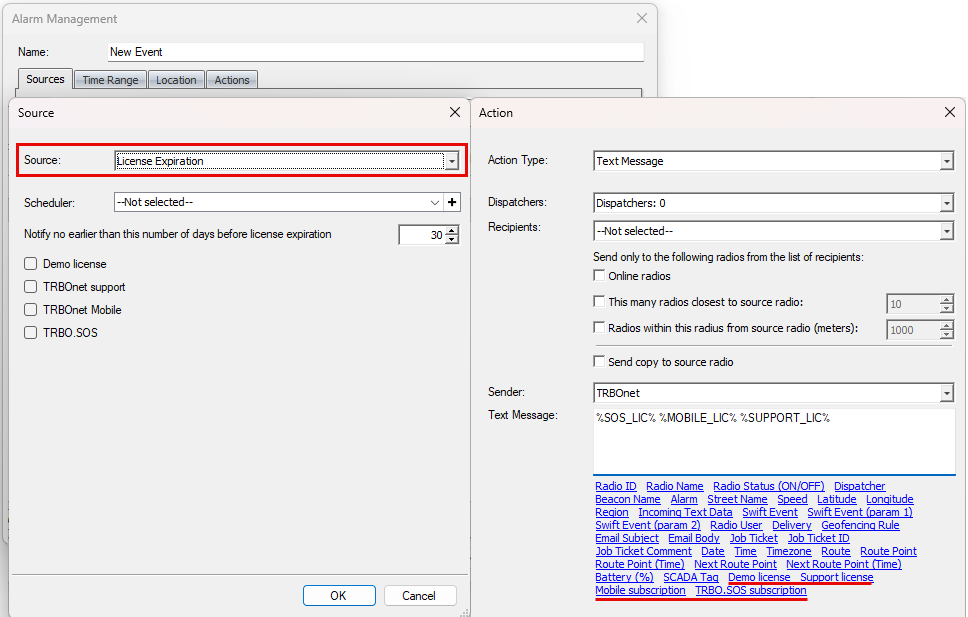
Alarm Management: License Expiration
Description: The EAM rule to send notifications (e.g., via email) a specified number of days before the expiry date.
Dimetra Express: Group calls interruption
Description: TRBOnet Dispatcher to interrupt Group calls and callback.
How to enable and use the feature: See this article.
Increased route points limit for "Show Route"
Description: The MaxRoutePoints server config parameter increases the limit for displaying historical routes from 100,000 to 100,000,000 points.

A value of 0 sets the default limit (100,000 points).
If the limit is exceeded, the map will display routes only for the subscribers whose data fits within the limit, not all selected ones. The user will see a warning: "Failed to load all requested data. Reduce the number of radios and/or shorten the time interval".
Before changing config file always do the following:
1. Take TRBOnet Server config file backup.
2. Stop TRBOnet Server service.
3. Close TRBOnet Server configurator.
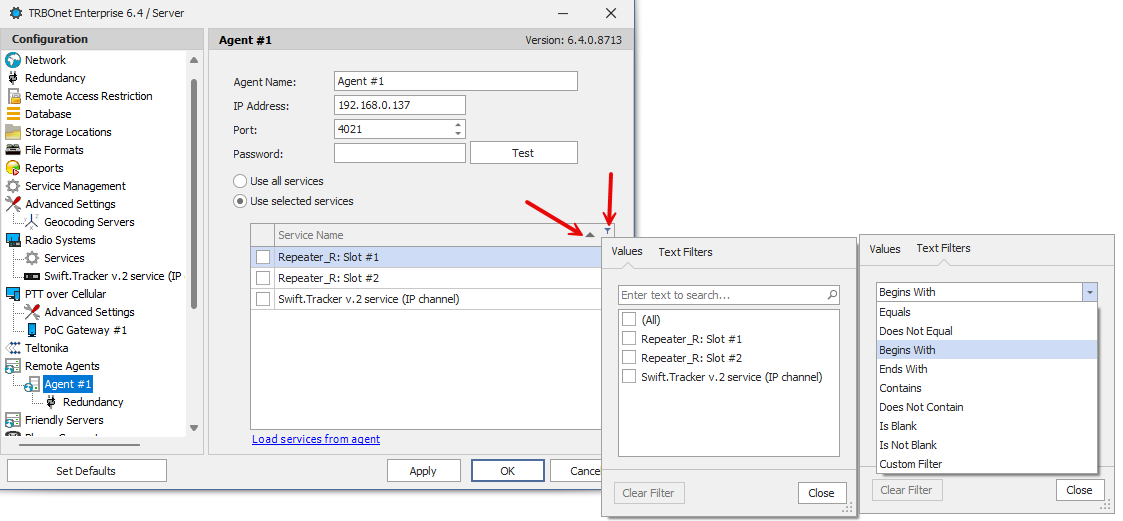
Software Agent Services list sort and filter
Description: Added alphabetical sorting, filtering, and a text search by name for the Talkgroups list in the
Task: "Extract location data from text messages"
Description: Set radio on map based on text messages with coordinates received from Subscribers.
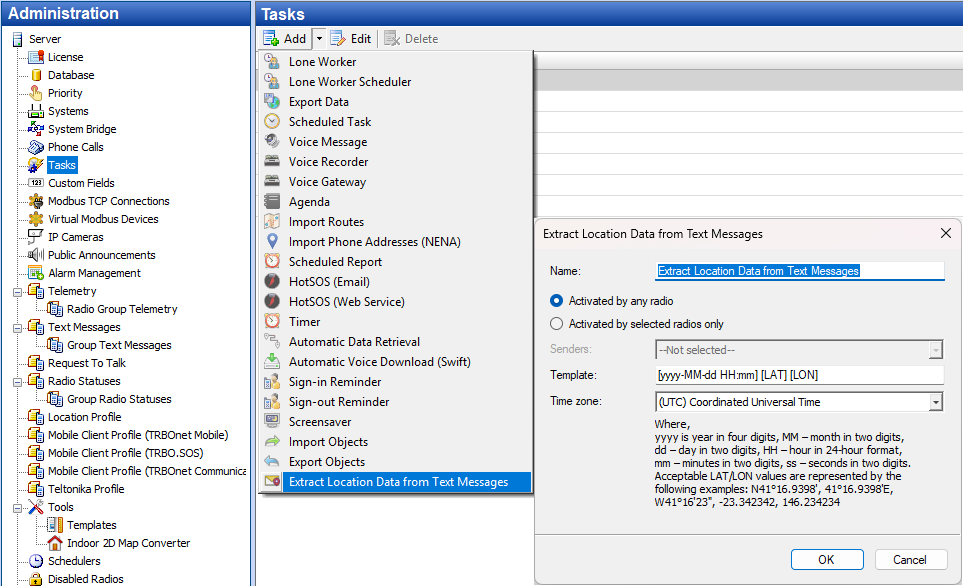
Supported coordinates formats:
Messages can be sent from a radio subscriber or mobile client to:
Uses Dispatcher Computer time if no timestamp is provided. Applies subscriber radio location profile setting "Automatic error correction."
Extra parameters (e.g., speed) are ignored.
SIP phone numbers grouping
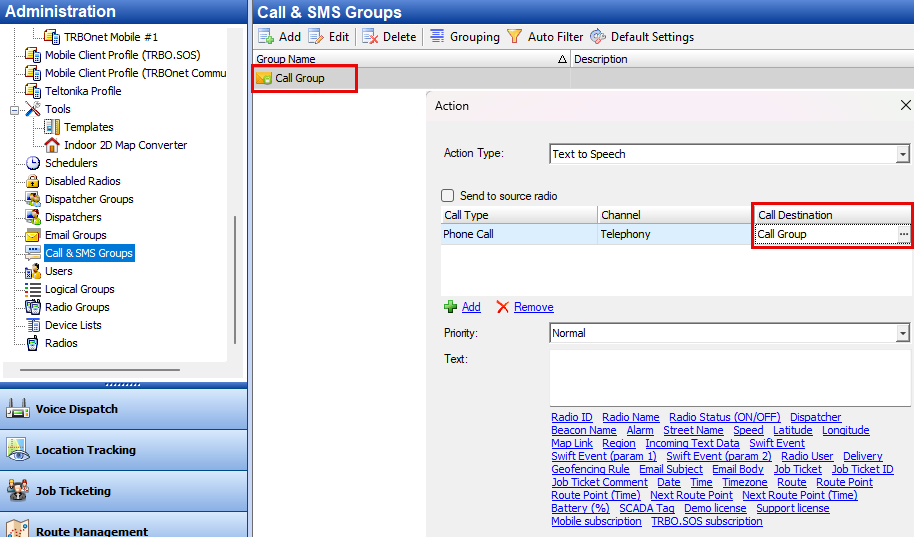
Description: Added the ability to create SIP phone number groups.
Use case: Use groups as a receivers of Text-to-Speech in Alarm Management.
Swift Tracker (IP channel)
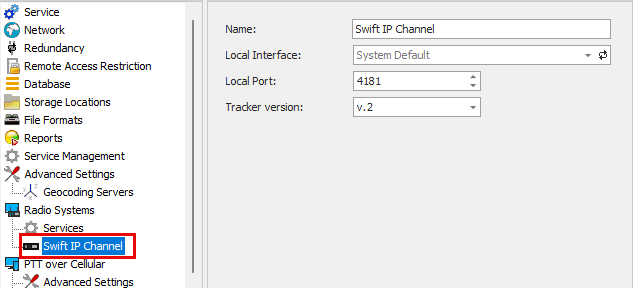
Description: Swift Tracker (IP channel) moved from Services to Radio systems (Swift IP channel).