Summary
This article explains how to get the Hardware ID and send it to Sales at info@trbonet.com for license generation.
There are two methods to get the Hardware ID:
1. Use the Hardware ID Generator if the server is not yet installed on the PC.
2. Use Server Configurator if the server is already installed.
Method 1. Use the Hardware ID Generator
1. Download the Hardware ID Generator to the PC that will be licensed, which is the PC where the server will be installed.
2. Extract the tool to a selected folder on the PC and run it.
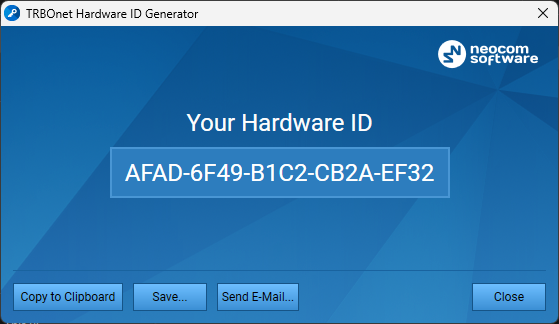
3. Copy the generated Hardware ID, paste it into a text document or email, and send it to the TRBOnet team.
Method 2. Use Server Configurator
1. Open Server Configurator.
2. In the Configuration pane, select .

3. In the License pane, click , paste the copied information into a text document or email, and send it to the TRBOnet team.