Summary
This article provides how to use USBD Location Polling feature.
USBD Location Polling allows GPS location delivery through the Control Channel using a request and response mechanism. The feature requires TRBOnet version 6.2 or newer and Motorola Capacity Max version 2023.01 or newer. A detailed technical description of the feature is available in the article by Wayne Holmes on the cwh050 blog.
USBD Location Polling is not compatible with encryption.
Notes
• A Subscriber Unit may not respond to a USBD Poll Request when the unit is in a call or out of coverage
• USBD Polling is suspended during Mass Re-Registration
• Supported in Advantage Mode, Open System Mode, and Open Radio Mode
• Supported only in Dedicated Control Channel Mode. Not supported in Shared Control Channel Mode
• Only SLR series repeaters support Control Channel operation
• All subscriber models supported in Capacity Max support USBD Location Polling
• Supported only in Wide Area Trunking mode. Site Trunking mode does not support USBD
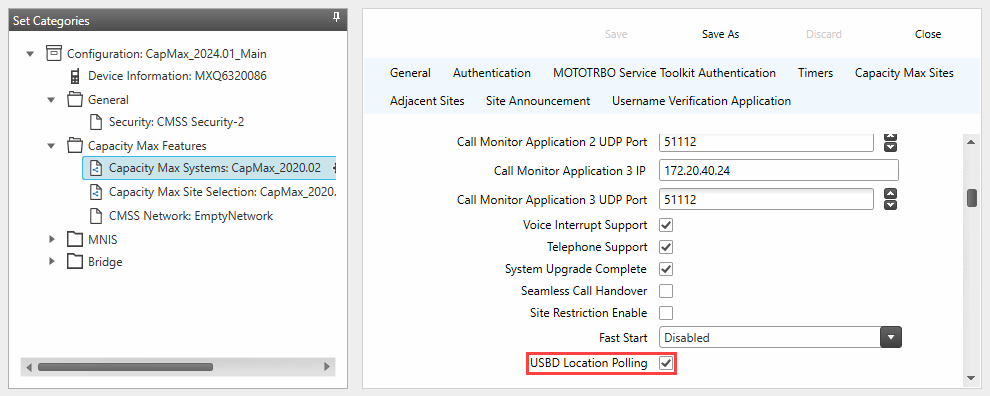
CMSS Configuration
1. Open
2. In Set Categories select
3. Select the target system and choose
4. In the General section enable write the CMSS
Radio Subscriber Configuration
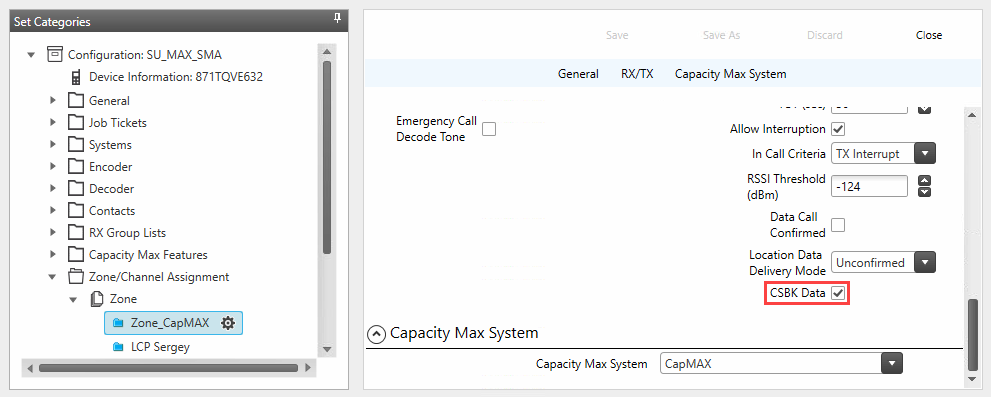
1. Open the subscriber codeplug
2. Open Zone and Channel configuration
3. Select a zone with Capacity Max personalities
4. Select the Capacity Max personality
5. Enable write the SU
TRBOnet Configuration
1. Enable and apply settings
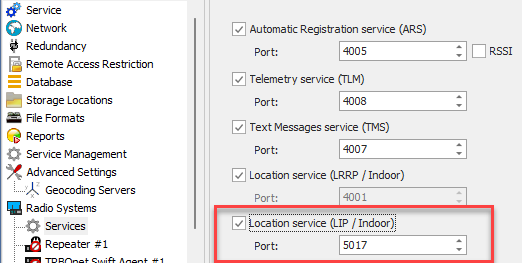
2. Open
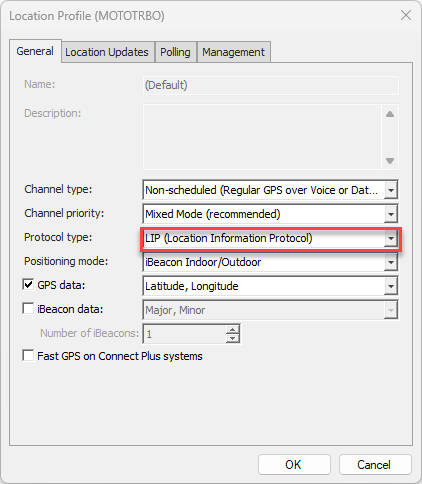
3. Open . Create a new profile or edit the Default profile
4. Set Protocol type to
5. Open the tab. Enable and set the update interval
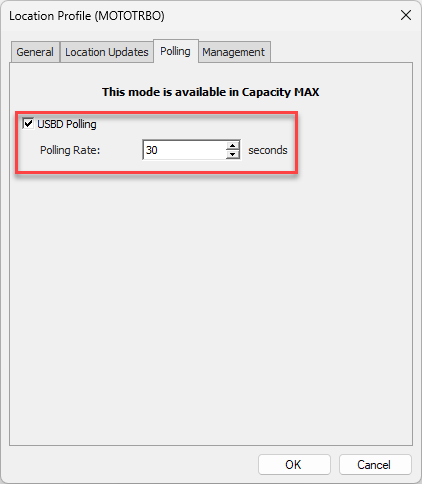
6. Open the tab. Enable
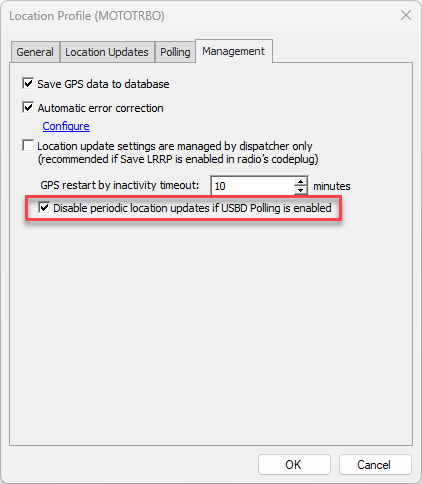
This prevents simultaneous traffic from periodic triggers and USBD Polling
Behaviour and Limitations
• USBD uses one control channel slot per request
• Control Channel load increases with short polling intervals
• Periodic updates must be disabled when USBD Polling is active to avoid redundant traffic