Summary
This article describes how to create an offline map cache by downloading map tiles on a PC with Internet access and distributing the cache to Dispatch Consoles running on PCs without Internet access.
Download Map Tiles
1. From the Dispatch Console open .
2. Go to .
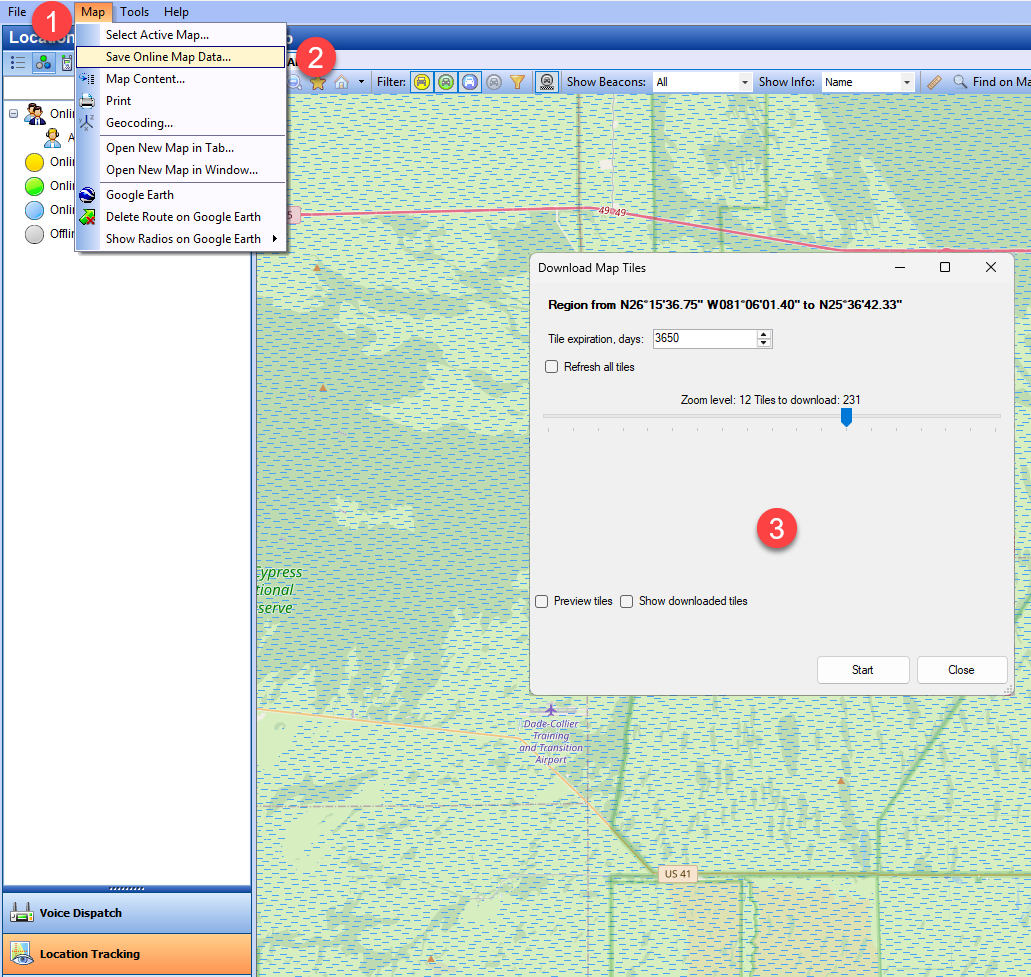
3. Select the zoom level you need and click .
When selecting a higher zoom level all lower zoom levels will be downloaded automatically.
Locate and Transfer Tiles
1. Open to see the folder where tiles are stored.
2. You can change the destination folder if needed.
3. After the download copy the tile folder to the same location on each offline PC.
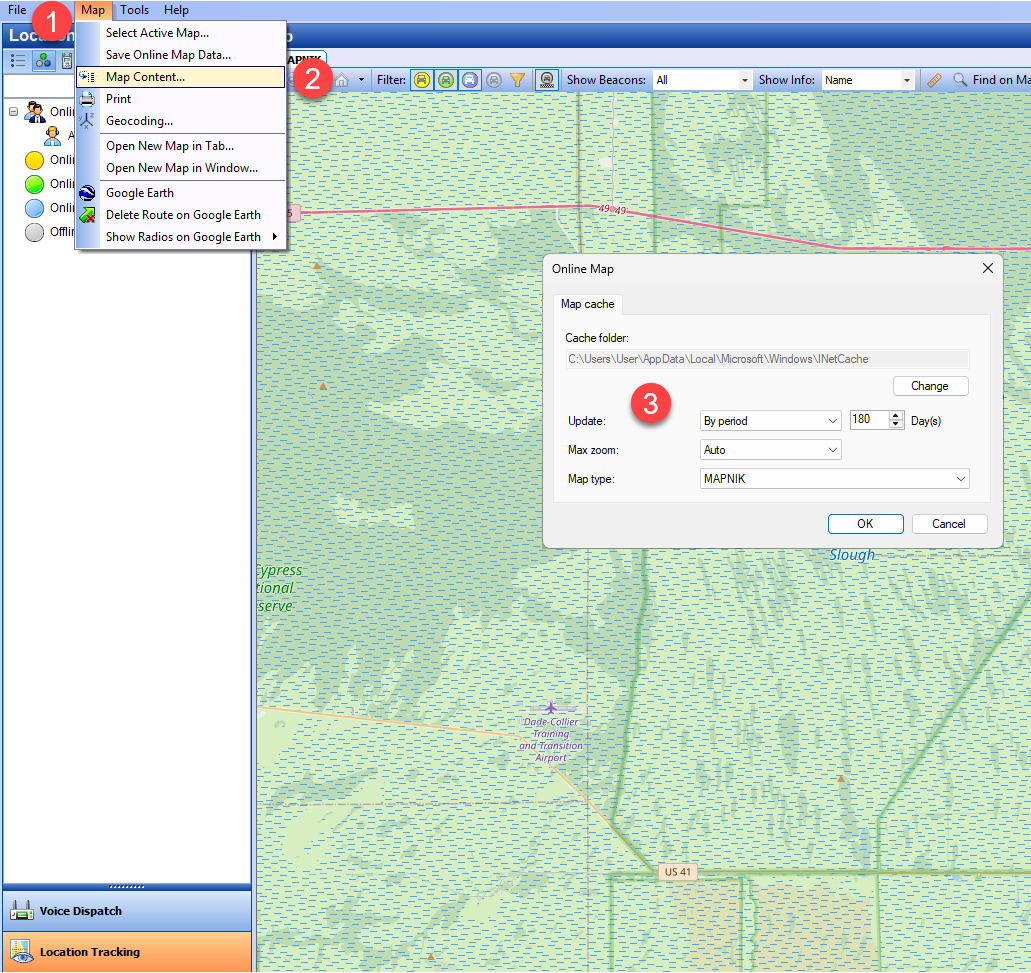
Default Cache Path
This is the location where the cache must be placed on each offline Console for MAPNIK map tiles:
Dispatch and Watch Console: %localappdata%\Microsoft\Windows\INetCache\TRBOnetMapCache\MAPNIK