Summary
This article describes how to reset the administrator password. After a reset, the password reverts to the default value.The default administrator credentials are:
Username:
Password:
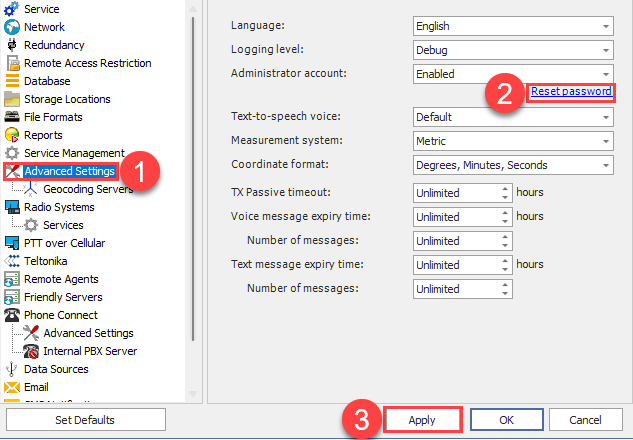
For version 5.2 and later
1. Open
2. Click
3. Click or
For versions before 5.2
Backup the server config file before editing.
1. Stop the Server service (use )
2. Close the Server Configurator application
3. Open File Explorer and navigate to:
%ProgramData%\Neocom Software\TRBOnet.Enterprise\
ProgramData is a hidden Windows folder - show hidden items or type the path manually.
4. Run Notepad as Administrator, then open
5. Find and delete the
<CustomInfo>…</CustomInfo> line (example: <CustomInfo>40E07B03ADDBC7C8</CustomInfo>)
6. Save the file and close the editor
7. Start the Server Configurator and start the Server service
8. Admin password is now reset to