Summary
This article explains how to configure TRBOnet Dispatcher to interrupt ongoing group calls in Dimetra Express when connected over Console API, including the required settings on both TRBOnet Server and Dimetra Express controller.
To enable the feature:
1. Open .
2. Go to .
3. Select the you want to modify.
4. Click .
5. Enable the option: .
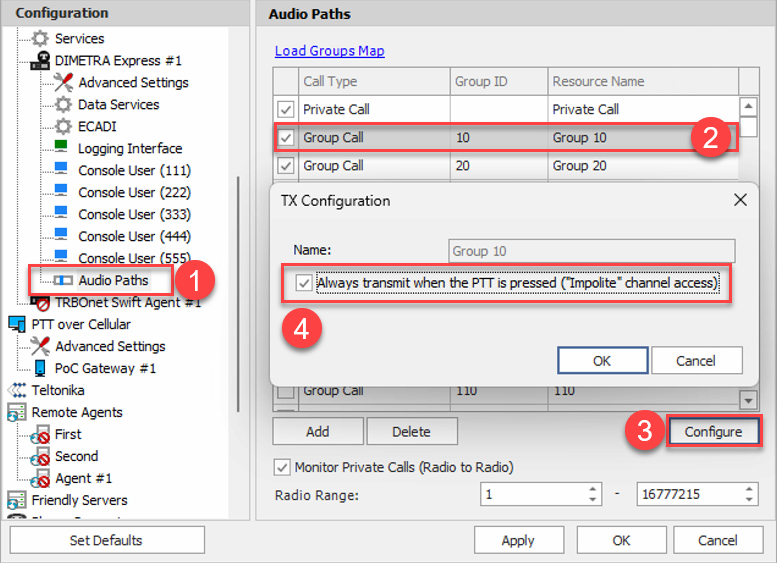
Interrupted radio will receive PTT denied message on the screen when Dispatcher presses PTT on the group.
Prerequisites:
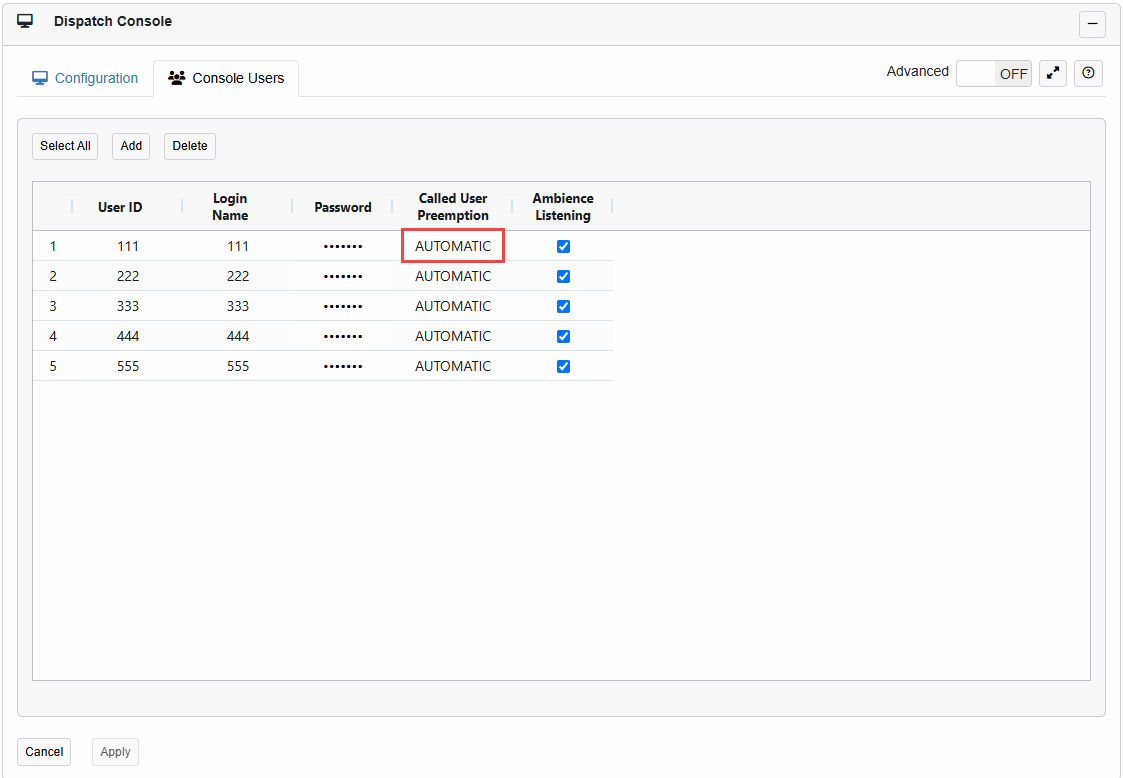
1. API Console Account used by TRBOnet Server must have "Called user preemption" set as Automatic on Dimetra Express controller:
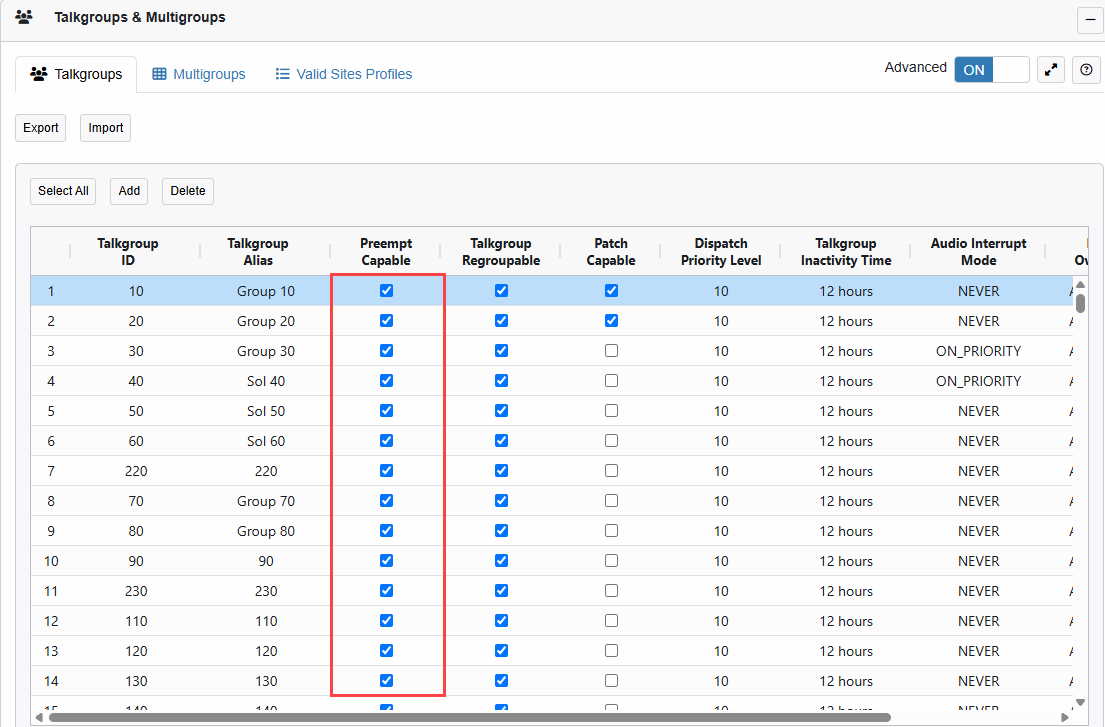
2. The Radio Group must have "Preempt capable" enabled on Dimetra Express controller: