EGPS with CSBK Configuration for Capacity MAX
The article was successfully sent to the email
Summary
This article provides a step-by-step guide for configuring Enhanced GPS with CSBK in a CapacityMAX system with TRBOnet.
The configuration must be consistent across TRBOnet GPS profiles, radio codeplugs, CMSS, MNIS and repeater settings. Mismatched values will result in GPS data loss or reporting failures.
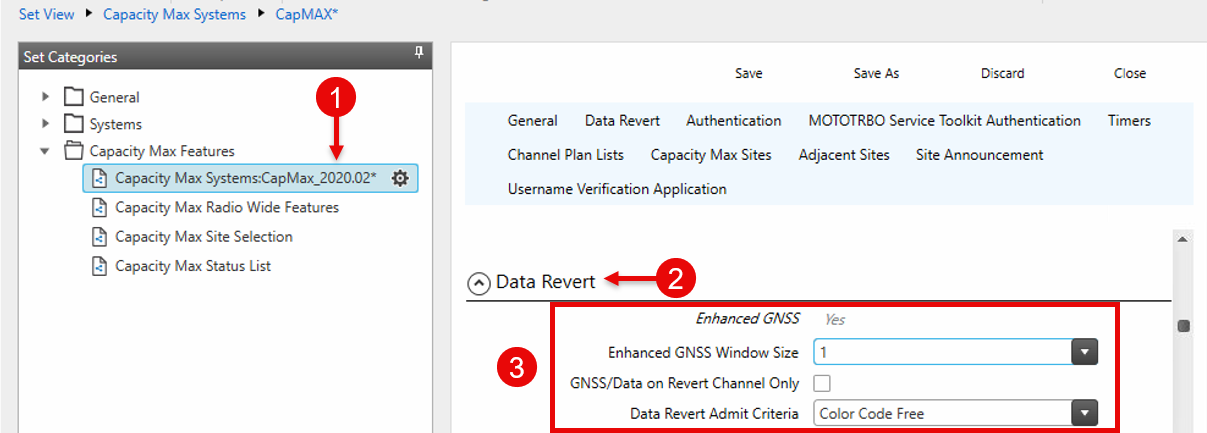
1. Configure EGPS in CMSS (System Controller)
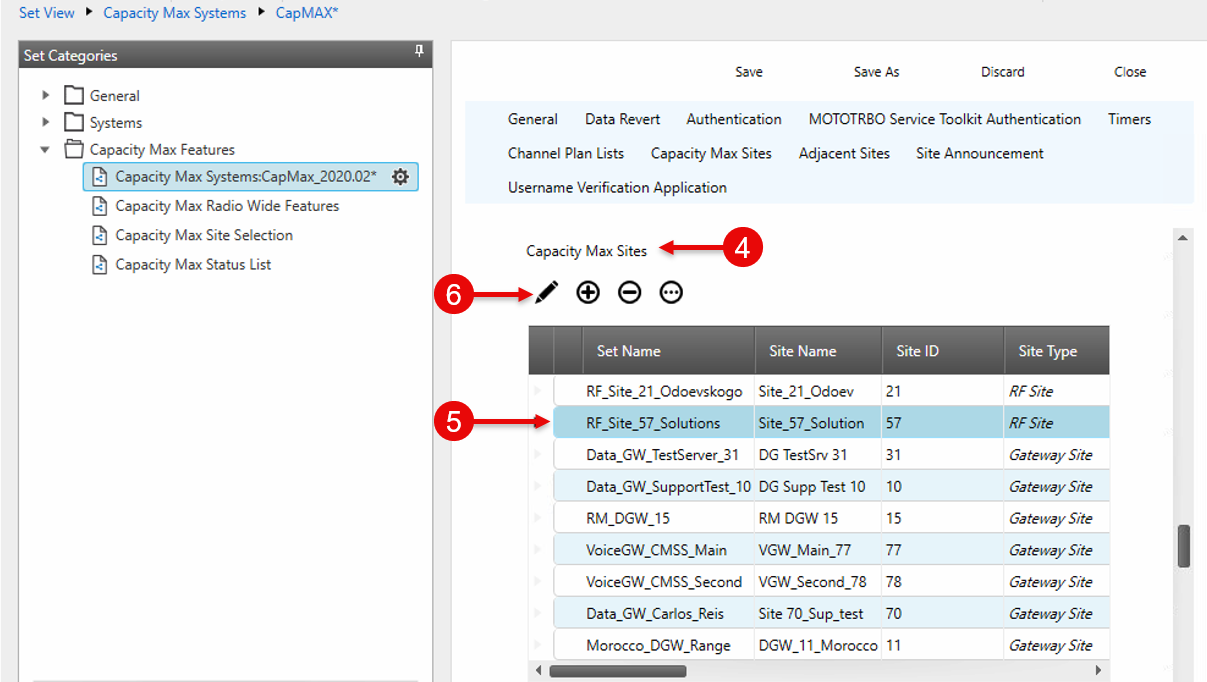
2. Configure EGPS at the Site Level
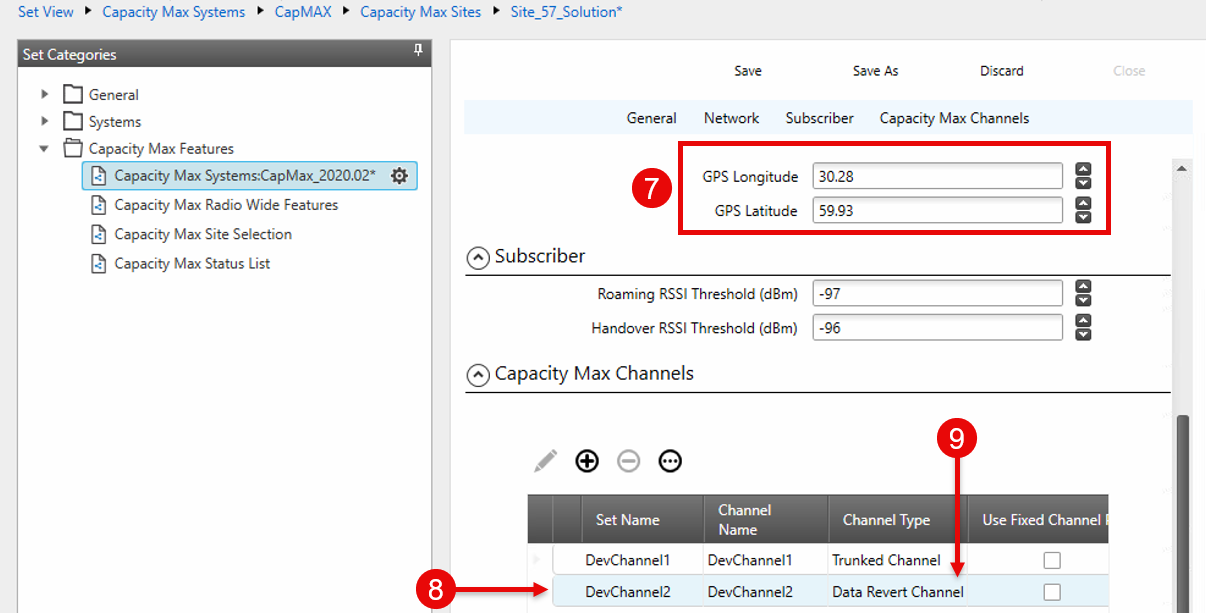
3. Create a Data Channel at the Site
4. Configure the Repeater (SLR)
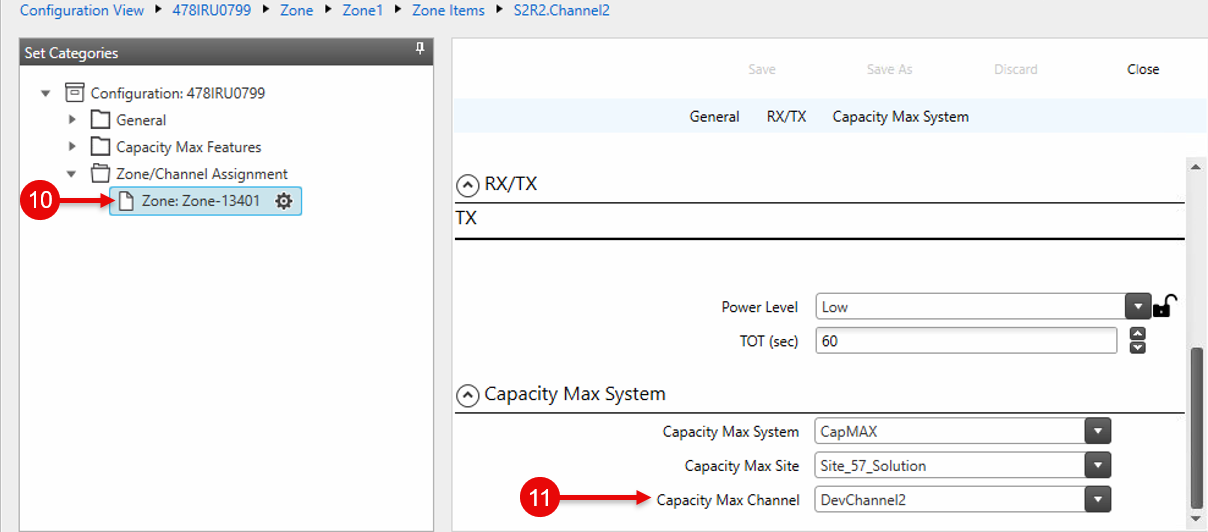
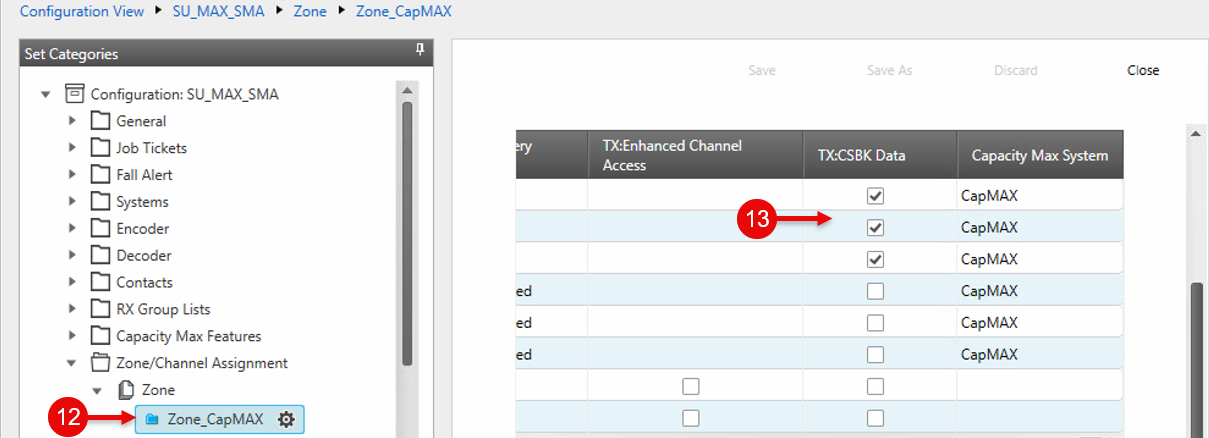
5. Configure Subscriber Radios
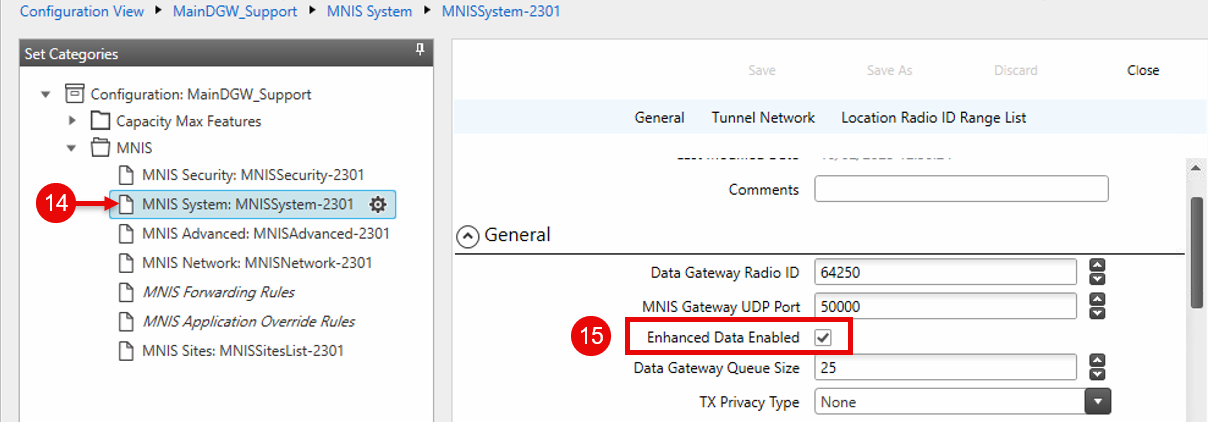
6. Enable EGPS in MNIS
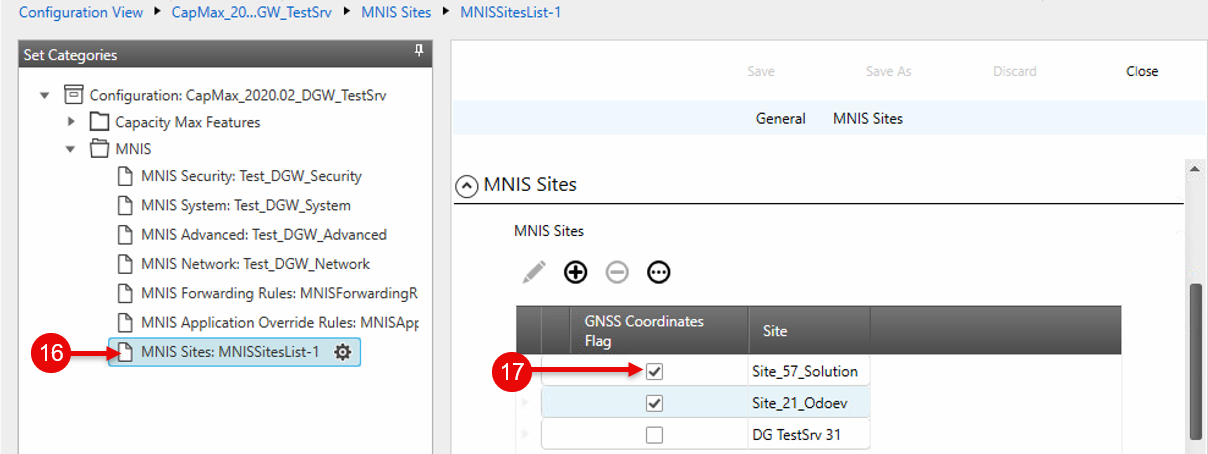
7. Set RF Site Coordinates in MNIS
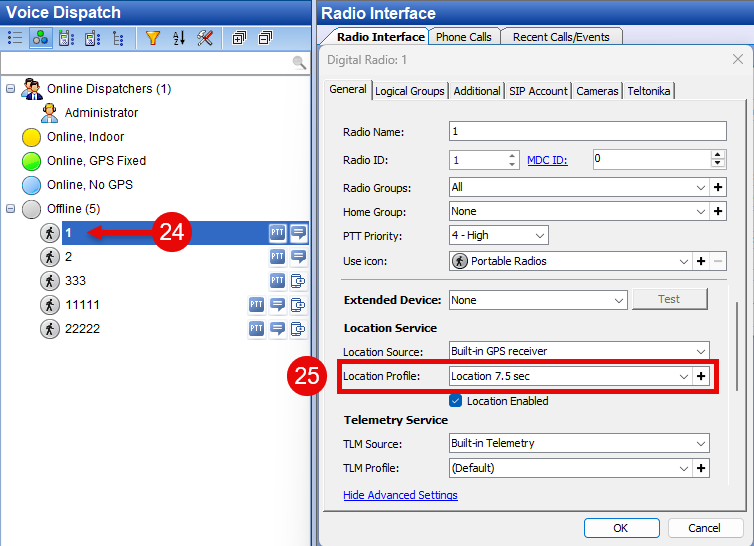
8. Create an EGPS Profile in TRBOnet
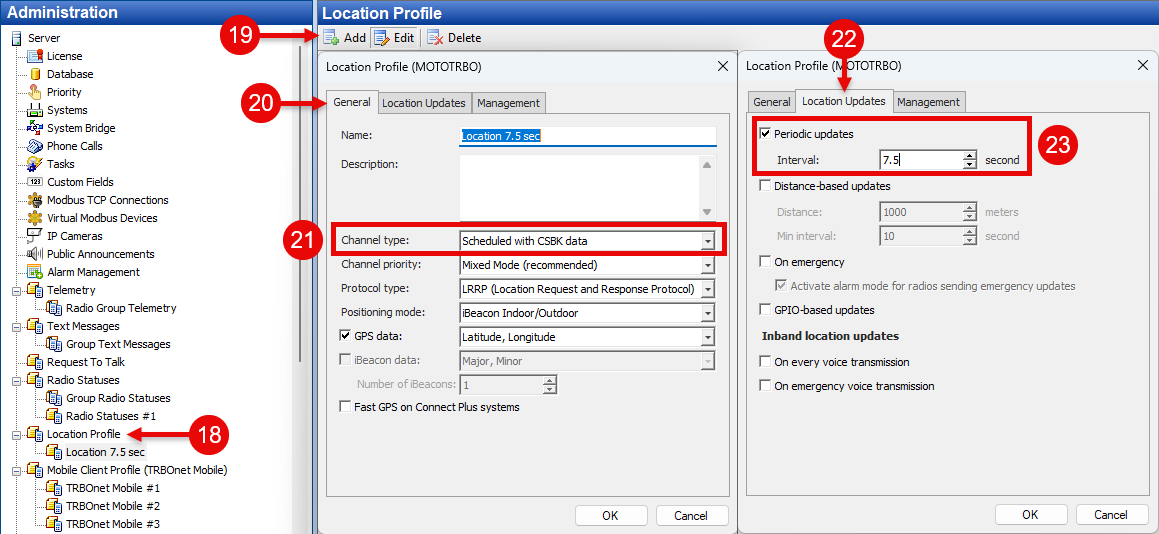
9. Assign the EGPS Profile to Radios