This article describes the procedure for onboarding WAVE PTX into TRBOnet Plus, including required parameters, subscriber registration, location profile configuration, and troubleshooting of common issues.
WAVE PTX node configuration in TRBOnet Plus is described in Guide.WAVE Onboarding and TRBOnet Plus Configuration
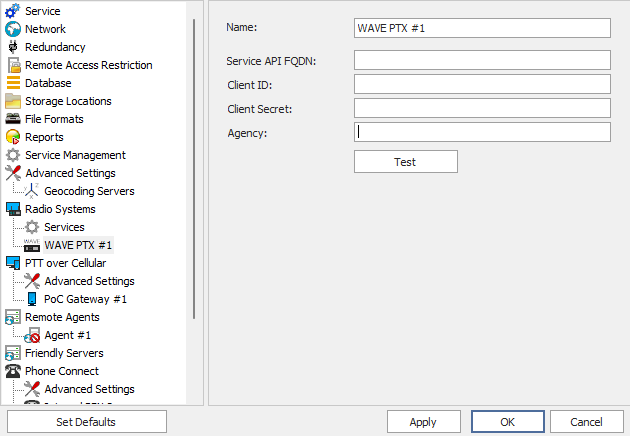
Before adding WAVE PTX to TRBOnet Plus, you must obtain the connection parameters from the onboarding email sent by Motorola, titled .
These parameters are required to add the WAVE system in the TRBOnet Server Configurator.
Procedure to Add WAVE PTX
Location Profiles for Different WAVE Devices
Correct location profile configuration is essential for proper device operation.
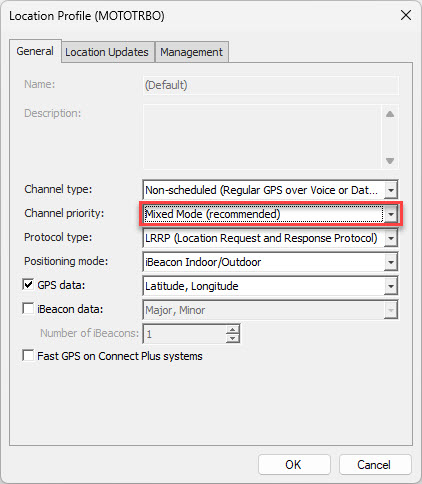
ION Devices
ION devices have access to both Broadband and LMR networks.
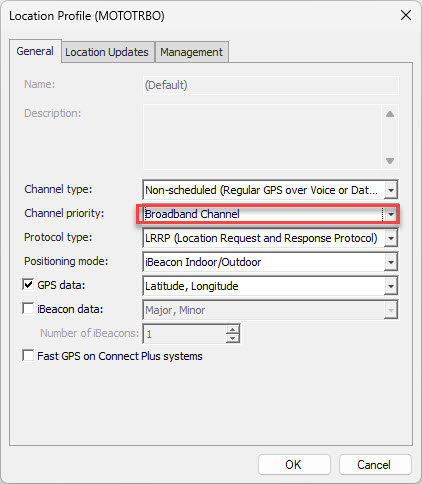
WAVE PTX, WAVE TLK, EVOLVE Devices
These devices operate on the Broadband network only.
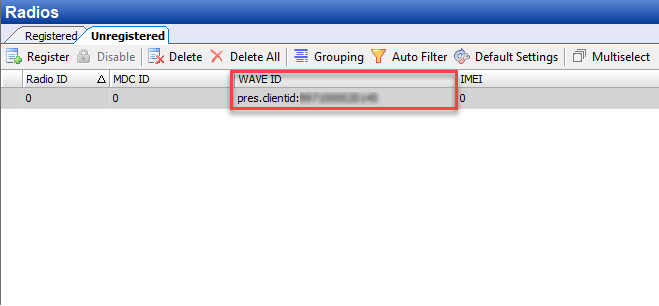
Adding WAVE Subscribers to TRBOnet Plus
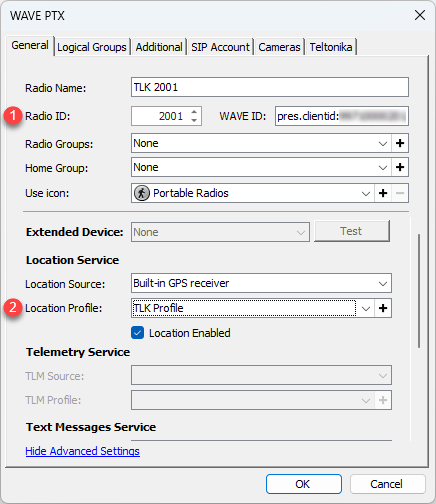
Common Issues and Solutions
WAVE device is not appearing in Administration → Radios → Unregistered
Calls from any WAVE subscriber are received under the same Radio ID
Contact Motorola support to verify that each WAVE subscriber is configured with a unique individual Radio ID.
GPS reports are unavailable or unstable
Create a separate location profile for WAVE subscribers as described in the "Location Profiles for Different WAVE Devices" section.
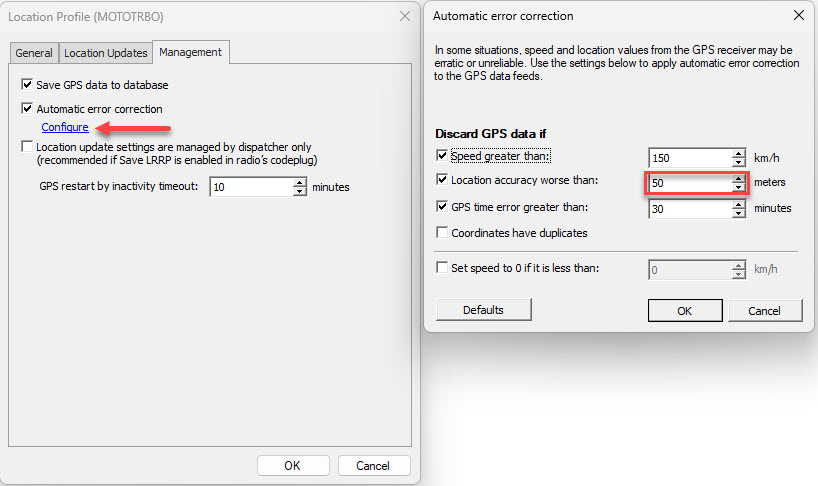
Group calls from TRBOnet are not reaching WAVE subscribers
Enable the option in TRBOnet.
Private calls from TRBOnet are not reaching WAVE subscribers
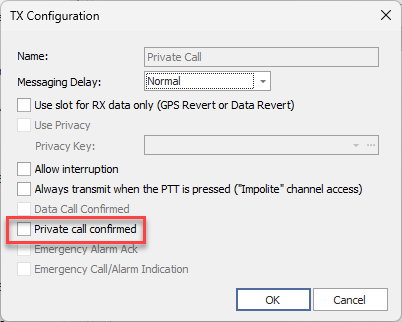
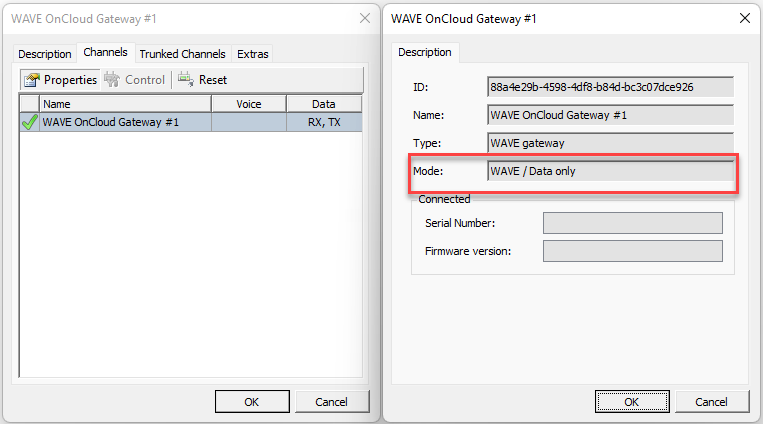
Text messages are not exchanged between TRBOnet and WAVE subscribers
The WAVE API does not support text message transmission at this time. Text messaging functionality is not available.