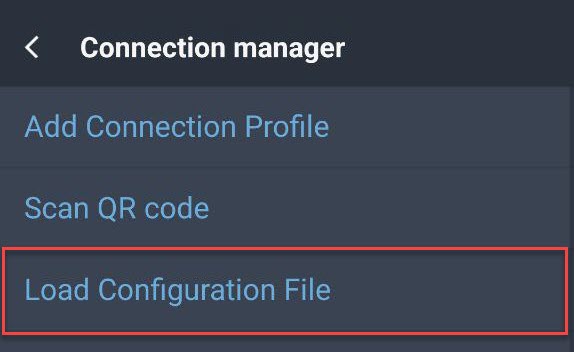
Starting from Mobile Client version 3.0.63, it is possible to export configuration settings from one device and import them on another, which allows fast distribution of both the Mobile Client APK file and its configuration.
Steps
1. Configure the original device with all required settings.
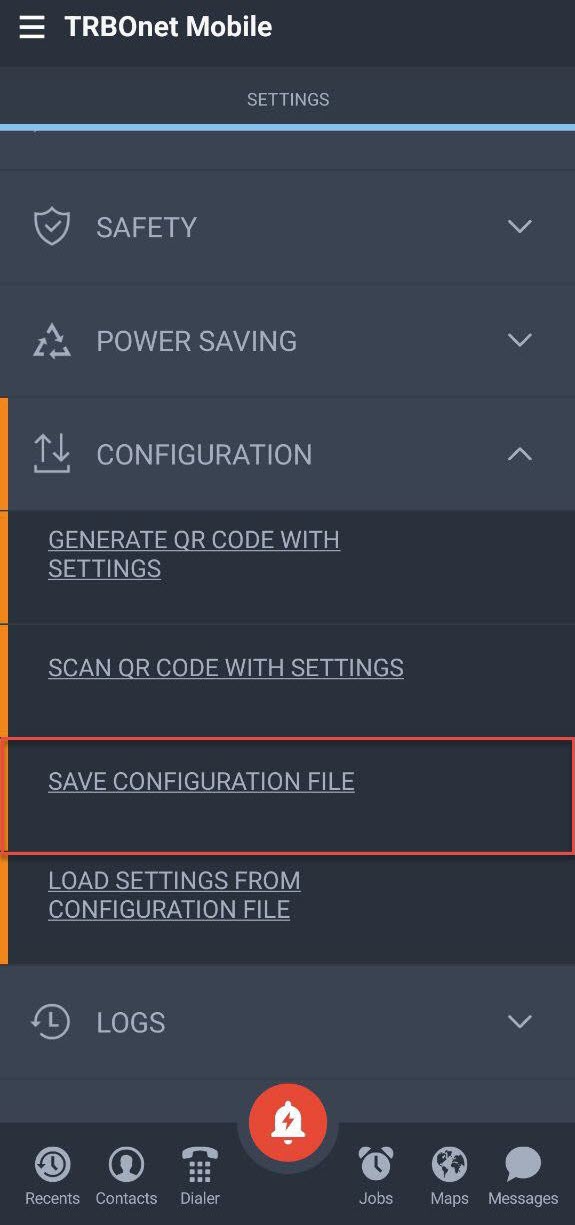
2. Save the configuration:
• Open .
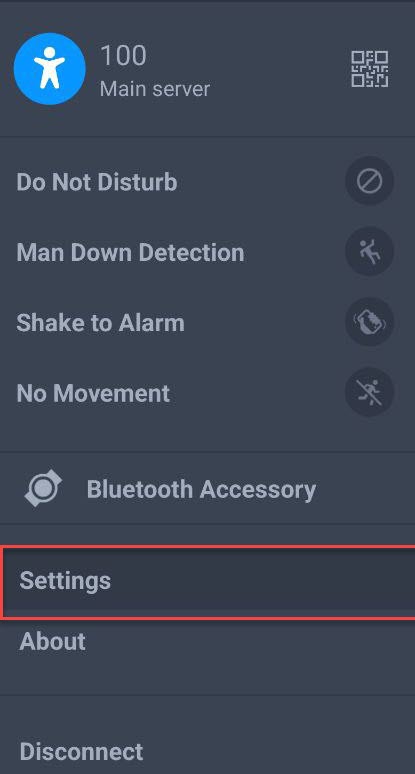
• Open and select .
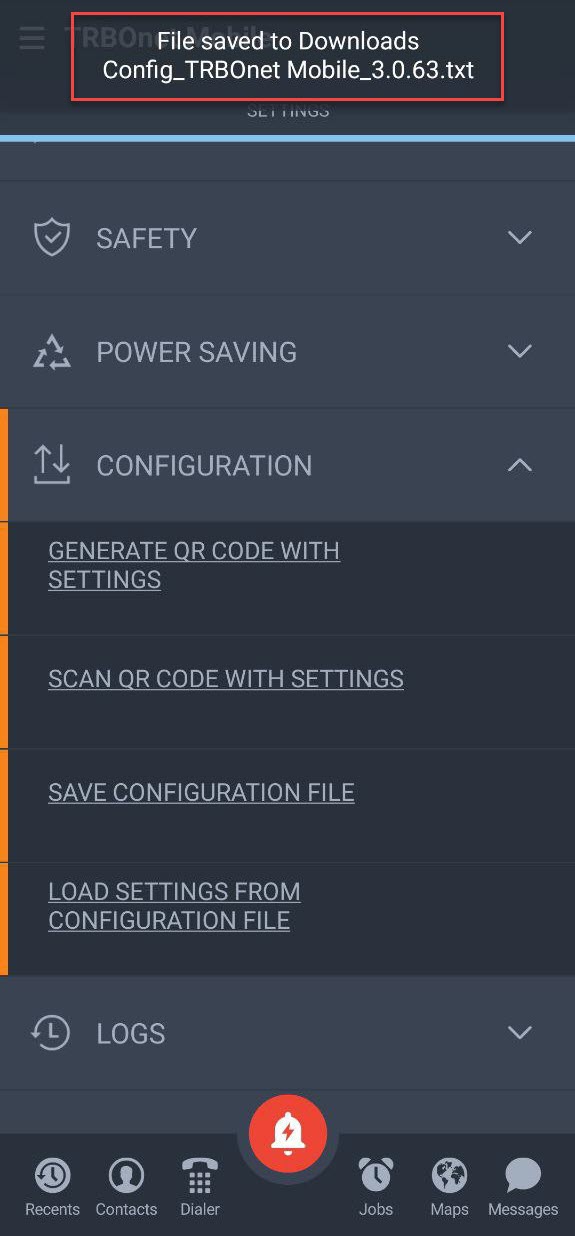
• Note the location where the configuration file is stored.
3. Copy the configuration file to another device and load it from the Connection Manager screen.