This feature allows users, including those with displayless devices, to replay recent audio records. Playback can be accessed using a device button or a Bluetooth accessory.
Steps
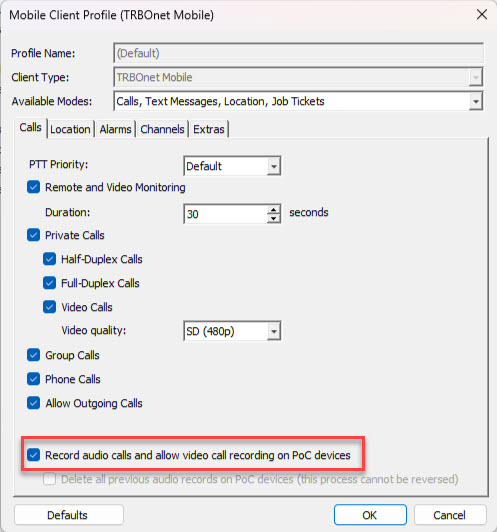
1. Enable in Mobile client profile:
How to Use the Recording Feature
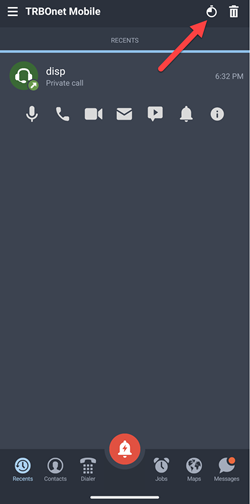
1. In mobile client tab, click on icon to access records playback:
2. The button to access records playback can be programmed (suitable for displayless devices):
-
For device buttons:
-
For Bluetooth accessories:
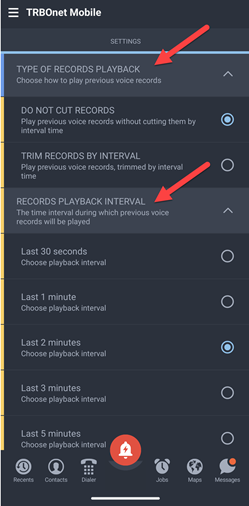
• : All recordings that fall within the selected interval are played back in full.
• : Recordings are trimmed according to the selected interval (only the last "set period" is played).