Enhanced GPS requires calculating and configuring Window Size and Window Reservation parameters in both radios and repeaters.
These parameters determine how many GPS packets can be transmitted in a given time window.
1. Calculate Window Size (TRBOnet Console)
1. Open
2. Select the GPS profile → click
3. Click the Calculator icon next to
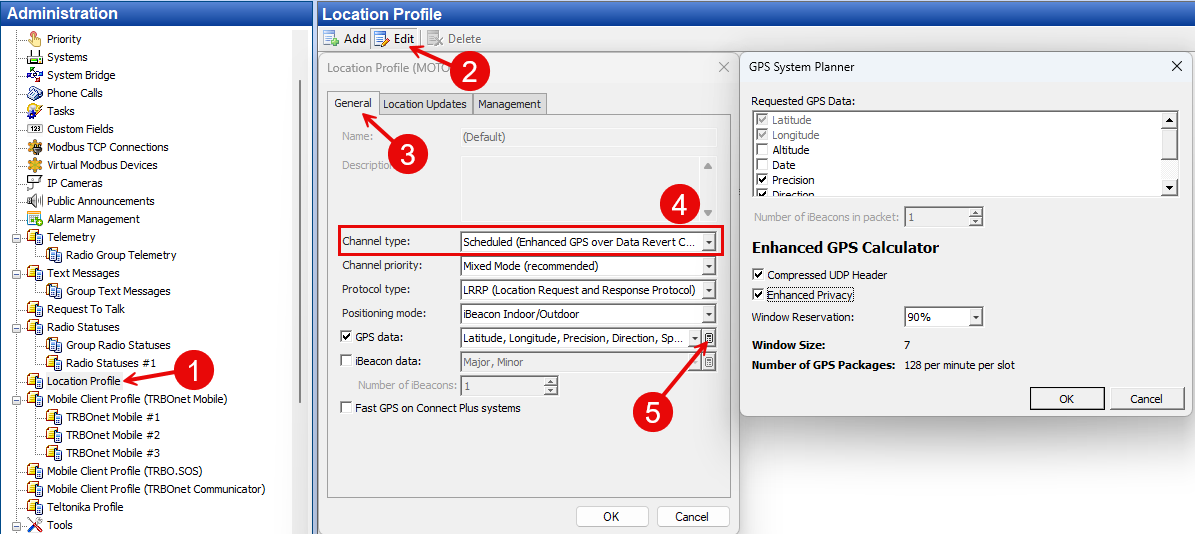
4. Enter the required GPS reporting parameters and Window reservation value then perform calculation
5. Record the Window size value for use in subscriber radios and repeater configuration
2. Radio Configuration (CPS/RM)
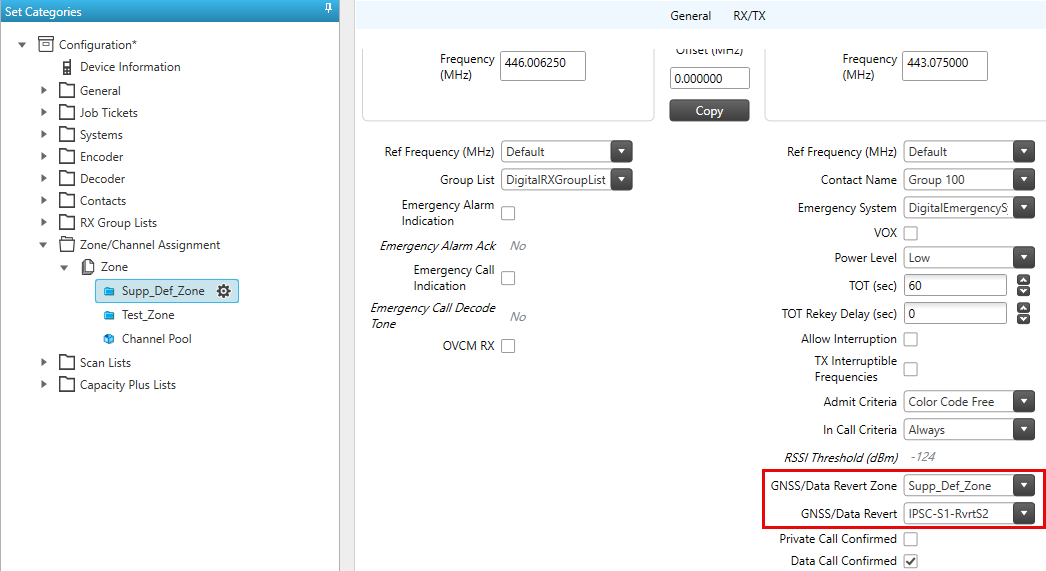
Enhanced GPS requires using a dedicated Revert Channel on the second timeslot.
Create / Assign Channels
• → Active voice/data channel
• → GPS Revert channel (must be created in Channel Pool)
Channel 1 (Main Channel)
1. Set → select the GPS Revert Channel created in Channel Pool
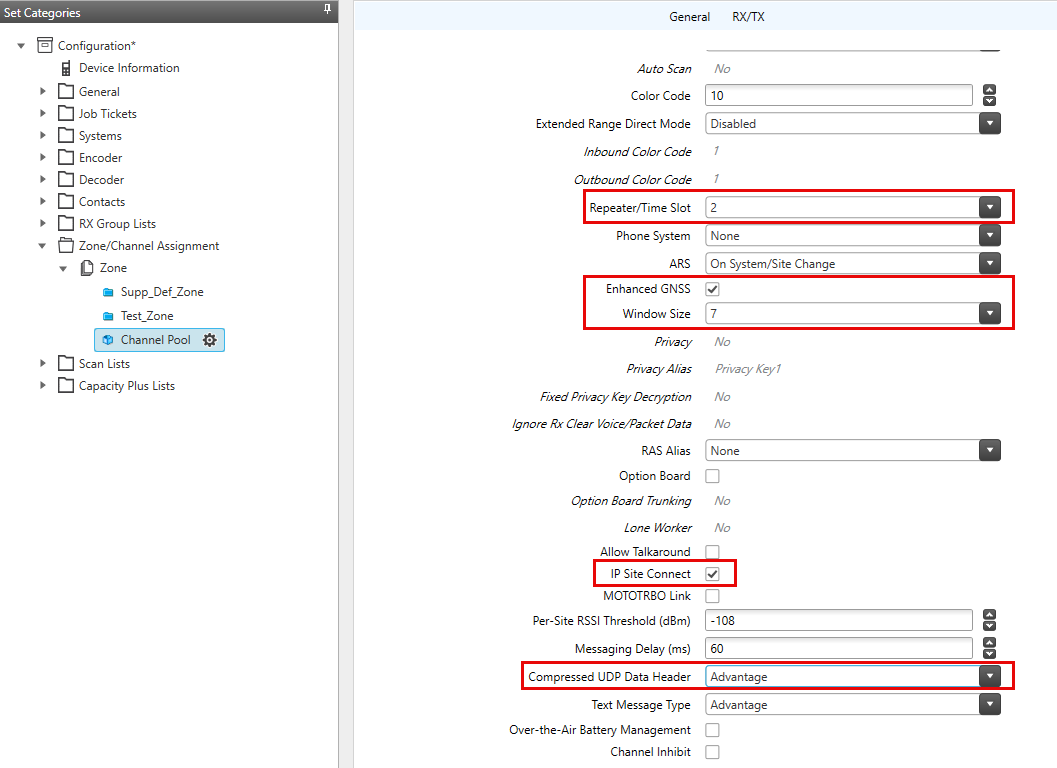
Channel 2 (Revert Channel)
1. : Slot 2
2. : Enabled
3. : set to the value calculated in TRBOnet
4. : MSI
3. Repeater Configuration (CPS)
1. Open
2. Enable
3. Set the same Window Size and Reservation values that were applied in radios
4. Ensure the Revert Channel is configured at the top of the channel list (priority order)
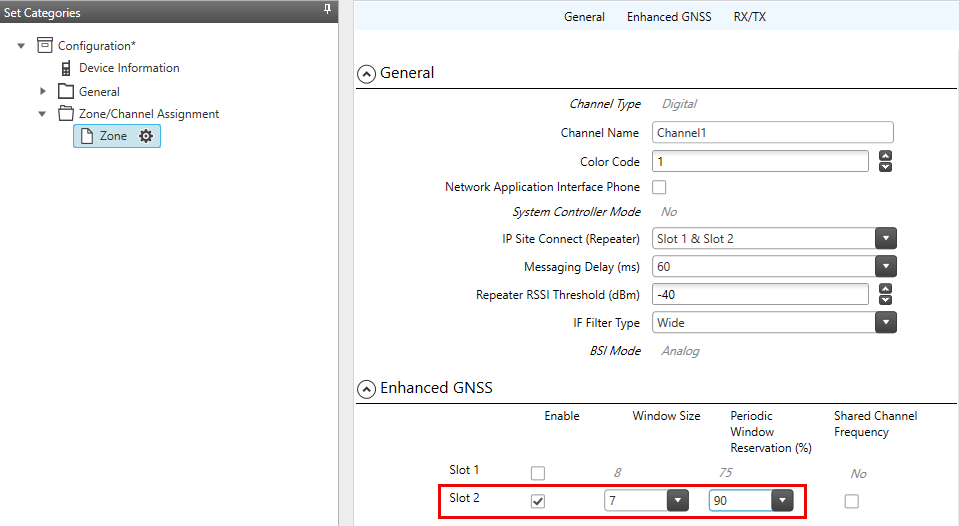
Radio and repeater values must match exactly.
4. TRBOnet GPS Profile Settings
1. Open
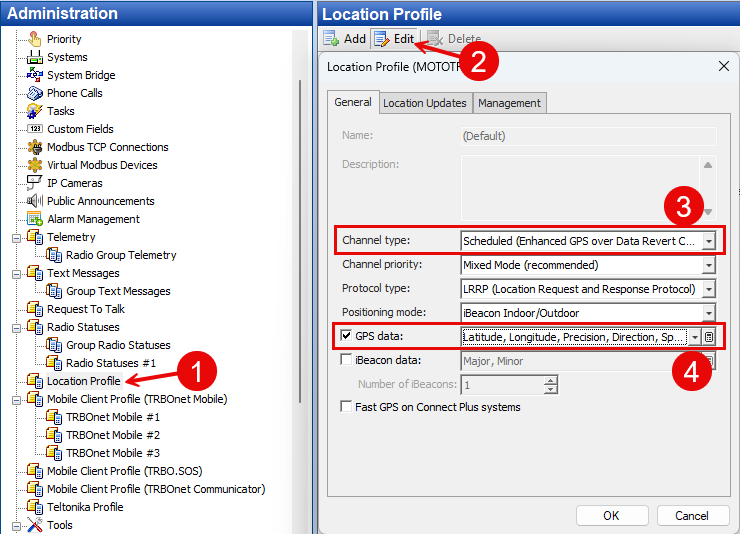
2. Set : Scheduled (Enhanced GPS over Data Revert Channel)
3. SelectGPS data fields that were used when calculating and configuring the data window size and reservation in the repeater and subscriber radios