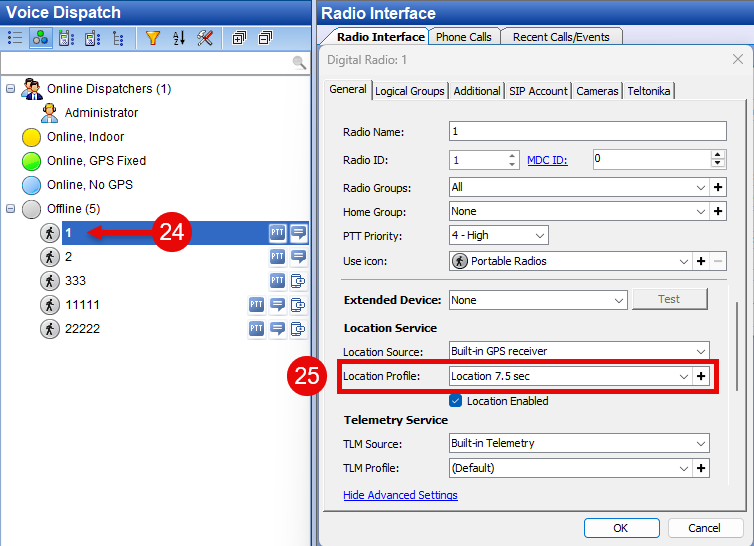
Follow the steps below to enable Enhanced GPS (EGPS) in a Capacity MAX environment.
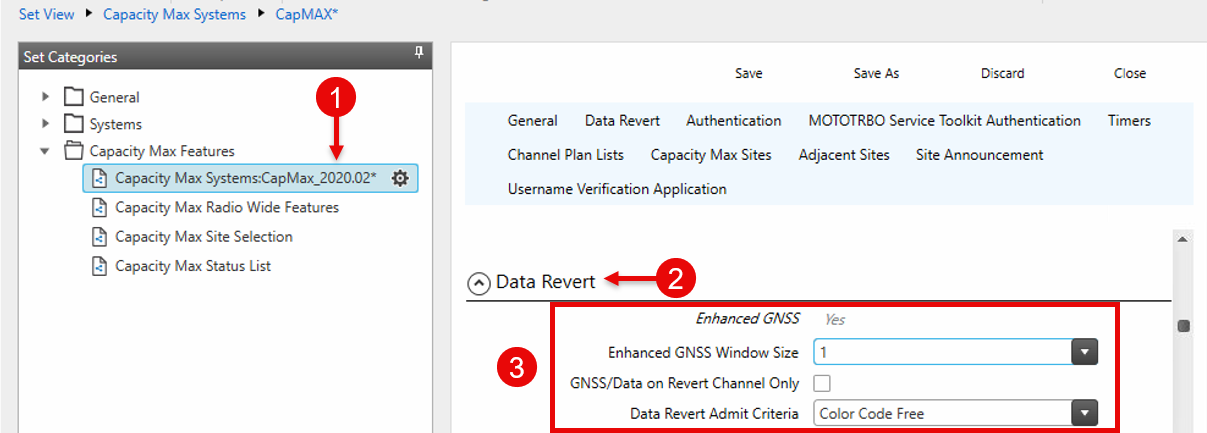
1. Configure EGPS in CMSS (System Controller)
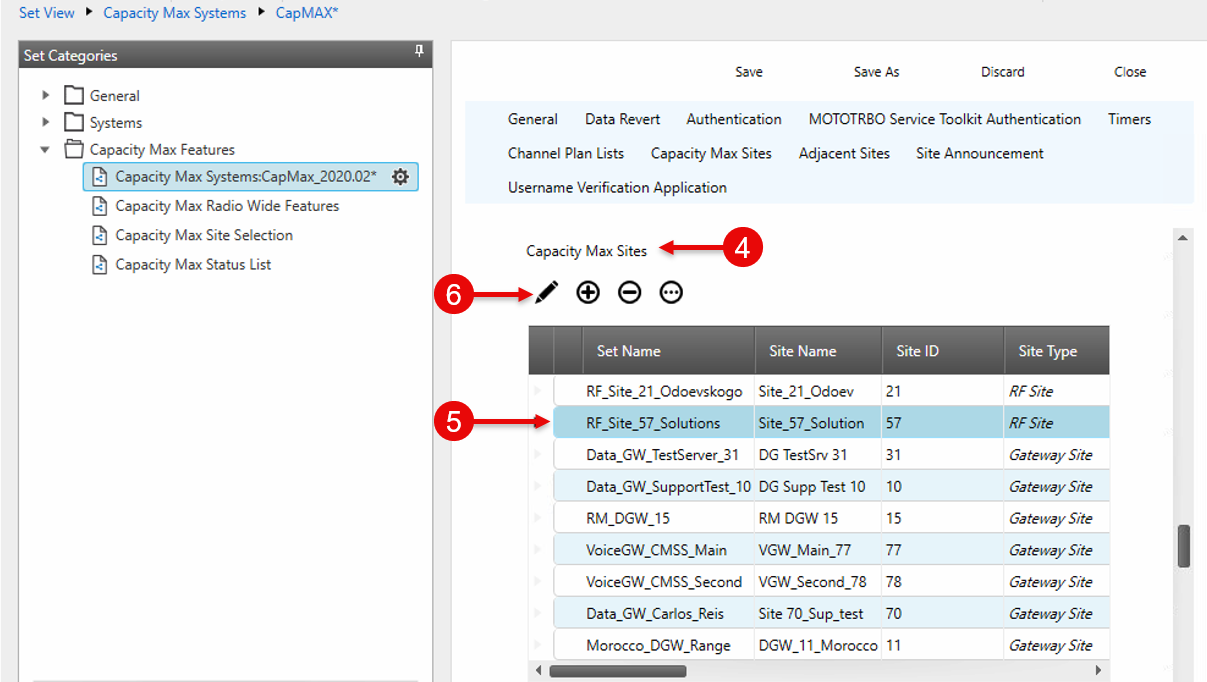
2. Configure EGPS at the Site Level
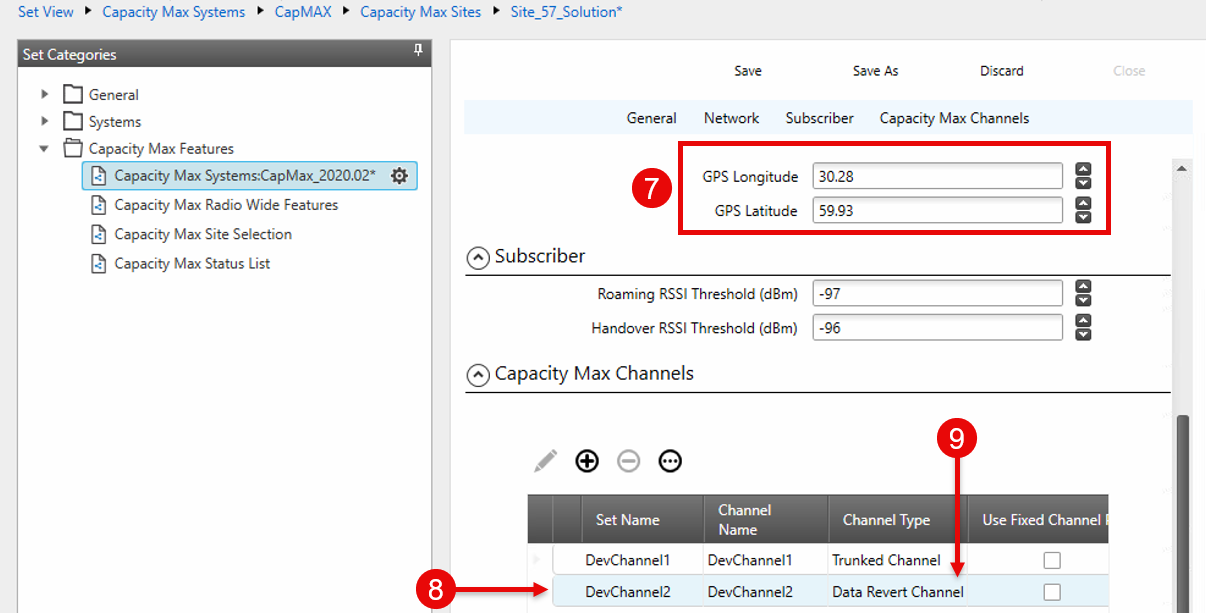
3. Create a Data Channel at the Site
4. Configure the Repeater (SLR)
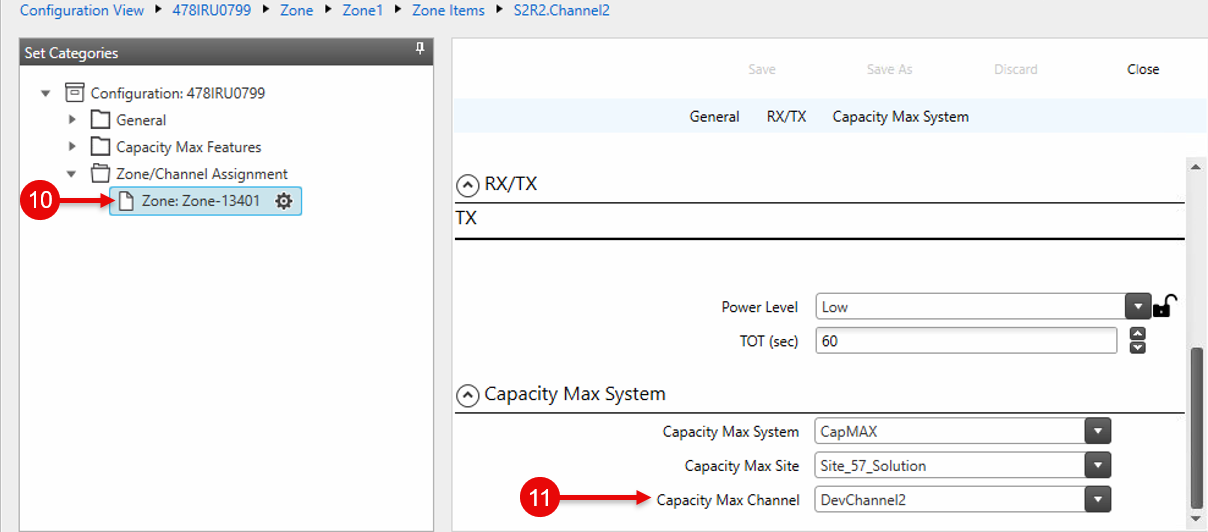
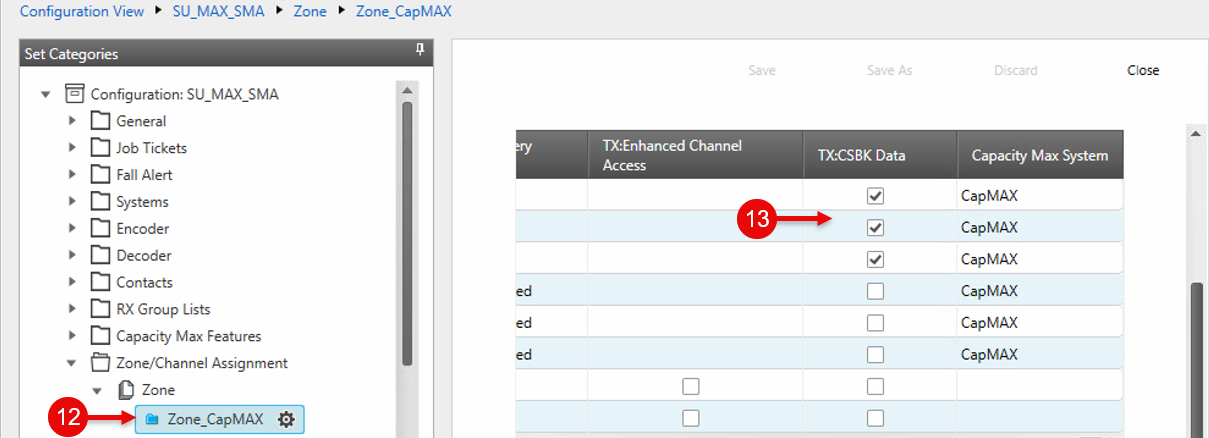
5. Configure Subscriber Radios
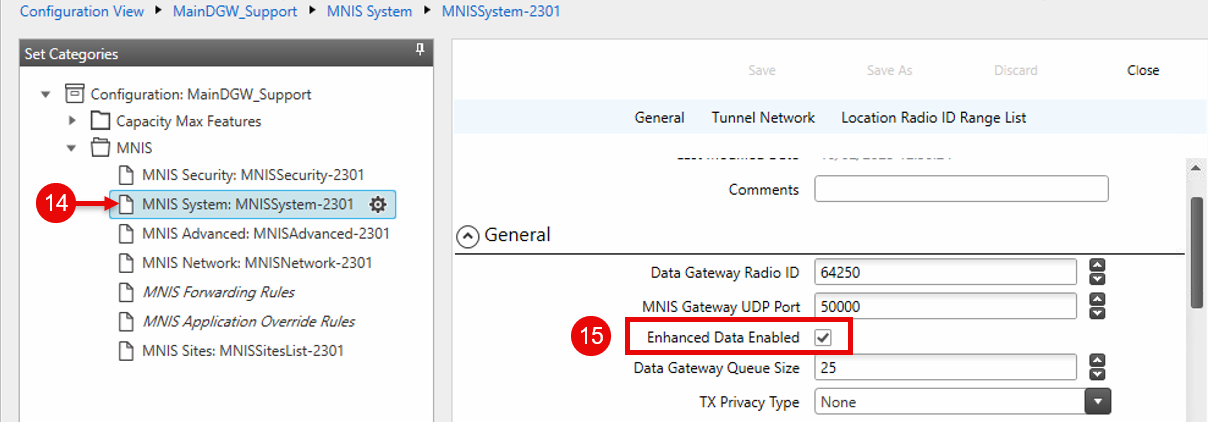
6. Enable EGPS in MNIS
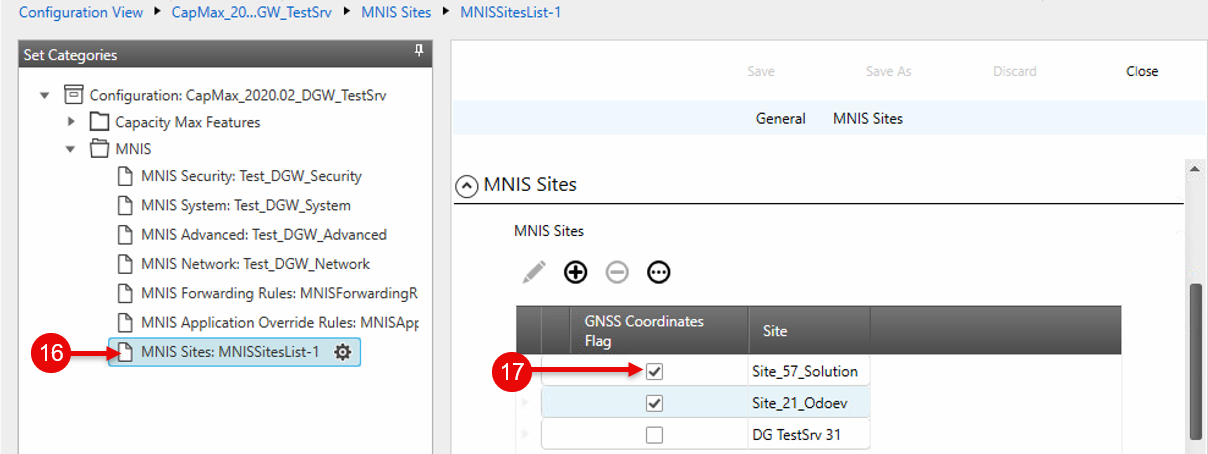
7. Set RF Site Coordinates in MNIS
8. Create an EGPS Profile in TRBOnet
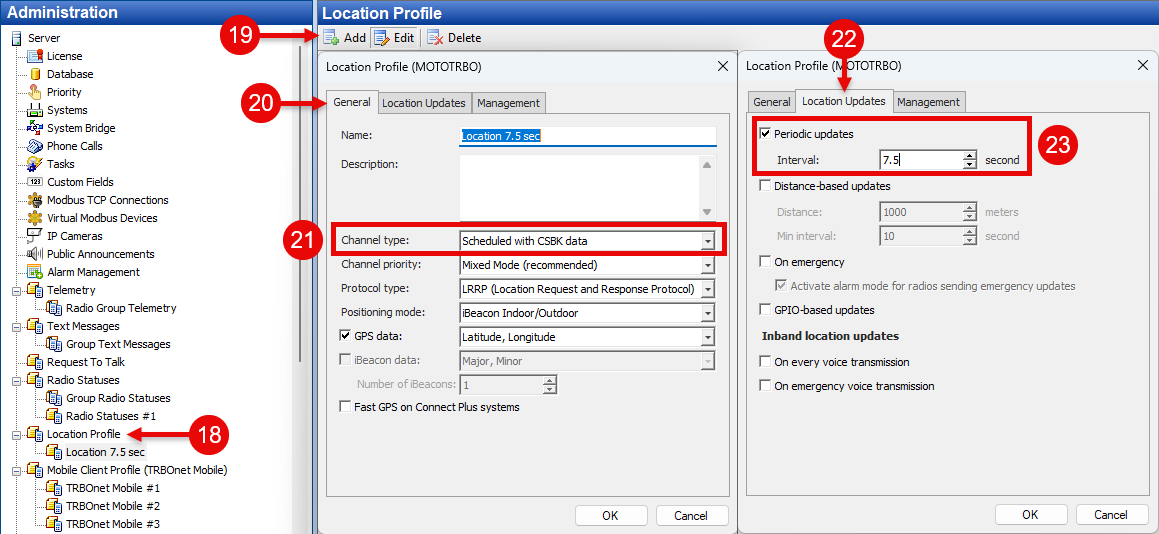
9. Assign the EGPS Profile to Radios