TRBOnet Dispatcher can interrupt ongoing group calls in Dimetra Express when connected over Console API.
To enable the feature:
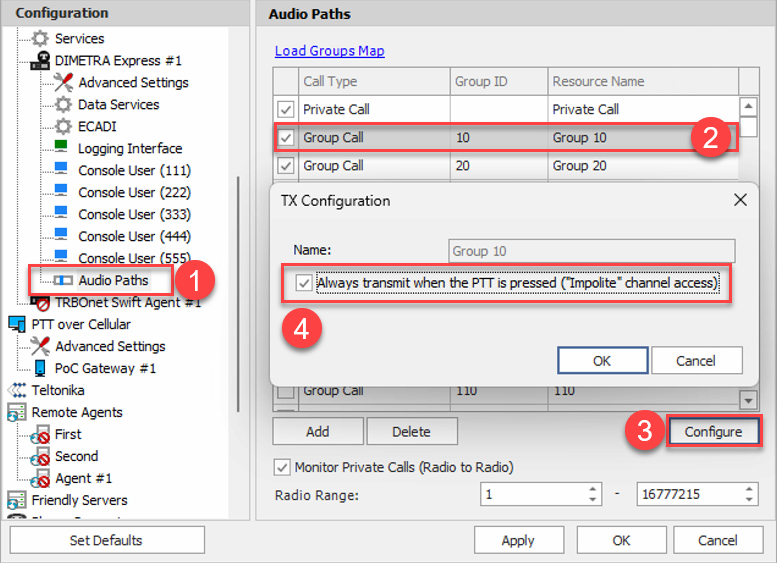
1. Open .
2. Go to .
3. Select the you want to modify.
4. Click .
5. Enable the option: .
Interrupted radio will receive PTT denied message on the screen when Dispatcher presses PTT on the group.
Prerequisites:
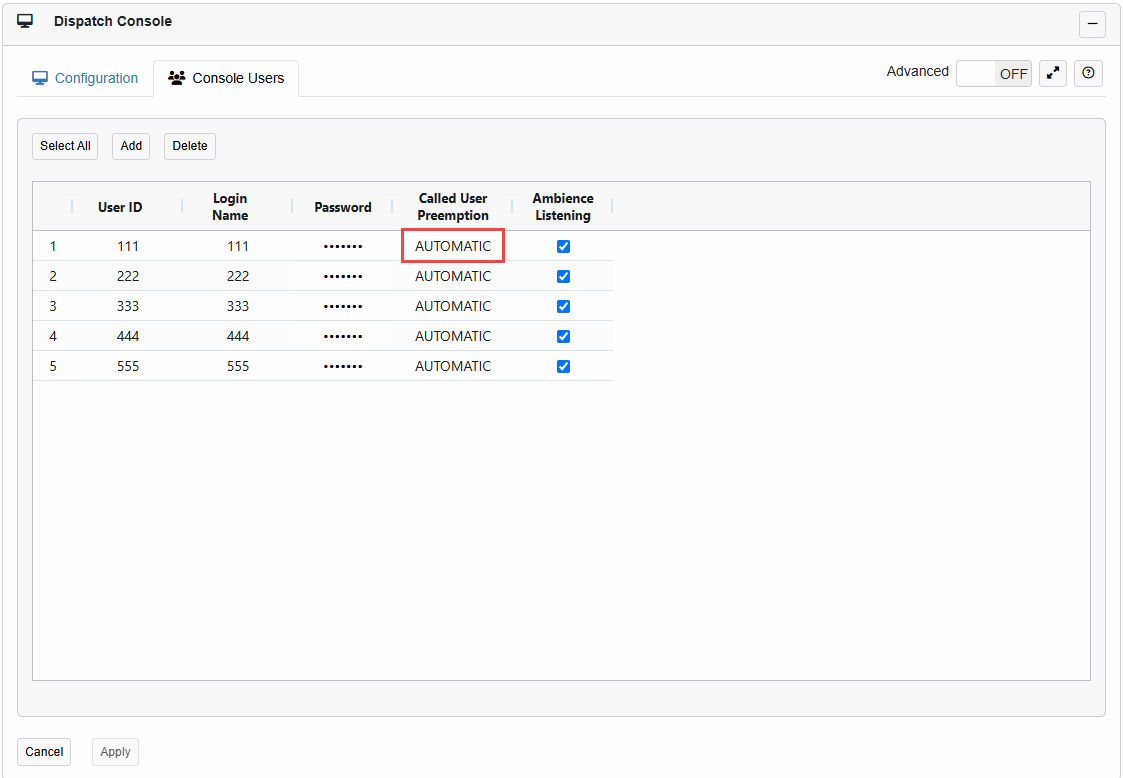
- API Console Account used by TRBOnet Server must have "Called user preemption" set as Automatic on Dimetra Express controller:
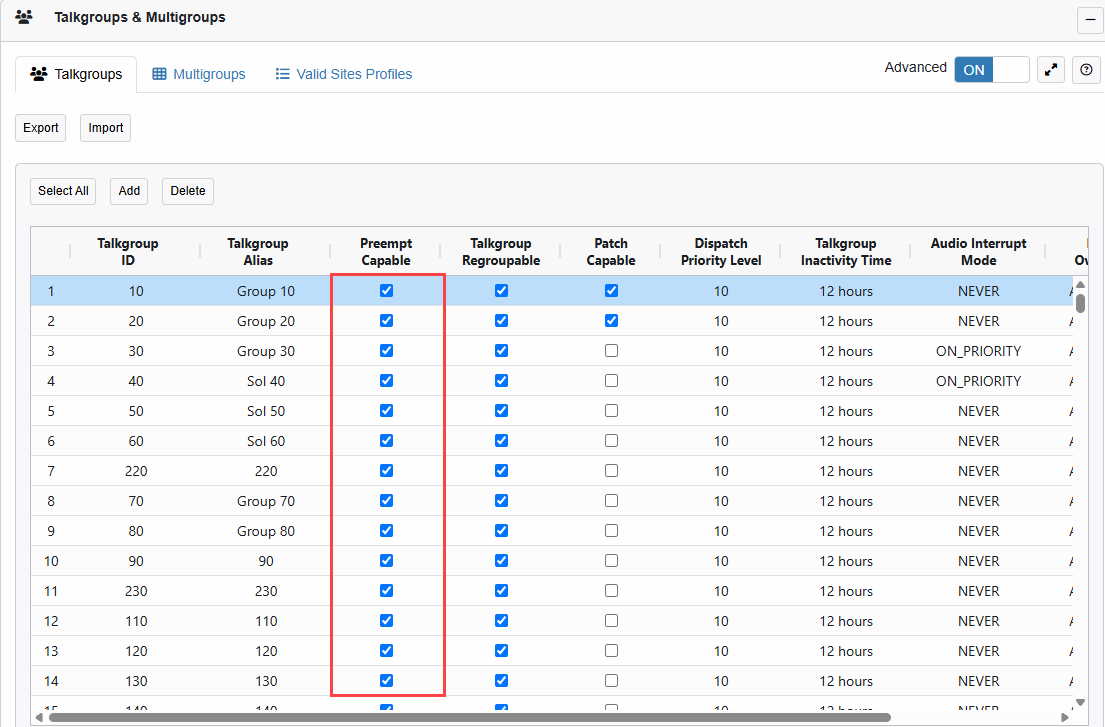
- The Radio Group must have "Preempt capable" enabled on Dimetra Express controller: