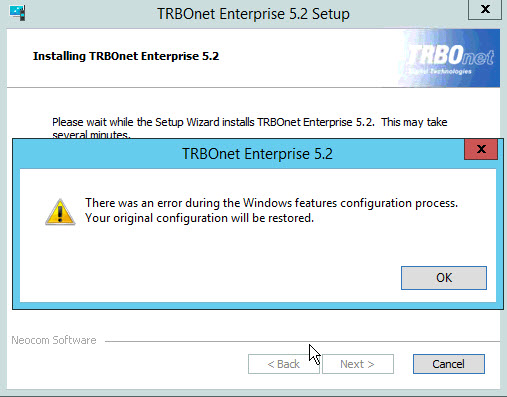
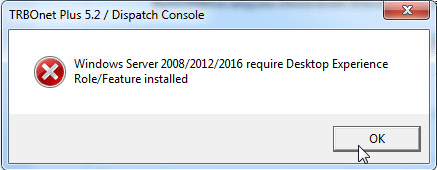
You may see an error message during TRBOnet installation or when starting the application on Windows Server or Desktop Windows.
Cause
TRBOnet uses Windows multimedia libraries that require the Desktop Experience feature on Windows Server and up-to-date media components on Desktop Windows.
If these components are missing, the application cannot initialize audio and media modules.
TRBOnet Watch requires the same prerequisites.
Windows Server Solution
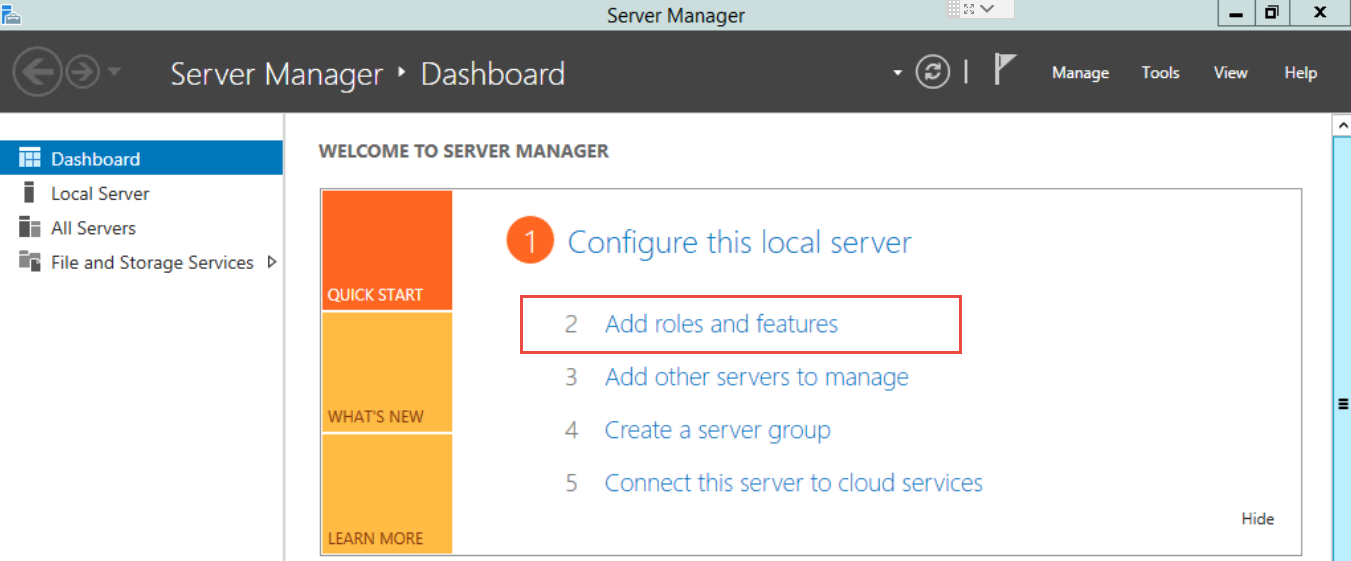
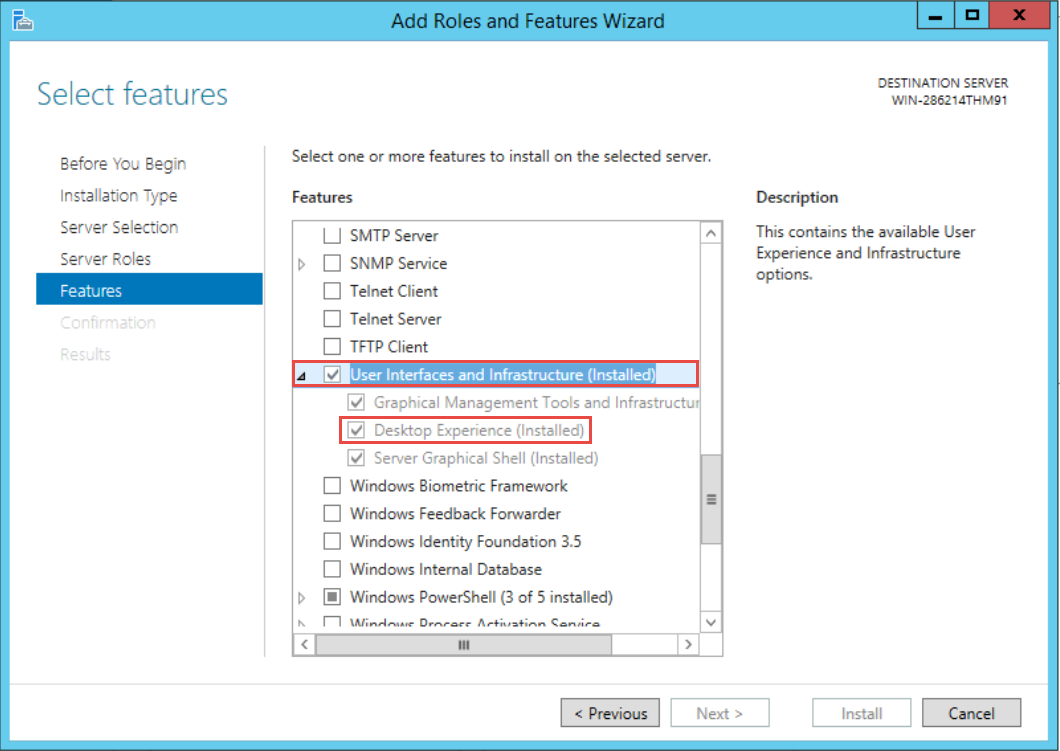
Install Desktop Experience before installing TRBOnet:
1. Open
2. Go to:
3. Enable
4. Complete installation and reboot if required
5. Install TRBOnet
Windows Desktop Solution
1. Uninstall TRBOnet (if already installed)
2. Install all available Windows Updates
3. Uninstall all Microsoft Visual C++ Redistributables
4. Run the TRBOnet Prerequisites Wizard, then reinstall TRBOnet
5. When prompted, allow installation of Visual C++ components
6. If TRBOnet installs but does not start, run Windows Update again and install remaining updates
Windows "N" Editions: Install the Media Feature Pack from Microsoft before installing TRBOnet