Analog Radio Connection to Swift Agent Guide
The article was successfully sent to the email
This article describes how to connect an analog radio to a Swift Agent in analog mode. It covers VOX operation, CSQ detect, audio levels, PIN configuration, and power wiring. The goal is to ensure stable voice transmission when using non MOTOTRBO radios with a Swift Agent A100 or A200.
To enable analog mode in Swift CPS:
VOX Mode
If the radio has a CSQ detect PIN, use CSQ detect. If CSQ is not available use VOX, and CSQ detect PIN must be unassigned is Swift Agent configuration.
CSQ detect Mode
Step 1. Logical Connection Scheme
An analog station connects to the Swift Agent A200 via the rear audio socket.
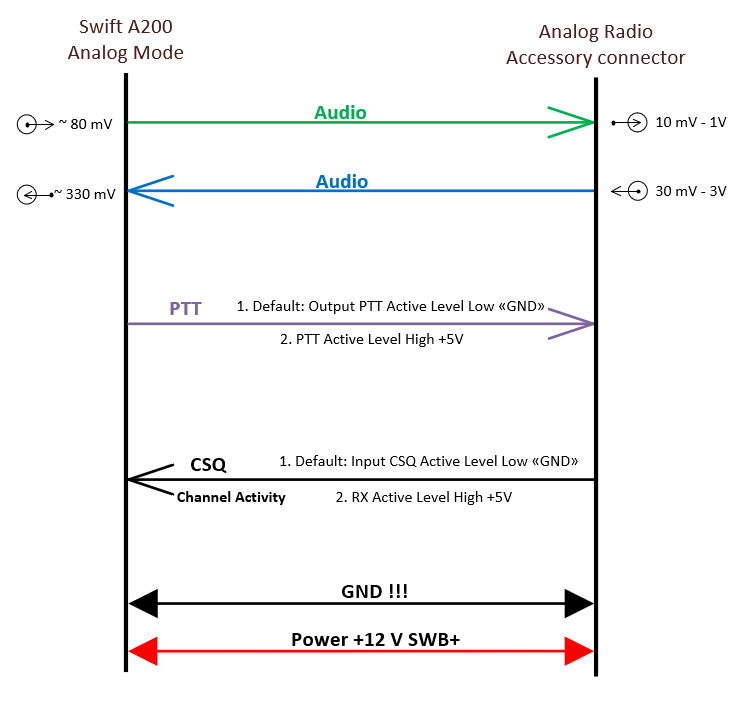
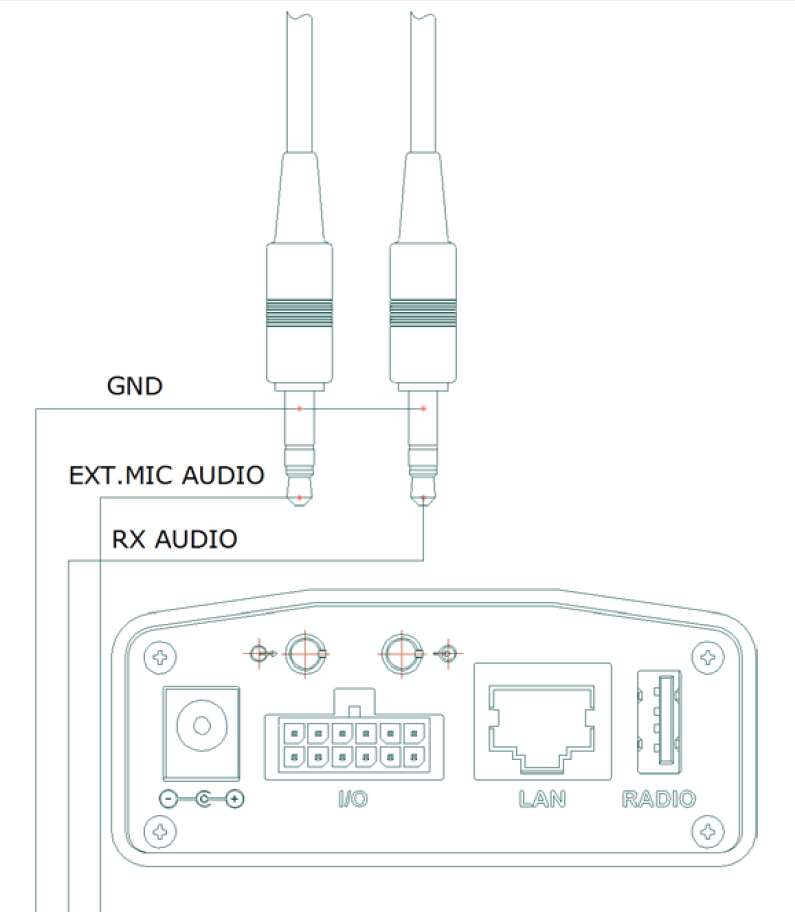
The audio gain on the jack is disabled by default. Default Swift CPS slider positions match this state.
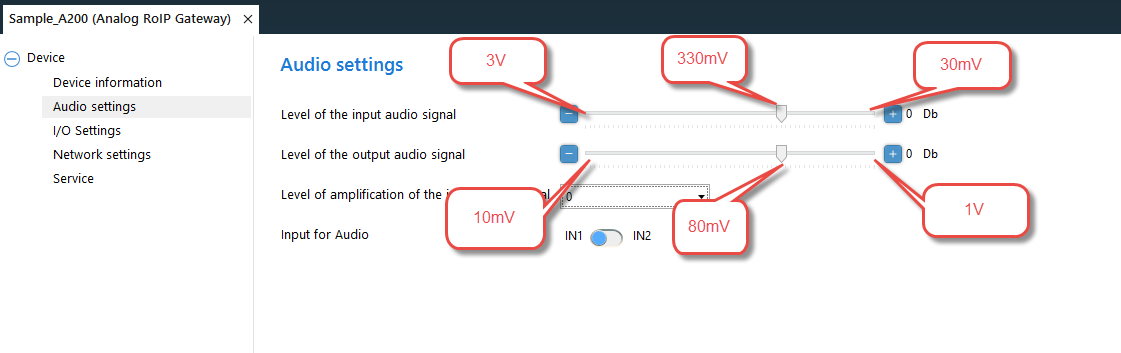
Default analog audio levels:
These levels are matched to MOTOTRBO accessory ports.
The maximum slider positions represent the maximum voltage the Agent can receive or transmit.
Step 2. External PTT and CSQ Detect PINs
External PTT
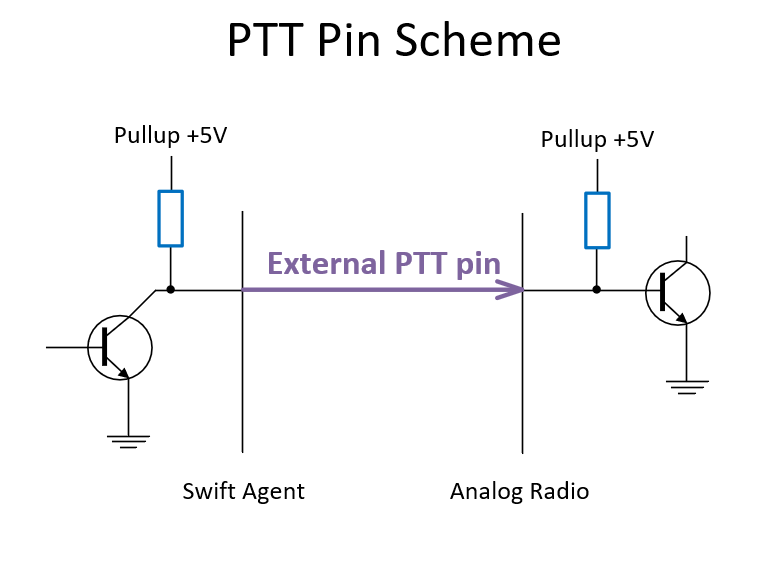
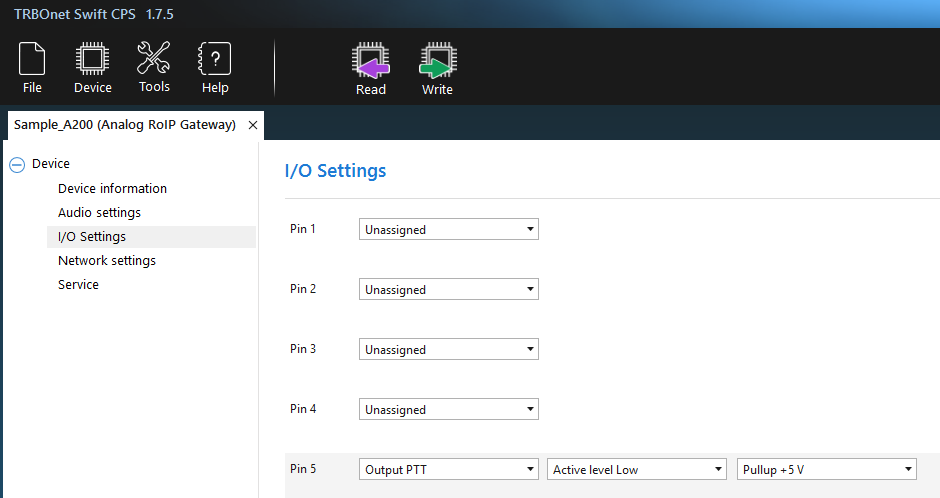
Swift Agent can also use PIN 7 with +12 V pullup if required.
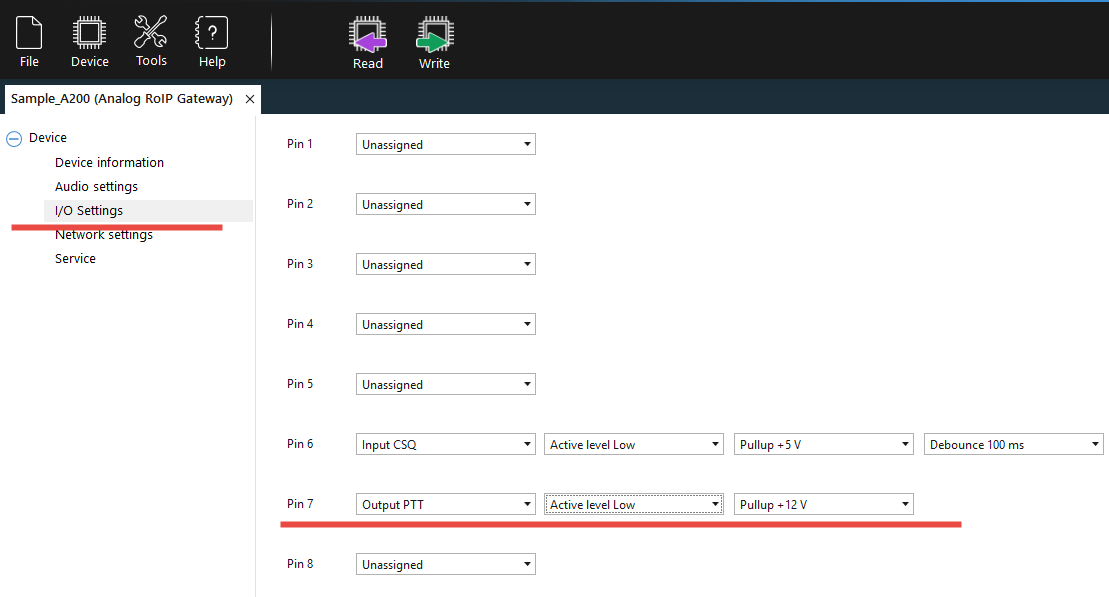
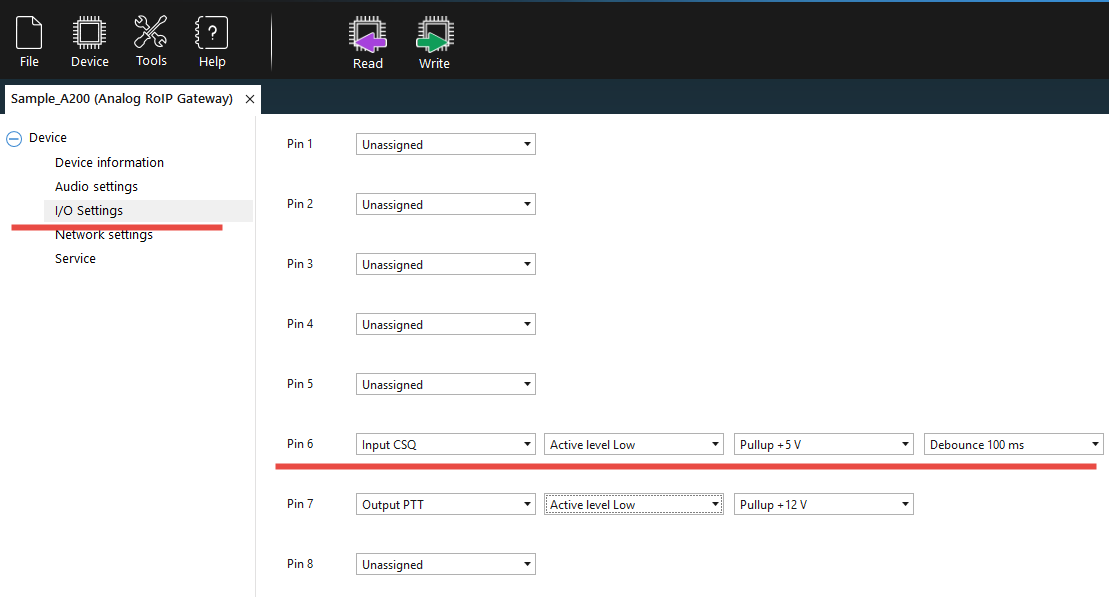
CSQ Detect
The scheme of the command PIN: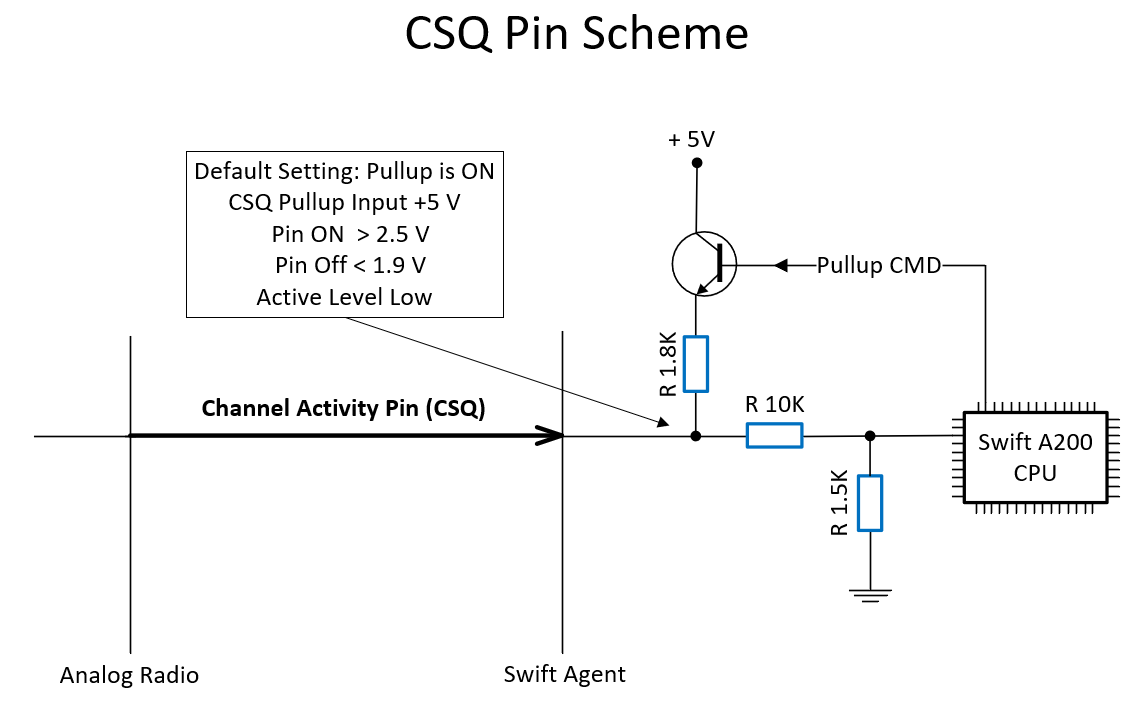
Default Input CSQ is PIN 6.

Logic Levels Table
| Logic level | Pin Off | Pin On |
|---|---|---|
| 1.8 V | <0.63 V | >1.17 V |
| 3.3 V | <0.8 V | >2.0 V |
| 5 V TTL | <0.8 V | >2.0 V |
| 5 V TTL CMOS | <1.5 V | >3.5 V |
| 9 V | <2.7 V | >6.3 V |
| 12 V | <3.6 V | >8.4 V |
Step 3. Power Supply Wiring
The analog station and the Swift Agent must share the same 12 V power source including plus, minus, and GND.
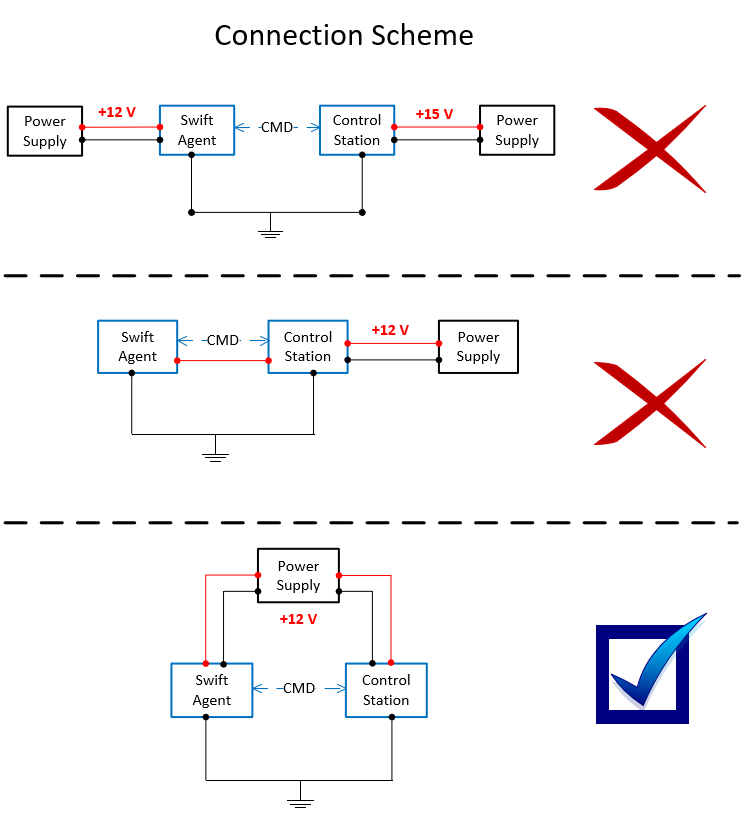
Do not power the Agent from the station power output.
Notes
Older radios such as DEM400 and XiR M3688 do not support digital data features and can be used only in analog voice mode through Swift Agent.