This article describes how to configure Windows service dependencies for TRBOnet services. The configuration ensures that TRBOnet starts only after required services are available.
Use Cases
• TRBOnet Service starts before TRBOnet License Server after system reboot, which causes the instance to stop and requires manual restart.
• TRBOnet Service starts before SQL Server on low performance systems, which prevents the service from starting correctly.
Configure Service Dependencies in Windows Registry
1. Open using an Administrator account.
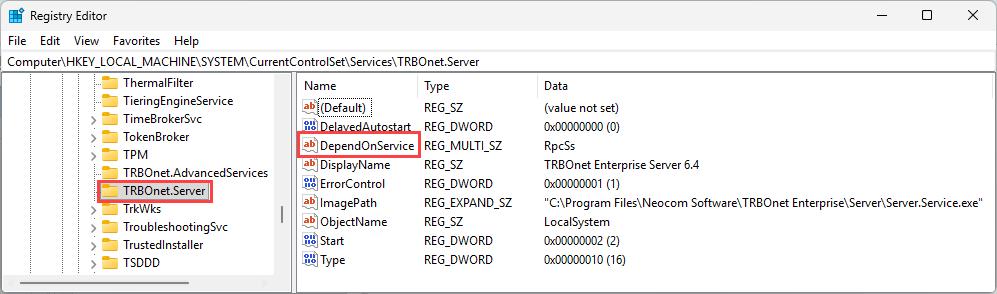
2. Navigate to:
Registry path: HKEY_LOCAL_MACHINE\SYSTEM\CurrentControlSet\Services
3. Locate the TRBOnet Service key or the named instance you want to modify.
Service dependencies apply per service instance. Configure each TRBOnet instance separately if multiple instances are used.
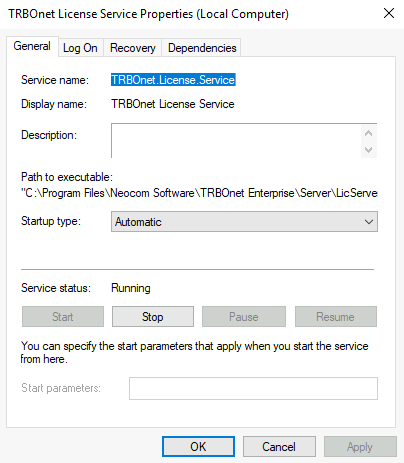
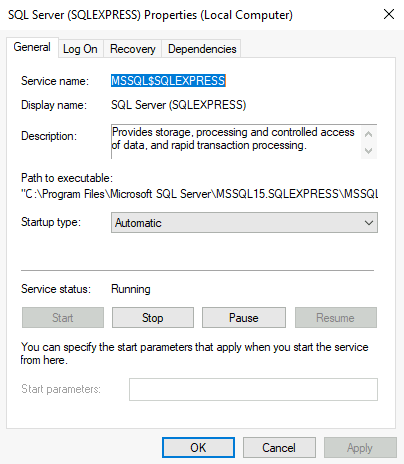
If the service name is unknown, open Services, open the service properties, and check the Service name field.
4. Locate the following value:
Registry value: DependOnService REG_MULTI_SZ
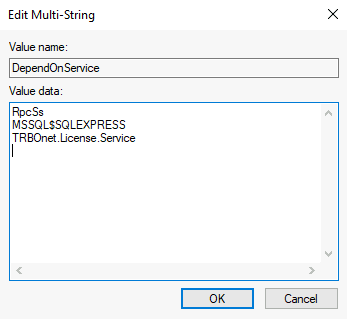
5. Edit the value and add required dependencies.
RpcSs
MSSQL$SQLEXPRESS
TRBOnet.License.Service
MSSQL$SQLEXPRESS
TRBOnet.License.Service
The entry must be present. Do not remove it.
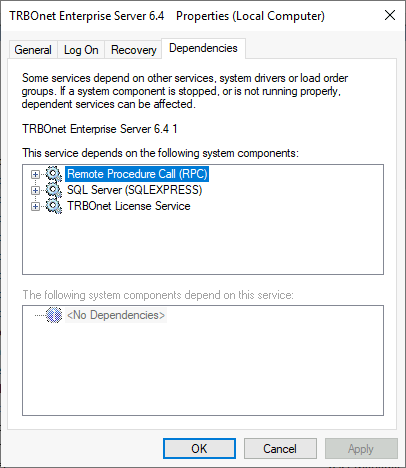
6. Open , open TRBOnet Service properties, and verify the tab.
7. The configured services must appear in the list.