IN THIS ARTICLE

Recording History Restoration After System Re-Addition

Incorrect email!

The article was successfully sent to the email

Before making any changes, always create a full backup of the database and configuration files. If the issue is detected immediately, the preferred solution is to restore the Server Configurator configuration from a backup rather than modifying the database.

When a MOTOTRBO system is removed from the Server Configurator and later added again (Even with the same parameters), it receives a new unique GUID. This situation may also occur if Windows corrupts the configuration file - for example, when the disk runs out of free space. In such cases, restoring the configuration from a backup is the recommended approach.

Since the system GUID is stored inside all audio-record references in the database, previously recorded audio will not appear in Reports or Recent Calls until the old GUID is replaced with the new one. The audio files themselves remain on disk (unless they were manually deleted earlier). However, the database no longer knows how to match them to the system after the GUID change.

Run SQL Update to Replace GUID
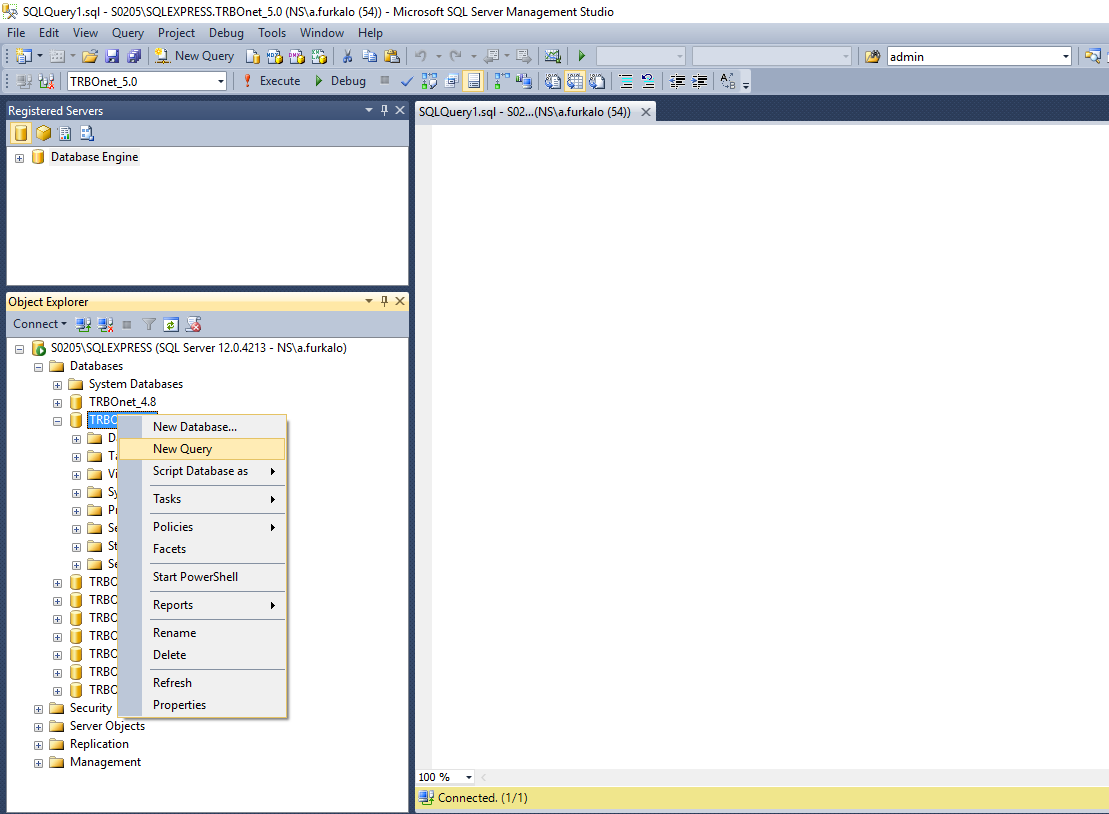
1. Open SQL Server Management Studio and select the target TRBOnet database.
2. Start a new query.
SQL Server Management Studio new query
3. Insert and run the following SQL command:
Use the actual GUIDs from your system.
UPDATE [dbo].[NotifyMessages]
   SET
      [master_station_id] = 'NEW-GUID-HERE'
WHERE [master_station_id] = 'OLD-GUID-HERE'
GO

How to Find the new GUID
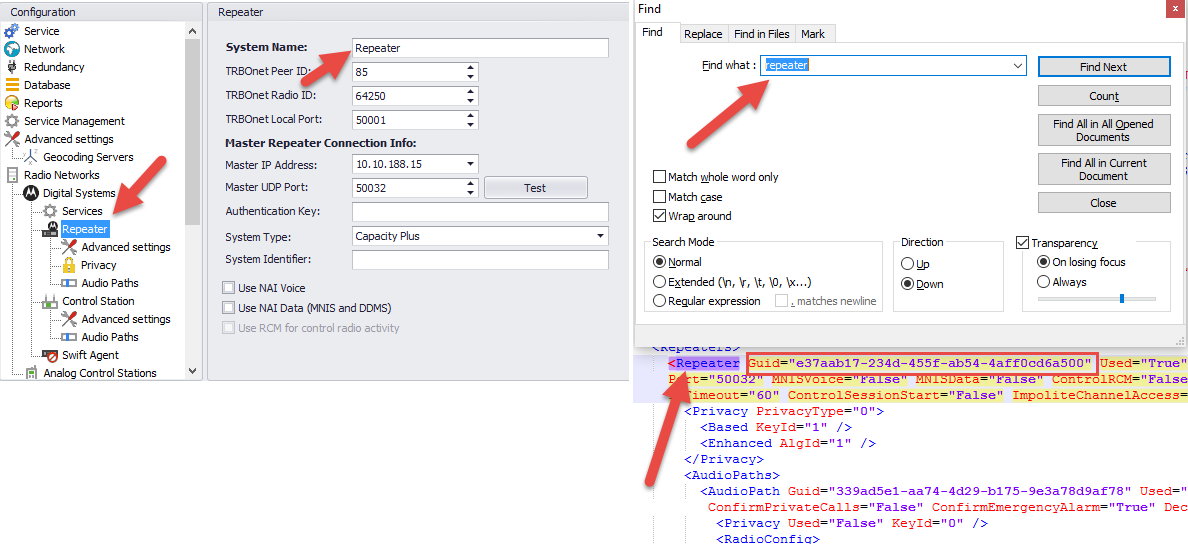
1. Open the configuration file TRBOnet.Enterprise.Server.config in a text editor:
Enterprise: C:\ProgramData\Neocom Software\TRBOnet.Enterprise\
Plus: C:\ProgramData\Neocom Software\TRBOnet Plus\
2. Search for your MOTOTRBO system name.
3. Copy the GUID — this is the NEW GUID for the SQL query.
Finding NEW GUID in config file

How to Find the old GUID

1. In SQL Server Management Studio, expand the target database.
2. Navigate to Tables dbo.NotifyMessages.
3. Right-click and select Select Top 1000 Rows.
If you have more than 1000 records (for example, if the issue was noticed late), increase the value in SELECT TOP (1000) to a larger number.
4. Locate the last record belonging to the old system and copy the GUID — this is the OLD GUID for the SQL query.
To help locate audio-related rows, modify the query to sort by date:
SELECT *
FROM [TRBOnet].[dbo].[NotifyMessages]
WHERE protocol = 32
ORDER BY date DESC


Helpful?
We're glad this article helped.

Thanks for letting us know. What went wrong?