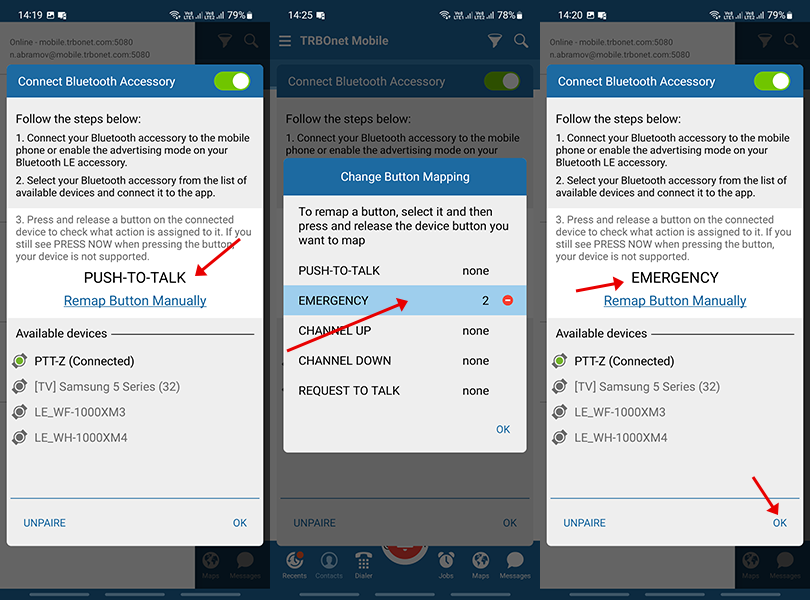
Mobile Client versions 2.10 and newer support external Bluetooth PTT buttons.
Steps
1. Ensure Bluetooth and Location are enabled on the smartphone.
2. In the Mobile Client menu open .
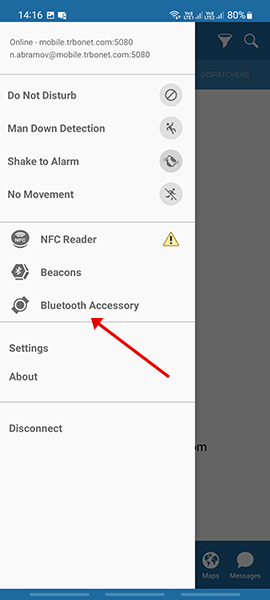
3. Activate pairing mode on the Bluetooth PTT button (example: PTT-Z).
4. Select the button from the list.
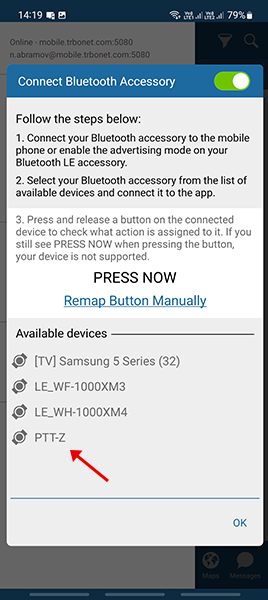
5. Wait until the status changes to .
Press and release the button several times to confirm it is detected, then tap .
Press and release the button several times to confirm it is detected, then tap .
6. Verify that the button and its connection status appear in the main menu list.
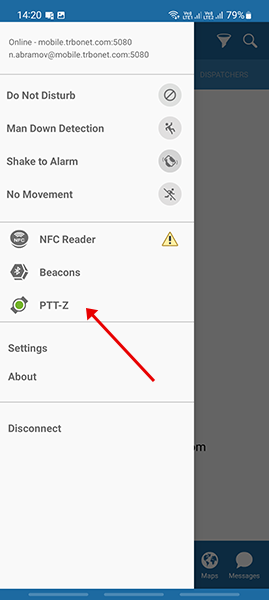
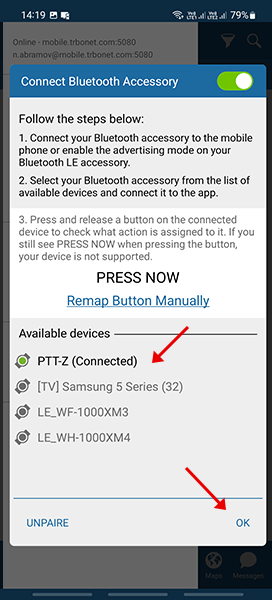
Change the Default Action
1. In the Mobile Client menu open .
2. Select .
3. Choose the required action in the pop-up menu.
Press and release the button several times to confirm detection, then tap .
Press and release the button several times to confirm detection, then tap .